
 By Ammar Sabilarrohman
As your business evolves from a one-person passion project into a growing enterprise, the complexity of your operations shifts accordingly. While the early days of entrepreneurship are defined by "hustle culture"—long hours, wearing every hat, and manual task management—scaling a business requires a fundamental transition. You move from doing the work to leading the people who do the work. This shift brings a new, non-negotiable set of responsibilities: compliance, payroll, benefits, and employee engagement.
To navigate this growth without drowning in administrative paperwork, you need the right Human Resources (HR) software in your corner. In an increasingly digital-first economy, HR software is no longer a luxury for corporations; it is a critical infrastructure for small businesses.
What is HR Software?
At its core, HR software is a centralized digital ecosystem designed to automate, organize, and optimize the lifecycle of your workforce. It acts as the "operating system" for your people, covering everything from the moment you post a job description to the day an employee retires or moves on.
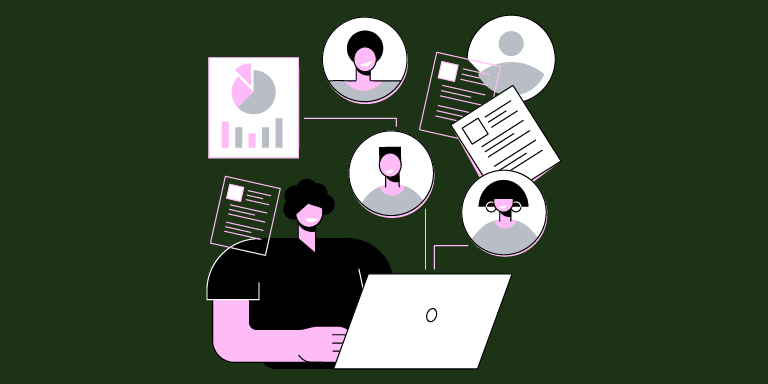
For a small business owner, the primary value proposition of these platforms is the reduction of human error. By automating repetitive tasks—such as tax withholdings, vacation requests, and onboarding documentation—you reclaim valuable hours. This allows you to pivot your focus back toward strategic growth, leadership development, and fostering a company culture that retains top talent.
What HR Software Isn’t
It is vital to distinguish between a management tool and a human replacement. HR software does not replace the need for empathetic leadership, nor does it resolve deep-seated cultural issues. It is a tool for efficiency, not a surrogate for human connection.
Key Factors for Selecting Your HR Stack
When compiling this list, I evaluated dozens of platforms based on five "non-negotiable" pillars. These criteria form the foundation for any robust HR strategy:
- Ease of Use: If a system requires a dedicated IT team to navigate, it’s a non-starter for a small business. The interface must be intuitive for both the admin and the employee.
- Core Features: A baseline platform must handle payroll processing, onboarding, and basic employee record management.
- Scalability: You need a solution that fits your current team size but can grow with you. Avoid "starter" platforms that you will inevitably outgrow within eighteen months.
- Integration: Your HR software should speak to your existing stack—accounting software like QuickBooks or Xero, communication tools like Slack, and project management platforms like Asana.
- Security and Compliance: In an era of increasing data privacy regulations (such as GDPR or CCPA), your HR portal must offer ironclad data protection and automated updates to ensure you stay on the right side of the law.
The 6 Best HR Software Solutions for 2025
1. Gusto: The Gold Standard for U.S. Small Businesses
Gusto has become synonymous with small business HR due to its clean design and all-in-one approach. It simplifies the often-daunting task of payroll and tax filing, making it a favorite for startups.
- The Upside: The platform is incredibly user-friendly. It excels at automated tax filings, benefits administration, and seamless onboarding.
- The Caveat: Its primary focus is the U.S. market. If your business has ambitions to hire contractors or employees internationally, you will find its capabilities limited.
- Best For: Small, domestic U.S. businesses looking for a "set it and forget it" payroll and HR solution.
2. Zoho People: The Customizable Powerhouse
Part of the massive Zoho ecosystem, Zoho People offers a level of flexibility that many of its competitors lack. It is designed to adapt to your specific organizational structure rather than forcing you into a pre-built mold.
- The Upside: Highly customizable workflows. If you have unique performance review cycles or complex leave-tracking requirements, Zoho can handle them.
- The Caveat: The interface feels somewhat dated compared to modern, minimalist competitors. It can have a steeper learning curve for non-technical users.
- Best For: Growing companies that need bespoke HR processes without the enterprise price tag.
3. Homebase: The Champion of Hourly Workforces
Homebase is specifically built for industries where the team is rarely behind a desk. It focuses on the intersection of scheduling and payroll.
- The Upside: The mobile app is exceptional. It allows staff to clock in/out, check schedules, and communicate with managers directly from their phones.
- The Caveat: It lacks the advanced HR depth (such as complex performance management or career development tools) required by larger corporate entities.
- Best For: Retail, hospitality, and service-based businesses with high volumes of hourly staff.
4. Deel: The Borderless Solution
As remote work becomes the norm, Deel has emerged as the leader for businesses operating across borders. It manages the complexities of local labor laws, currency conversions, and international contractor compliance.
- The Upside: It enables you to hire in over 150 countries without needing to open a local legal entity. It essentially functions as an Employer of Record (EOR).
- The Caveat: It is priced at a premium. Small businesses with tight margins may find the cost per head prohibitive compared to local-only solutions.
- Best For: Remote-first companies and businesses looking to tap into a global talent pool.
5. Connecteam: The Deskless Workforce Specialist
Similar to Homebase, Connecteam is designed for "field" employees. It goes beyond scheduling to include training modules, checklists, and digital forms.
- The Upside: It is an all-in-one communication and operational hub. It is excellent for industries like construction or home services where field safety and task verification are critical.
- The Caveat: The desktop functionality is secondary to the mobile experience, which might frustrate HR admins who spend all day at a computer.
- Best For: Companies with mobile, remote, or frontline workers who need to stay connected to company updates.
6. Rippling: The Unified OS
Rippling is widely considered the most ambitious player in the space. It doesn’t just manage HR; it manages your entire IT and finance backend, linking employee onboarding to laptop provisioning and software access.
- The Upside: Unmatched automation. When you hire someone, Rippling can automatically set up their email, order their laptop, and assign them to the correct payroll group.
- The Caveat: The modular pricing can get expensive quickly. Additionally, customer support is largely chat-based, which can be a point of friction for smaller teams needing immediate assistance.
- Best For: Scaling startups that want to unify HR, IT, and Finance into a single source of truth.
Implications of Digital Transformation in HR
The transition to digital HR is not merely about convenience; it is about risk mitigation. In 2025, the legal landscape regarding employee rights and data privacy is more complex than ever. Relying on spreadsheets or manual paper filing is an invitation for compliance errors that could cost your business thousands in fines.
By digitizing these functions, you create an "audit trail." Whether it is tracking time-off accruals or maintaining records of performance reviews, having a digital record protects the business during disputes and provides clarity for employees.
Furthermore, data-driven HR allows you to move from reactive management to proactive leadership. When you can see the data on turnover rates, salary benchmarking, and team engagement in real-time, you are empowered to make decisions that keep your best people happy and productive.
Conclusion: Investing in Your Future
Choosing the right HR software is a foundational step in your journey as a business owner. It signals that you are ready to professionalize your operations and prioritize your most valuable asset: your people.
As you look toward the remainder of 2025, remember that technology is only one part of the equation. The best tools will save you time, but they cannot replace the vision, culture, and care you bring to your team. Start by auditing your current pain points—is it payroll? Is it scheduling? Is it global compliance?—and select the tool that solves your most pressing problem today, while providing the runway to grow tomorrow.
Frequently Asked Questions (FAQ)
Q: What are the main HR functions in a small business?
A: Essential functions include talent acquisition, onboarding, payroll processing, benefits administration, performance management, compliance, and internal communication.
Q: Why is managing employee data critical?
A: Accurate data is the bedrock of compliance. It ensures you pay taxes correctly, provides a history of performance for fair compensation decisions, and keeps sensitive personal information secure.
Q: How can small businesses create effective HR processes?
A: Start by documenting every step of the employee lifecycle. Use your software to automate the "boring" parts (payroll and onboarding) so you can focus on the "human" parts (coaching and culture).
Q: What data should I track?
A: At a minimum, keep records of compensation, job history, attendance, performance evaluations, and mandatory training certifications.
 Dwi Wanna
  rifanmuazin
  Asep Darmawan