
 By Layla Zulfa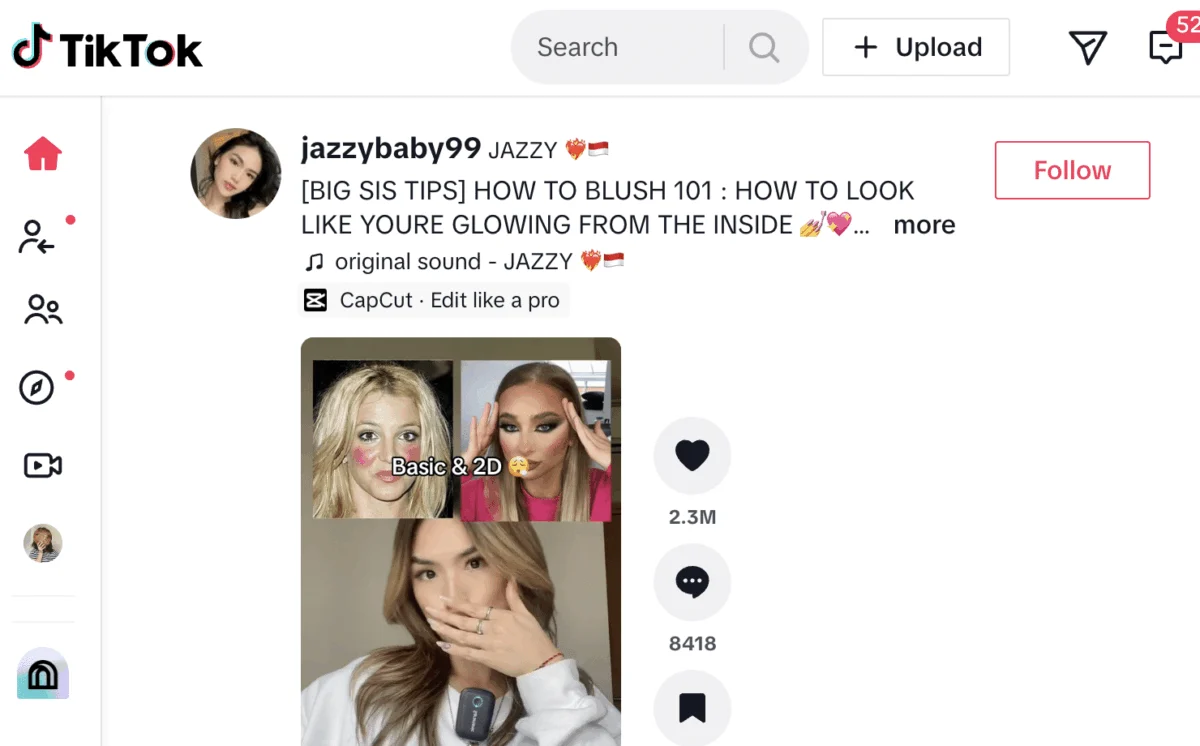
In the fast-paced world of social media, timing is not just a preference—it is a competitive advantage. For brands, creators, and marketers, the ability to deliver content precisely when an audience is most receptive can be the difference between a video that goes viral and one that fades into the digital abyss. As TikTok continues to dominate the global short-form video landscape, mastering the platform’s scheduling capabilities has become an essential pillar of any successful digital strategy.
Whether you are looking to maintain a consistent posting cadence or aiming to reach followers across disparate time zones, scheduling your content is the most effective way to optimize your workflow. This guide explores the mechanics of TikTok scheduling, the strategic importance of timing, and the tools available to elevate your content performance.
The Strategic Importance of Content Scheduling
Consistency is the heartbeat of social media growth. The TikTok algorithm rewards creators who provide a steady stream of content, helping the platform categorize their interests and serve their videos to the right audiences. However, relying on manual, real-time posting is rarely sustainable for professional teams or busy creators.
Scheduling allows for "batching"—the process of creating multiple pieces of content in one sitting and lining them up for automated release. This approach reduces the stress of daily content creation, minimizes the risk of burnout, and ensures that your brand remains active even when you are offline. By planning ahead, you can align your video releases with high-traffic windows, ensuring your content is front-and-center when your community is most active.
Chronology: How to Schedule Your TikTok Content
Depending on your needs, there are two primary pathways to scheduling: the platform’s native tools and third-party management suites.

Method 1: The Native Approach (TikTok Studio)
TikTok has evolved its desktop interface, now known as "TikTok Studio," to allow users with Creator or Business accounts to schedule content natively.
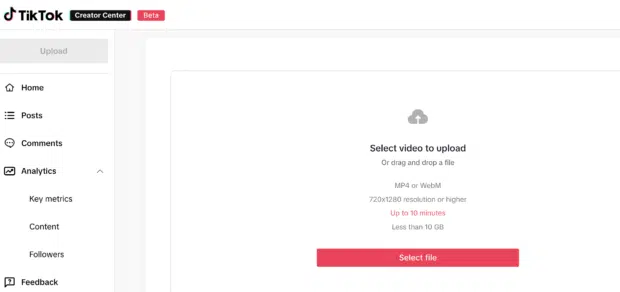
- Log In and Initiate: Navigate to TikTok.com on your desktop browser. Click the "Upload" button located in the top-right corner.
- Asset Selection: Choose your video file. Remember, TikTok supports videos up to 10 minutes in length, provided they meet the 10GB size limit and satisfy resolution requirements (720×1280 or higher).
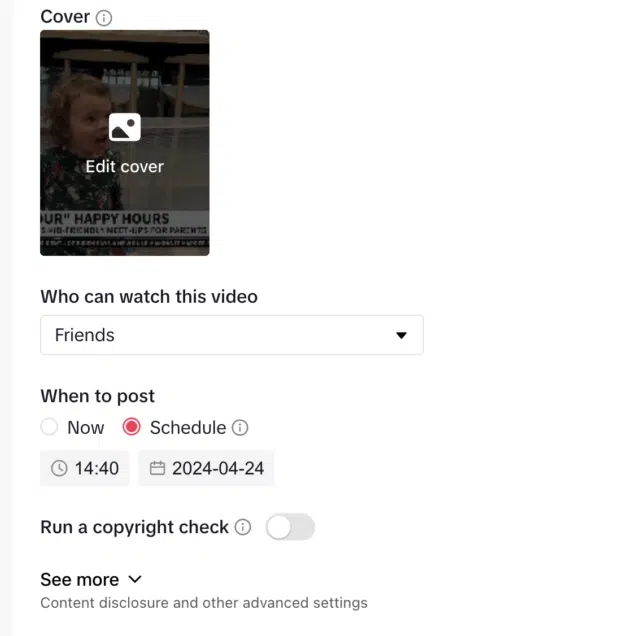
- Refinement: Use the provided fields to add a compelling caption, relevant hashtags, and strategic mentions. You can also customize your cover image and set privacy permissions (e.g., "Everyone," "Friends," or "Only Me").
- The Scheduling Window: Locate the "When to Post" section. Select "Schedule" and choose your desired date and time. Note that TikTok’s native feature is currently capped at a 10-day advance window. Once confirmed, your video is queued to go live automatically.
Method 2: The Professional Suite (Hootsuite)
For enterprise teams or creators who manage multiple platforms, third-party tools like Hootsuite offer a more robust, long-range solution.
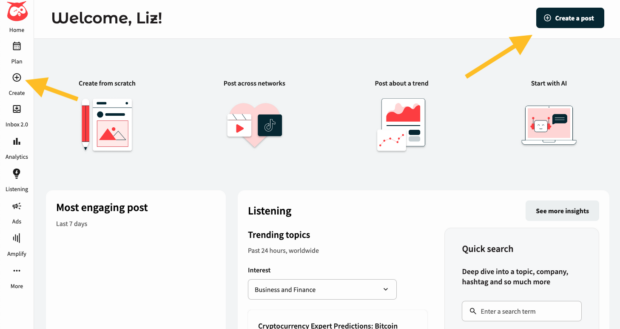
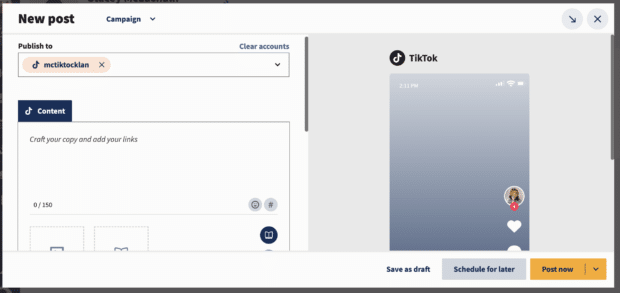
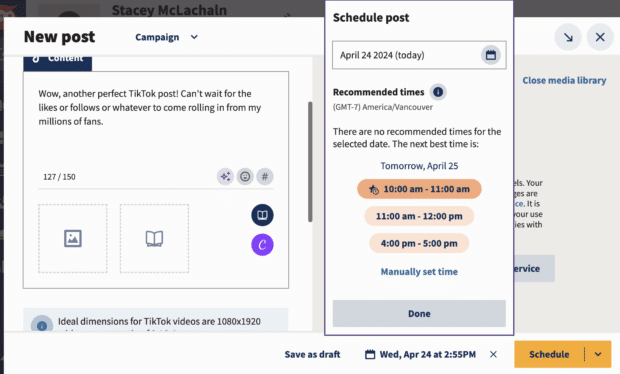
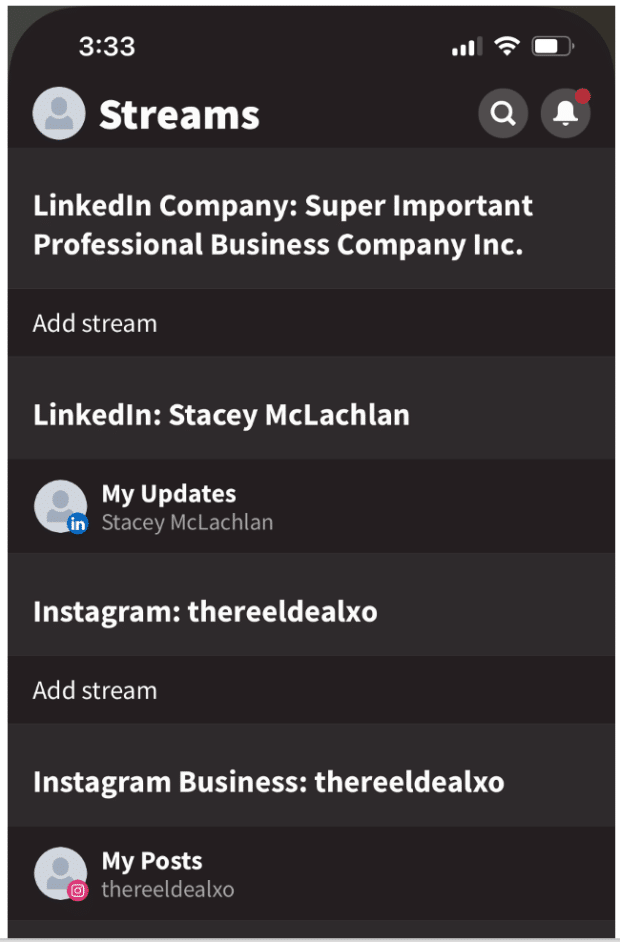
- Seamless Integration: Once your TikTok account is connected to your Hootsuite dashboard, you can initiate a post by clicking "Create."
- Advanced Composition: Hootsuite allows for more granular control over your post settings. You can drag and drop your media, write captions, and leverage AI writing assistants like "OwlyWriter" to generate engaging text.
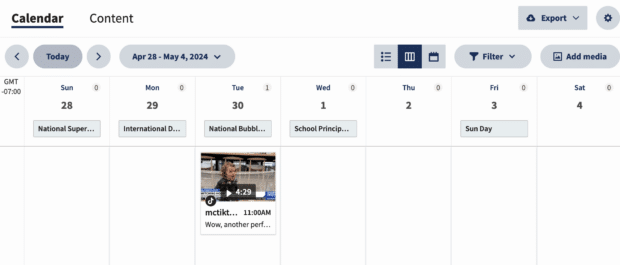
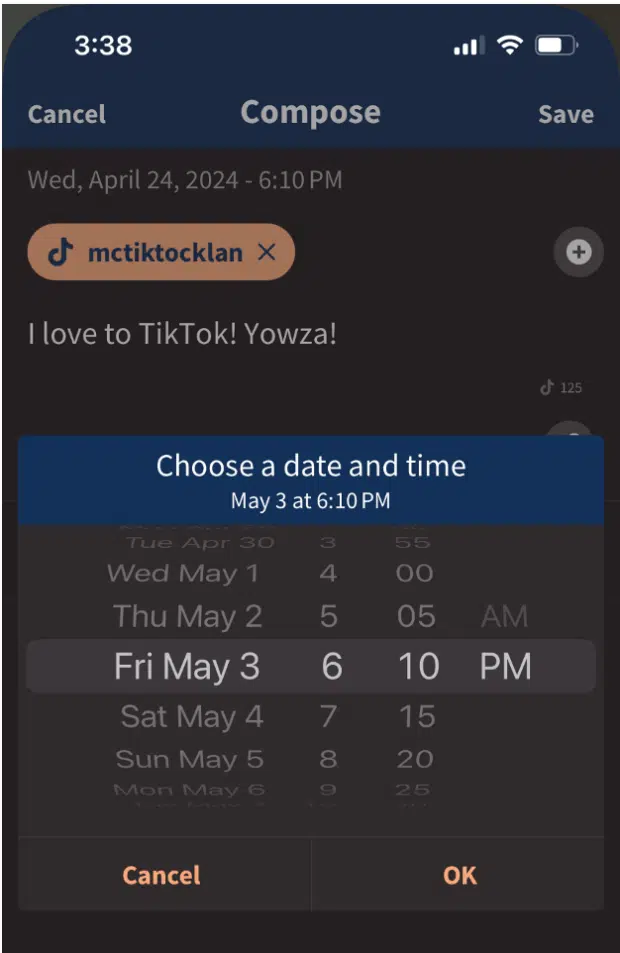
- Extended Planning: Unlike native tools, Hootsuite allows you to plan weeks or even months in advance. This is critical for campaign management, product launches, and seasonal marketing.
- Strategic Recommendations: Hootsuite’s "Recommended Times" feature provides data-driven suggestions on when your specific audience is most likely to engage, taking the guesswork out of the scheduling process.
Supporting Data: Why Timing Matters
Research into user behavior consistently shows that posting frequency and timing are the primary drivers of account growth. According to recent industry benchmarks, the optimal frequency for businesses is three to five times per week.
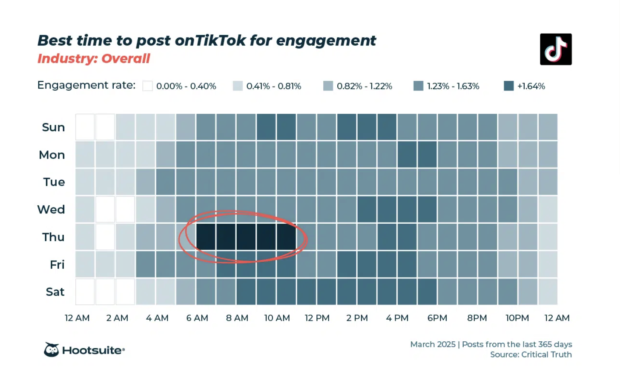
Data further indicates that the "best" times to post are often clustered around specific windows:

- Thursdays: High engagement observed between 6:00 AM and 9:00 AM.
- Saturdays: Significant activity between 10:00 AM and 6:00 PM.
These are, however, global averages. Every account has a unique "audience heartbeat." By utilizing the analytics dashboards in either TikTok or Hootsuite, creators can identify the specific hours their followers are most active. Ignoring these metrics in favor of "best practice" averages is a common mistake; true optimization requires tailoring your schedule to the specific habits of your core demographic.
Implications of Global Reach and Time Zones
A common challenge for modern brands is managing an international audience. If your headquarters are in New York but your primary growth is occurring in London or Tokyo, manual posting becomes a logistical nightmare.
Scheduling allows for "time-zone agnostic" publishing. By analyzing your audience’s location data through your TikTok analytics, you can set your content to go live during the peak hours of your most important regions. Failing to account for this means your content might arrive in a follower’s feed at 3:00 AM, effectively burying it before the day even begins.
Expert Recommendations for Workflow Optimization
To maximize the impact of your scheduled content, follow these industry-standard best practices:

- Batch Your Evergreen Content: Reserve your scheduling slots for high-quality, evergreen content that doesn’t rely on fleeting trends. This ensures a baseline of activity.
- Leave Room for Reactivity: Do not schedule 100% of your content. Always leave "white space" in your calendar to jump on trending audio, viral challenges, or news-cycle moments as they happen. A hybrid approach—scheduled evergreen content mixed with real-time reactive posts—is the gold standard.
- Audit Your Analytics: Once a month, review your top-performing posts. Look for patterns: Did the videos posted at 8:00 AM outperform those posted at 8:00 PM? Use these insights to recalibrate your schedule for the following month.
- Check for Policy Compliance: While scheduling is automated, human oversight remains vital. Ensure that all scheduled content complies with copyright guidelines and community standards to prevent a "shadowban" or a post being removed shortly after it goes live.
Official Perspective: The "Quality Over Quantity" Mandate
While the algorithm favors consistency, TikTok’s official guidance consistently emphasizes that "authenticity beats perfection." Brands that over-automate their presence and lose their "native" feel often see a decline in engagement.
The goal of scheduling is to free up your team’s time so that you can focus on engagement—the "social" part of social media. When you aren’t worried about the mechanics of uploading a video, you can spend more time in the comments section, building relationships with your community, and participating in trends.

In summary, scheduling is not a replacement for human connection; it is a tool to facilitate it. By automating the technical logistics of your content calendar, you gain the freedom to be more present, more reactive, and ultimately, more successful on one of the world’s most dynamic platforms.
Whether you are a solopreneur using the native TikTok Studio or a global agency leveraging the power of Hootsuite, the path to growth is the same: plan strategically, measure relentlessly, and always leave room for the human element that makes TikTok unique.
 Reynand Wu
  Muslim
  Nila Kartika Wati