
 By Laily UPN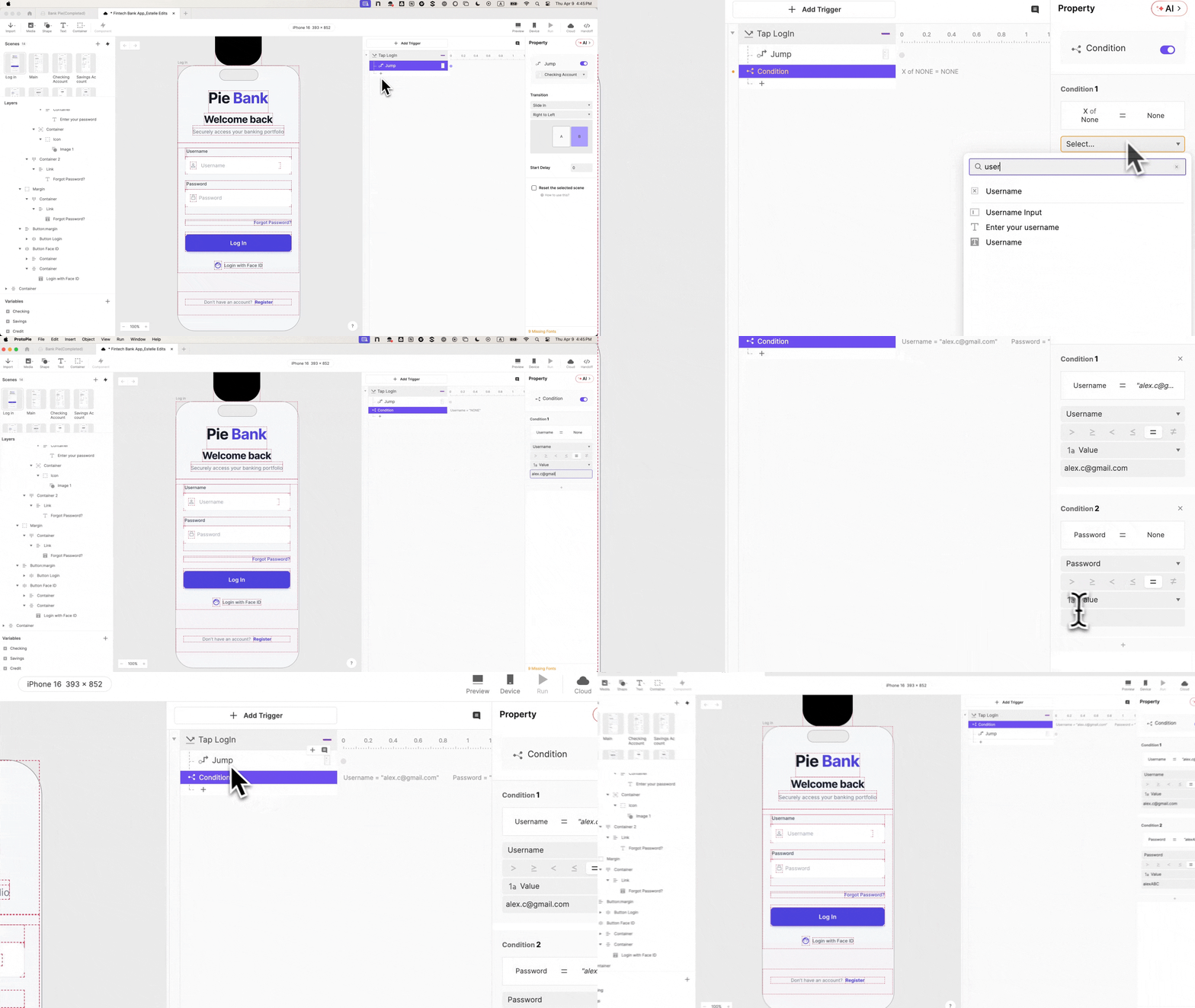
In the controlled environment of a usability lab, there is a recurring phenomenon that UX researchers call "the hesitation." It occurs almost exclusively at the login screen. A participant reaches the gateway of an application, pauses, types a few characters, and then looks up at the moderator with a silent, questioning glance: "Am I doing this right?"
This pause is more than a mere glitch in user flow; it is a signal of a fundamental break in the "suspension of disbelief" required for accurate user testing. In that moment, the participant has recognized that the application is a facade. From that point forward, every interaction is filtered through the awareness that the data is fake, the security is non-existent, and the consequences are zero. In the high-stakes world of Financial Technology (FinTech), this "fidelity gap" doesn’t just result in poor notes—it results in dangerous data.
Main Facts: The Crisis of Trust in Financial Prototyping
The core challenge in FinTech design is that banking users are conditioned to be suspicious. They are trained to notice when a balance doesn’t update, when a field accepts invalid data, or when a security gate feels "hollow." Traditional prototyping tools, which often rely on "hotspots" and static transitions, frequently fail to provide the sensory and logical feedback required to simulate a real financial environment.
To solve this, design teams are increasingly turning to advanced interaction tools like ProtoPie. By moving beyond static images and into the realm of conditional logic and variable-based inputs, designers can create "living" prototypes that behave indistinguishably from shipped code.
The goal of a high-fidelity login prototype is not merely aesthetic; it is psychological. By establishing trust at the very first interaction—the login—designers ensure that the user remains in a "natural" state of mind for the remainder of the session. When the login works exactly like a real bank, the user treats the subsequent money transfer or investment decision with the same gravity they would in their own banking app.
Chronology: A Step-by-Step Guide to Building a High-Fidelity Gateway
Building a prototype that commands this level of authority requires a shift from "drawing" to "architecting." The following chronology outlines the process of building the "Pie Bank" login flow—a prototype that utilizes real text inputs, credential validation, and native biometric animations.
Phase 1: The Foundation of Structure (Importing from Figma)
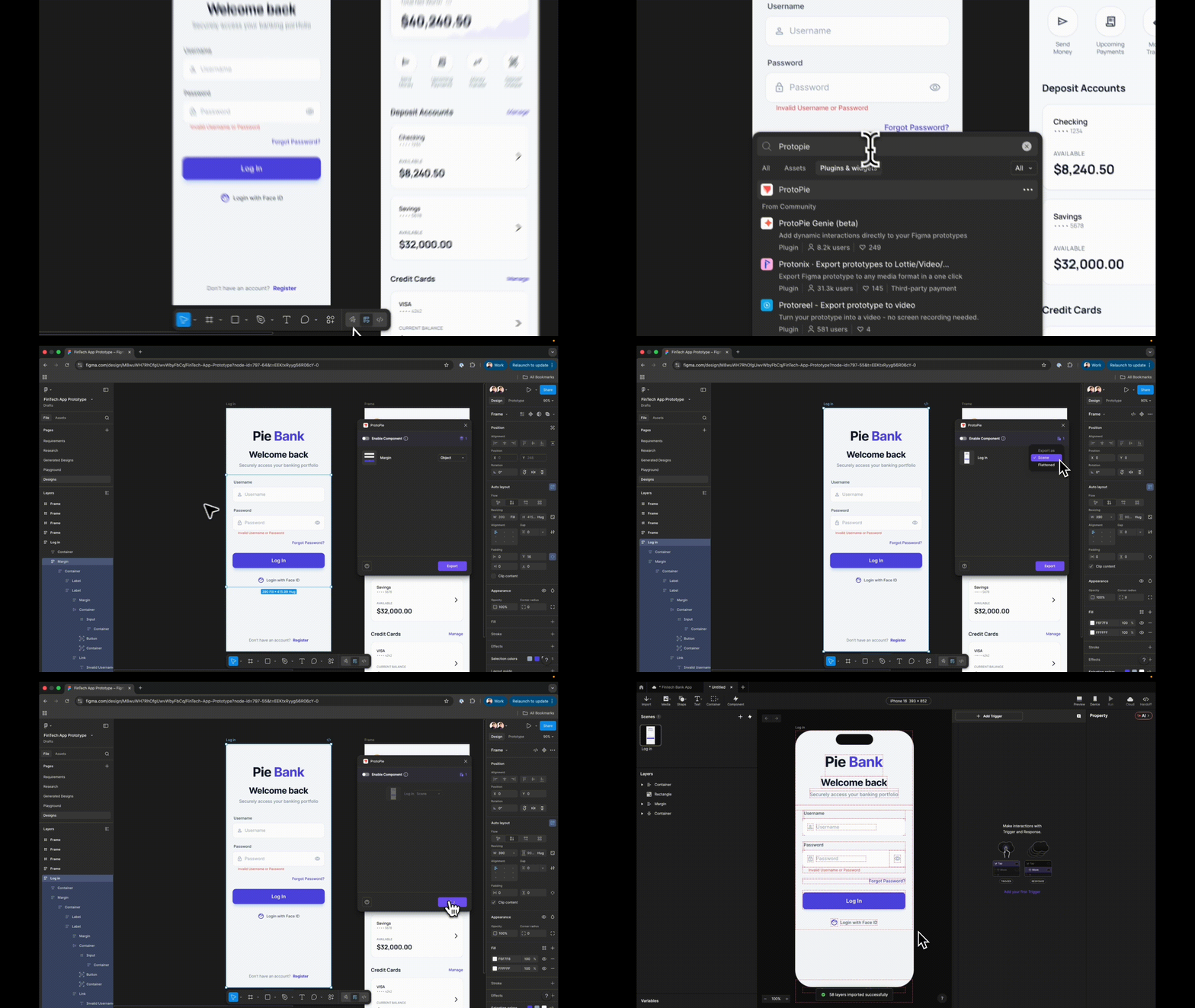
The process begins in the design environment, typically Figma. However, the transition to ProtoPie is the first critical juncture. Designers must export their frames as Scenes rather than flattened images.
Flattening a design collapses the hierarchy, rendering individual elements untargetable. By importing as a Scene, every layer—from the "Login" button to the background rectangle—remains an independent object. A crucial, often overlooked step in this phase is semantic naming. In a complex prototype, referencing "Rectangle 14" in a logical formula leads to exponential time loss. Naming a layer "Input_Username" ensures that the logic remains readable as the prototype grows in complexity.
Phase 2: From Static Images to Native Inputs
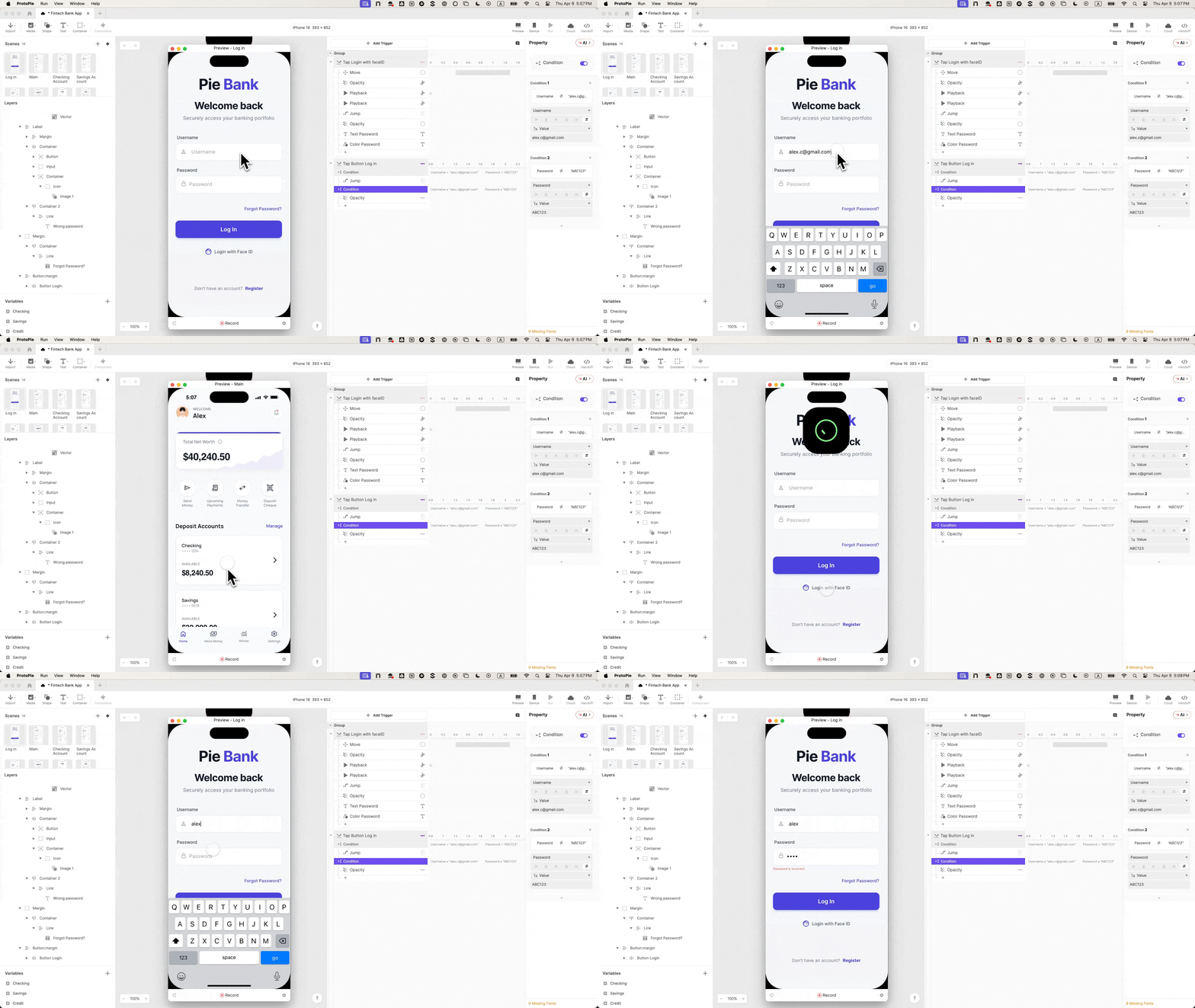
The second phase involves replacing static design elements with functional ones. ProtoPie’s native Input layers are the engine of this realism. Unlike standard prototyping tools where a user taps a field and the text magically appears, native inputs trigger the device’s actual keyboard.
When a participant sees their own mobile keyboard slide up and feels the haptic feedback of typing their own name, the "fidelity gap" begins to close. This phase also includes the implementation of Text Password masking. By changing a single property, the prototype handles the security dots automatically, mirroring the privacy expectations of a real-world financial app without requiring a single line of custom code.
Phase 3: The "Brain" of the Prototype (Variables and Logic)
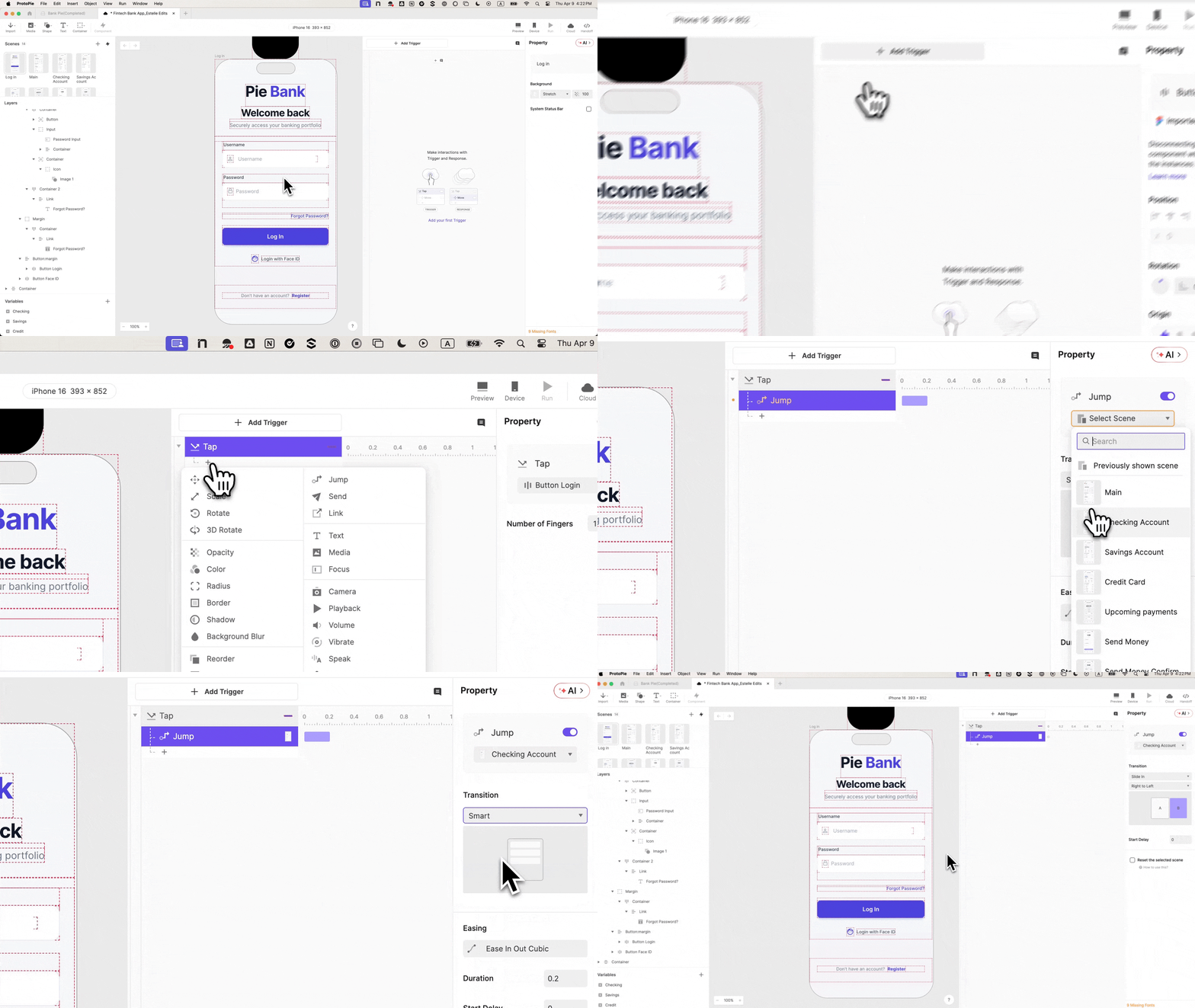
A prototype that "remembers" is a prototype that feels real. In this phase, designers implement Variables. By creating text variables for username and password, the prototype stores what the user types.
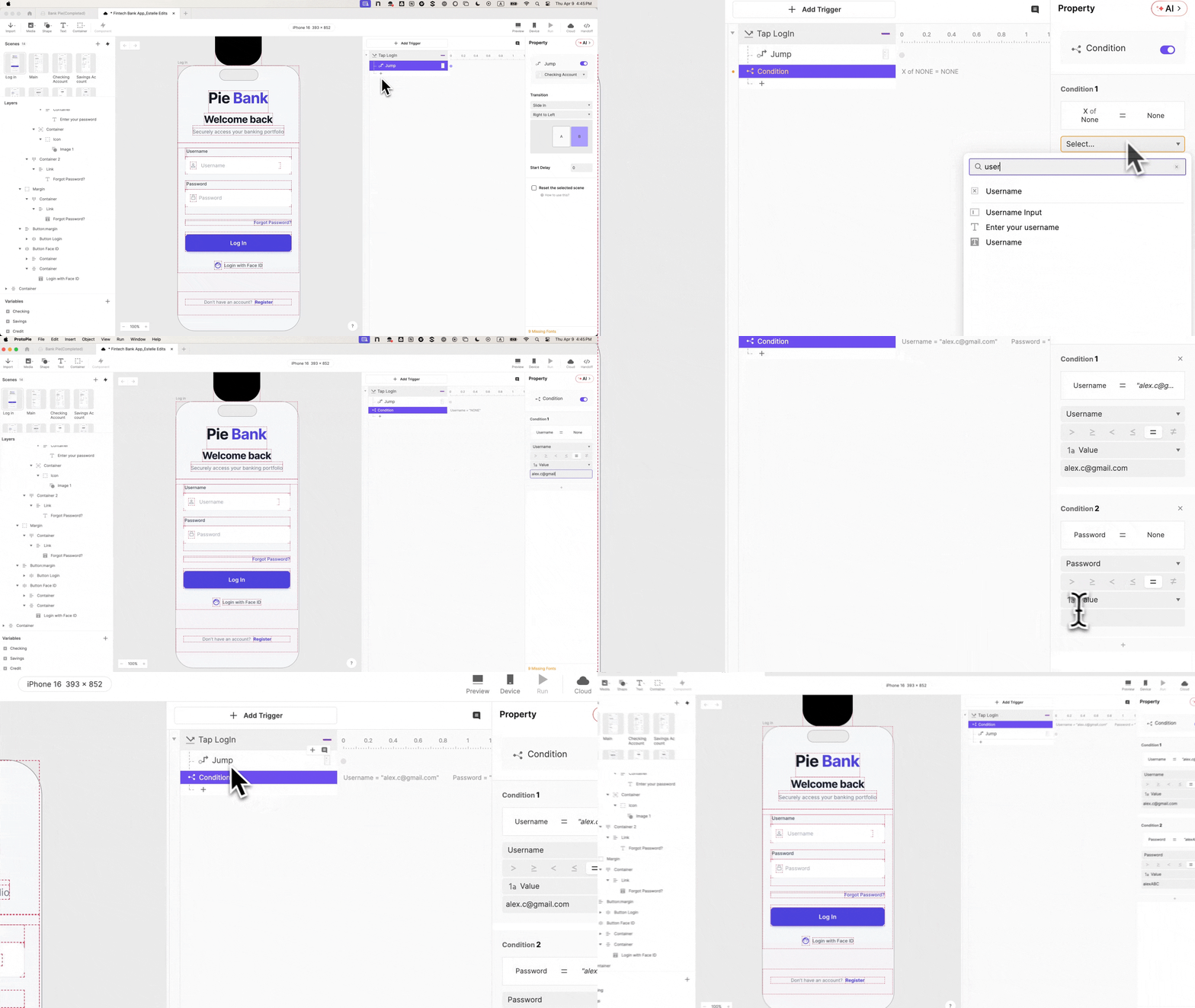
Using formulas like input("Input_Username").text, the designer binds the visual layer to the internal logic. This allows the prototype to perform "Credential Validation." For the first time, the prototype isn’t just a series of linked screens; it is a system that can distinguish between a "correct" user and an "unauthorized" one.

Phase 4: Error States and The "Uncanny" Face ID
The final phase of construction involves building the interactions that most prototypes skip: the failures. By creating an Error State (e.g., an "Invalid Credentials" message with 0% initial opacity), the designer can set conditions. If the input doesn’t match the required variable, the error appears.
To provide the ultimate "wow" factor, designers integrate Lottie animations to simulate Face ID. By staggering the timing of a Lottie file—moving it into the frame, playing the "scan" animation, and then triggering a scene jump—the designer creates a biometric experience that is visually indistinguishable from iOS or Android native behaviors.
Supporting Data: The Impact of Fidelity on UX Outcomes
Why invest hours into a Face ID animation or conditional logic? The data suggests that the return on investment (ROI) is found in the quality of the "signal" gathered during testing.
- Reduced Moderator Interference: In low-fidelity tests, moderators often have to intervene to explain, "Pretend you just typed your password." Every intervention breaks the user’s flow. High-fidelity prototypes reduce "moderator-induced bias" by 40-60%, as users can navigate the interface unassisted.
- Increased Error Detection: When a prototype includes a live error state, researchers can observe how users react to friction. In a static prototype, a user never sees an error message unless the script calls for it. In a high-fidelity environment, researchers can identify if an error message is clear enough to guide a user back to a successful path.
- Stakeholder Buy-in: According to industry surveys, prototypes that look and feel like finished products reduce "feedback noise" in stakeholder meetings. When a prototype is low-fidelity, stakeholders often focus on the "fakeness" of the UI rather than the utility of the feature. High-fidelity tools allow stakeholders to see the intent of the interaction, leading to faster approval cycles.
Official Responses: Perspectives from the Design Frontline
Industry leaders emphasize that the "no-code" revolution in prototyping is fundamentally changing the relationship between design and engineering.
"In the past, there was a massive wall between what a designer could imagine and what they could prototype," says a lead interaction designer at a major European Neobank. "We used to have to ask engineers to build ‘throwaway’ code just to test a complex interaction. With tools like ProtoPie, the design team can now build those logic-heavy flows themselves. It saves weeks of development time."
Furthermore, the documentation aspect of high-fidelity prototyping is being hailed as a "bridge" for handoffs. When an engineer receives a ProtoPie file, they aren’t just looking at a static mock-up; they can open the interaction panel and see the exact millisecond delays, the conditional logic, and the variable bindings. This reduces the "interpretation gap" that often leads to bugs during the transition from design to production.

Implications: The Future of FinTech Interaction Design
The shift toward high-fidelity prototyping signals a broader maturation of the UX field. As digital products—especially in finance—become more dependent on complex logic and personalized data, the tools used to design them must keep pace.
1. The Death of the "Golden Path"
Traditional prototyping focuses on the "Golden Path"—the perfect journey where the user does everything right. High-fidelity prototyping allows for "Edge Case Design." Designers can now test what happens when a user has a low balance, a weak internet connection, or an incorrect password. This leads to more resilient products.
2. Democratizing Complex Interaction
By removing the "code barrier," high-fidelity tools are democratizing advanced interaction design. Designers who don’t know React or Swift can now build functional logic, allowing for a more diverse range of creative solutions to be tested and validated before a single line of production code is written.
3. Trust as a Competitive Advantage
In the FinTech sector, trust is the primary currency. As users become more tech-savvy, their tolerance for "clunky" or "fake-feeling" interfaces is dropping. Companies that invest in the "micro-moments"—the smoothness of a Face ID transition, the clarity of a real-time validation—will find themselves with higher retention rates and deeper user loyalty.
Conclusion
The "pause" at the login screen is a challenge to every UX professional. It is a reminder that our users are smarter than our prototypes. By embracing high-fidelity tools and building interactions that behave like shipped products, we don’t just fix a login screen; we build a foundation of trust that makes every subsequent data point more valuable. In the world of FinTech, where every pixel counts, "faking it" is no longer an option. It’s time to make it real.
 Nana Wu
  Nana
Nana 