
 By Nila Kartika Wati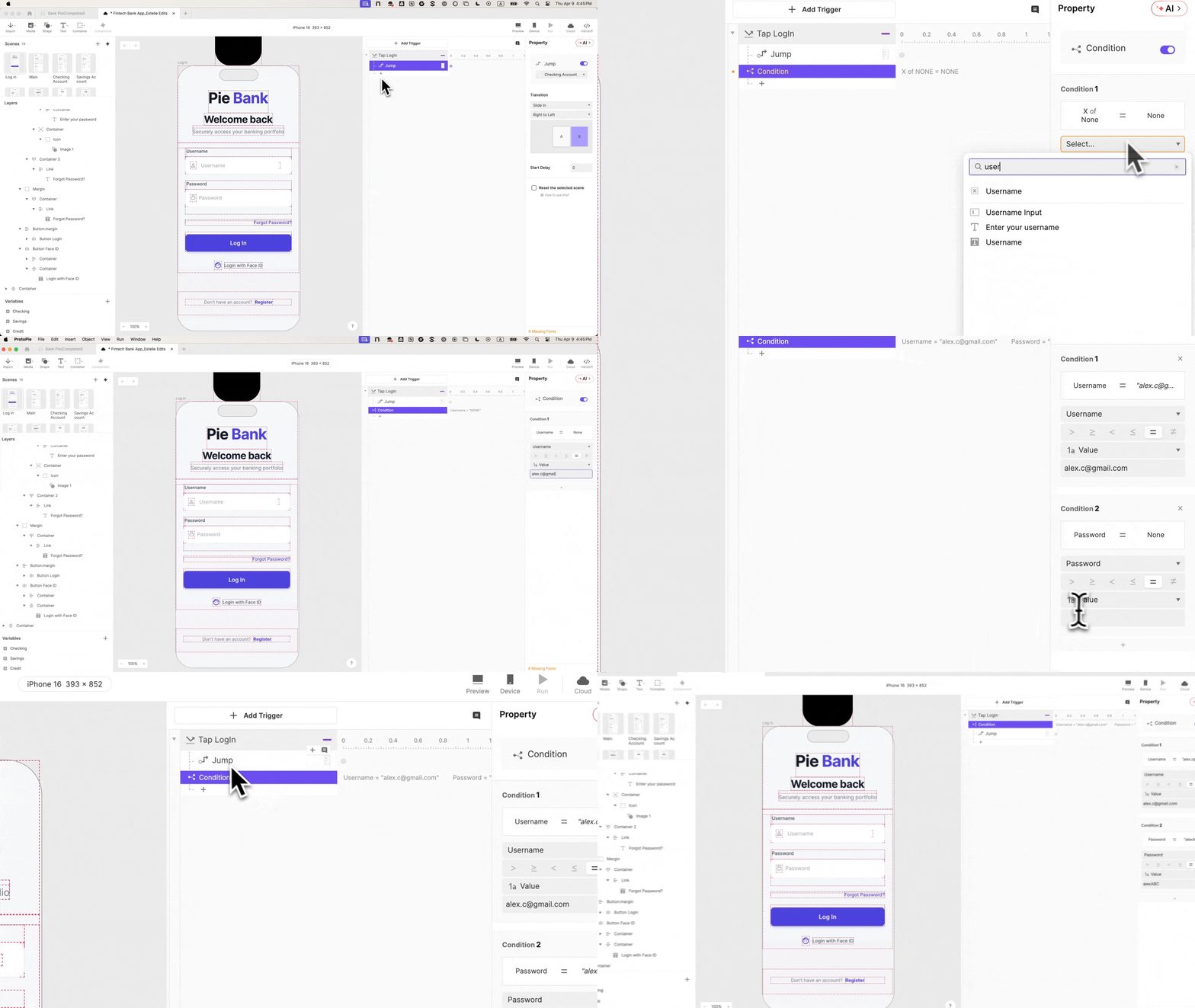
In the sterile environment of a usability lab, a familiar psychological shift routinely occurs. A participant is tasked with navigating a newly designed mobile application. They reach the login screen, pause momentarily, type a string of arbitrary characters into a field, and glance up at the moderator. Their expression carries a silent, probing question: “Am I doing it right?”
That single pause is a glaring red flag for UX researchers. At that exact millisecond, the participant has broken the suspension of disbelief. They have consciously registered that they are interacting with a mock-up, not a live piece of software. From that point onward, every data point collected, every metric logged, and every qualitative observation recorded is fundamentally filtered through the awareness that the environment is artificial.
For financial technology (FinTech) products, this problem is exponentially sharper. Consumers are hyper-trained by years of digital banking to instantly notice when something feels conceptually or functionally "off." They spot a balance that fails to reconcile, an input field that accepts arbitrary strings where strict formatting is required, or an authentication sequence that waves them through without verifying credentials. When a banking prototype skips genuine authentication, participants don’t simply disengage—they actively interrupt the session to flag the discrepancy. Consequently, design teams walk away with usability findings that reflect how users behave in a controlled demonstration, rather than how they react to real-world financial software.

To capture genuine user behavior, design teams are increasingly realizing that the fix is much narrower—and more critical—than previously thought: you must identify the precise moment where participant trust is established and make that single interaction entirely real. In financial applications, that linchpin is the login screen.
The Cost of Faked Friction: Understanding the Usability Gap
Historically, rapid prototyping tools allowed product designers to quickly string together static screens, connecting buttons to subsequent views with simple navigational links. While efficient for early-stage conceptual wireframing, this approach introduces severe distortions during formal usability testing—particularly in high-stakes industries like banking, healthcare, and enterprise software.
When a user encounters a frictionless, unvalidated login screen, a psychological barrier drops. Real authentication requires cognitive effort, memory retrieval, and anxiety management regarding security. A fake login requires none of these. Because users face no consequences for entering incorrect data, erratic inputs, or blank fields, their exploratory paths diverge wildly from actual user journeys.
Furthermore, omitting basic error handling robs researchers of vital telemetry. A functioning error state is not merely a visual design element; it is a fundamental touchpoint in behavioral research. When an authentication attempt fails in a production-ready environment, researchers can evaluate crucial UX questions:
- Do users understand the error messaging?
- Do they immediately attempt to correct their input, or do they abandon the task?
- Do they instinctively reach for biometric alternatives, such as Face ID or fingerprint scanning?
A faked login can answer none of these questions. Recognizing this limitation, modern UX engineers are turning to advanced prototyping platforms—such as ProtoPie—to build front-end flows that behave identically to shipped software, completely code-free.
Chronology of a Breakthrough: Building a Production-Grade Prototype
To bridge the gap between static design files and living software, leading UX teams are deploying systematic prototyping frameworks. Using the fictional mobile banking app "Pie Bank" as a case study, developers can construct a fully reactive login, validation, and biometric authentication sequence using a structured, ten-step methodology.
Phase 1: Import and Layer Architecture
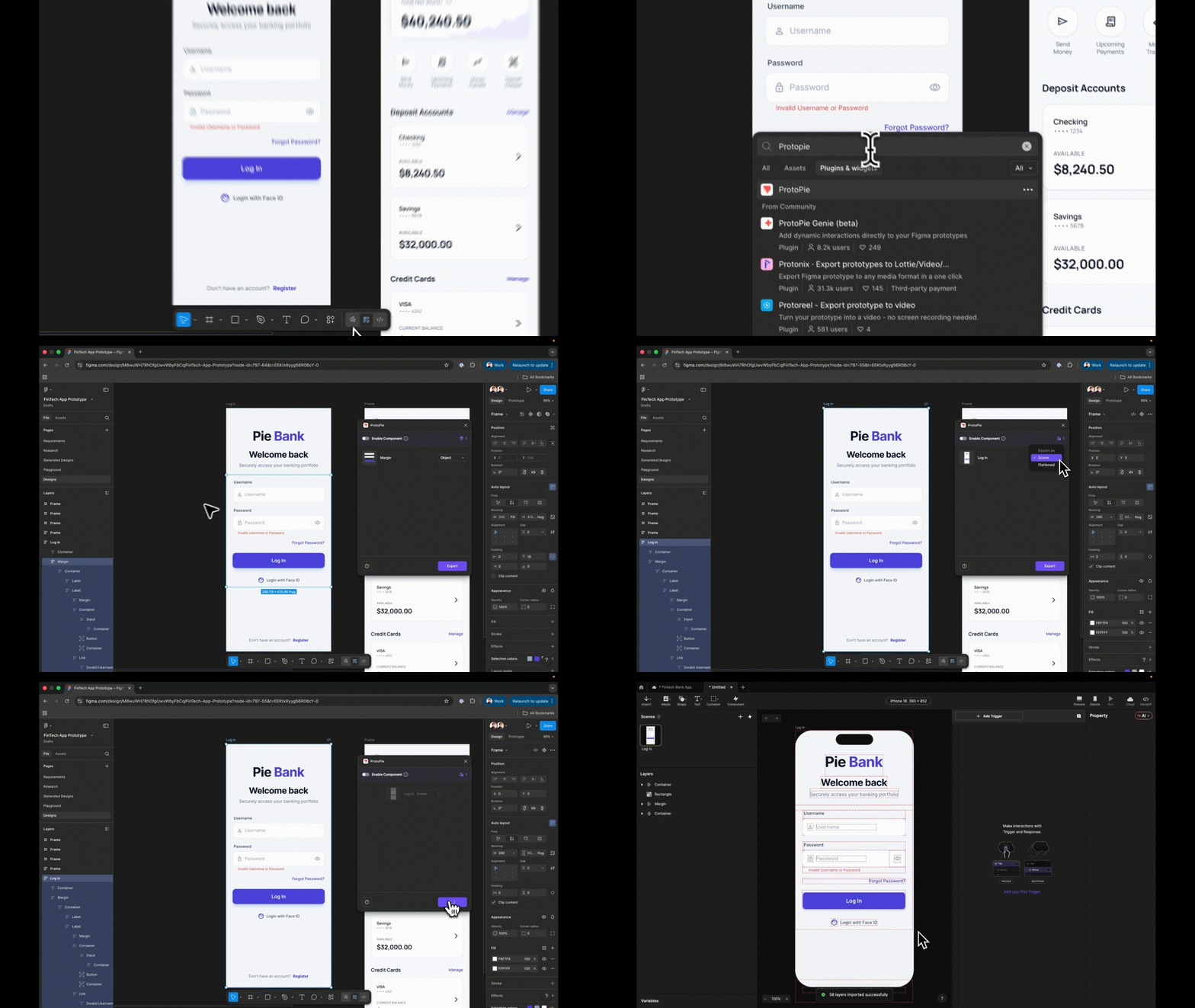
The process begins in design suites like Figma, where UI frames are exported using dedicated plugins. Crucially, designers must choose to export the design as a Scene rather than a "Flattened" image. Flattening collapses all vector data into a single rasterized image, rendering individual components untargetable. Exporting as a Scene preserves layer hierarchies, ensuring every element arrives in the prototyping environment as a distinct, manipulable asset.
Before writing a single line of interaction logic, naming conventions must be standardized. Vague identifiers like "Rectangle 14" are systematically renamed to semantic labels such as "Input Username." Establishing clear nomenclature prevents cascading confusion when these layers are later referenced in conditional formulas.
Phase 2: Native Text Inputs and Password Masking
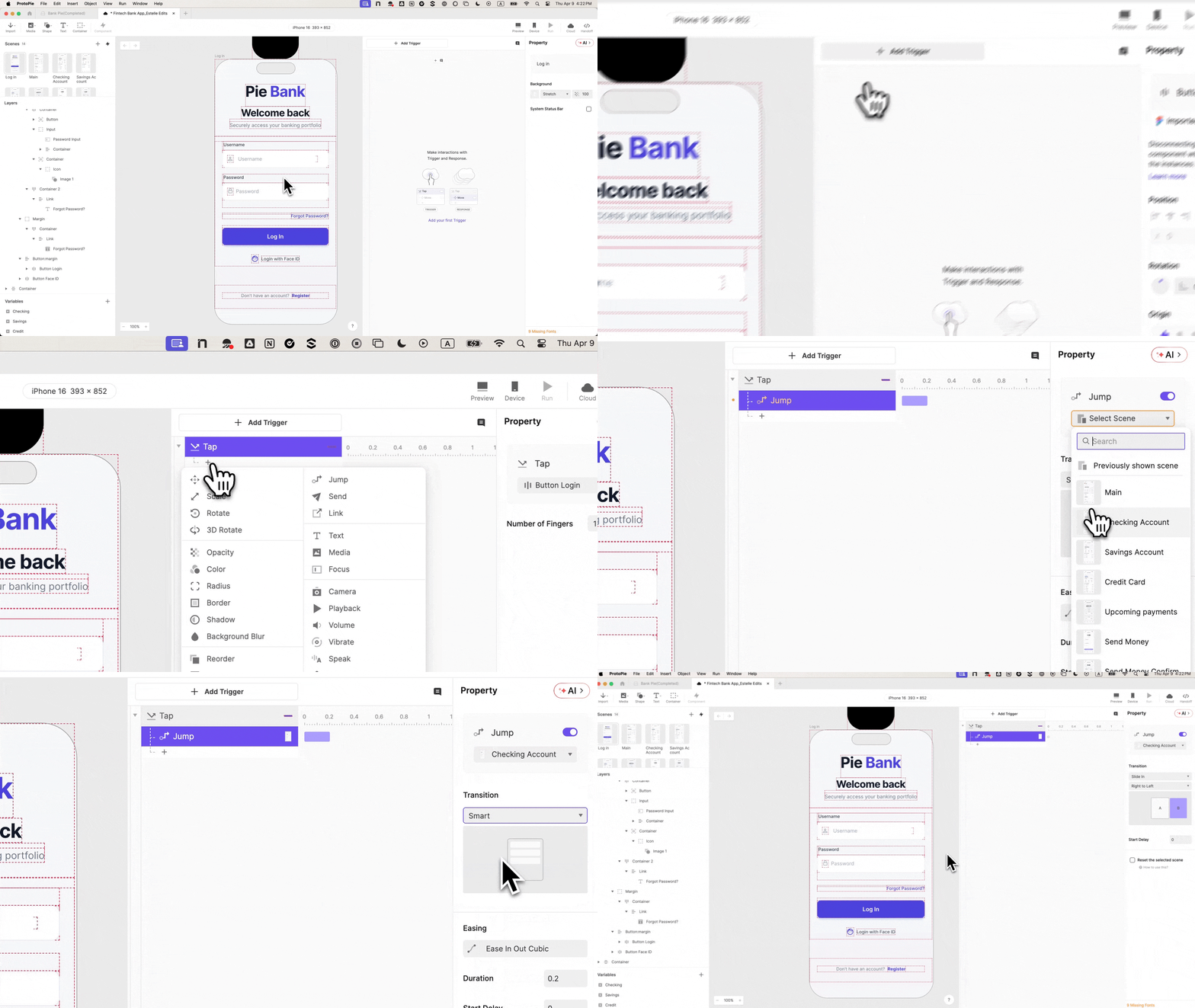
Static placeholder text is replaced with native input layers that accept real keyboard input. By dragging an interactive Input layer onto the canvas and nesting it within the username field group, participants are forced to type actual text rather than merely tapping a static UI element.

For the password field, a duplicate layer is deployed with a single property change: switching the input type to Text Password. Without writing custom code or complex conditional logic, the prototyping environment automatically masks the keystrokes behind security dots.
Phase 3: State Management and Credential Validation
To prevent the prototype from functioning as an unconstrained funnel, developers must introduce variable bindings and logical conditions.
- Scene Sequencing: The destination scene (the dashboard) is built prior to wiring navigation responses to prevent sequencing errors.
- Variable Binding: Two text-type variables—
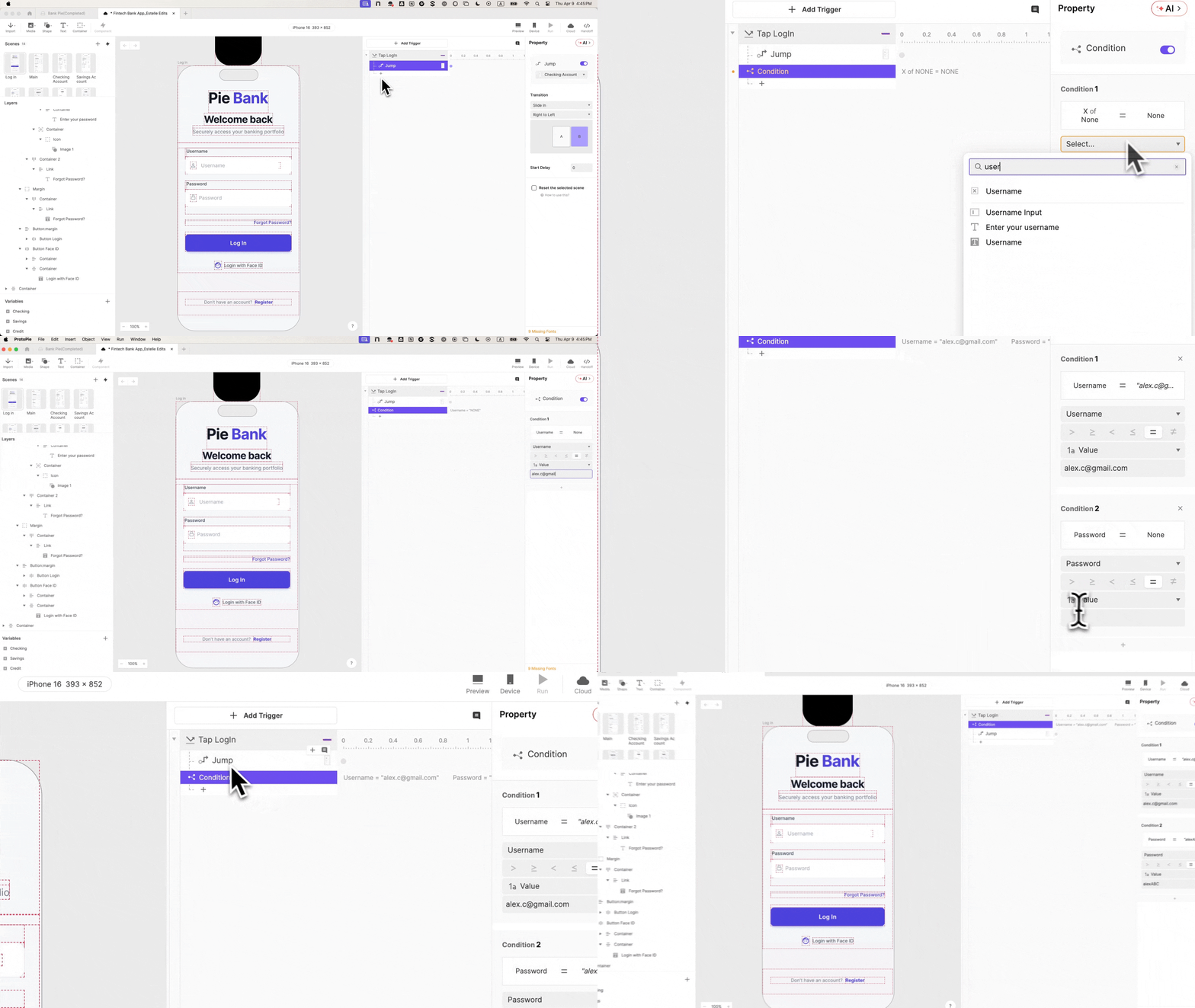
usernameandpassword—are created and dynamically bound to their respective input layers using real-time formulas. Debug overlays are enabled to visually confirm that keystrokes are actively captured. - Conditional Logic: A strict rule-based condition is attached to the login button. The navigation response is nested inside a gatekeeper condition requiring both valid username parameters and precise password formatting. Wrong credentials or empty fields are systematically blocked.
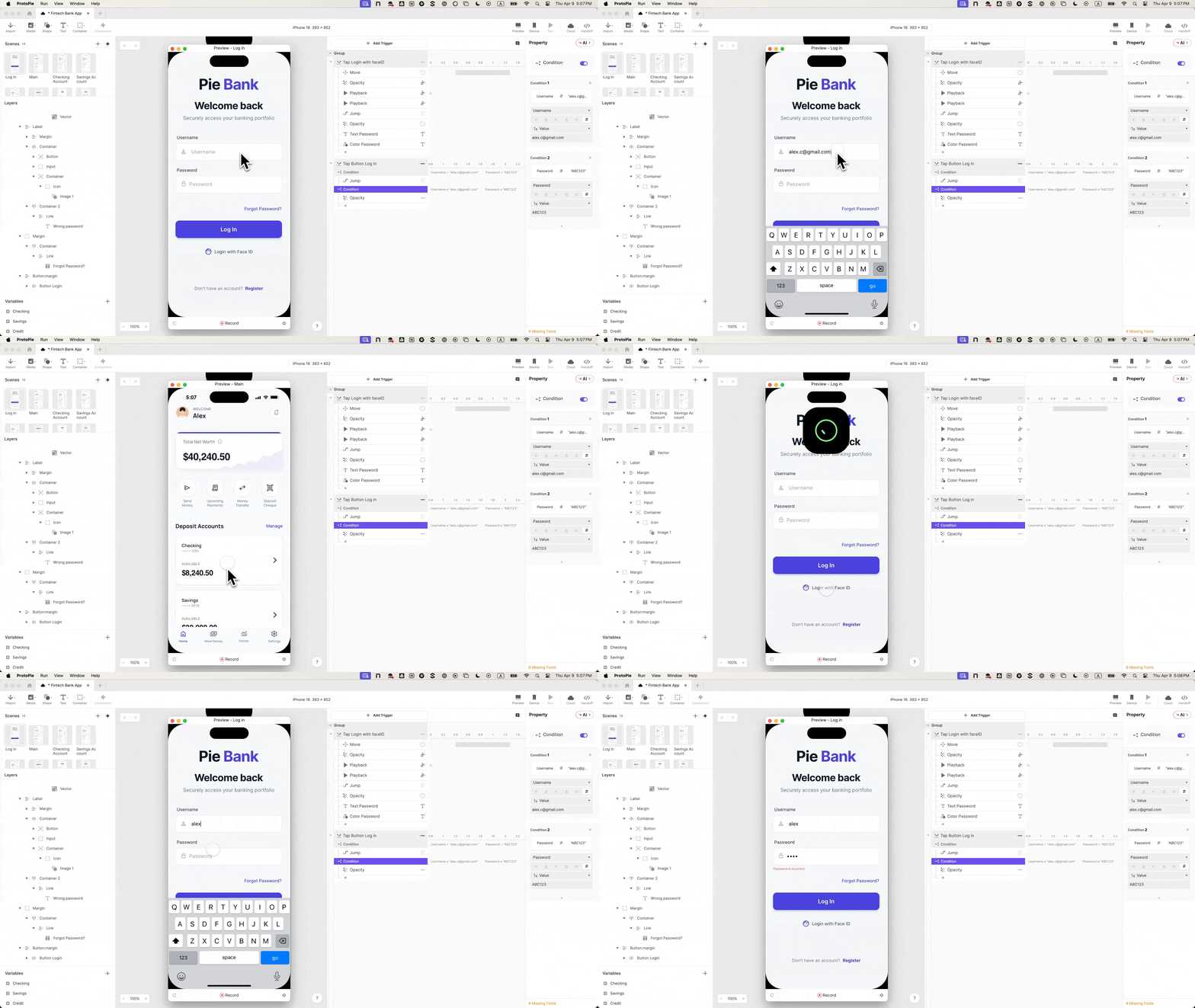
- Live Error States: An invisible error message layer is programmed to shift its opacity from 0 to 100 whenever an invalid login attempt triggers the inverse condition.
Phase 4: Native Biometric Integration
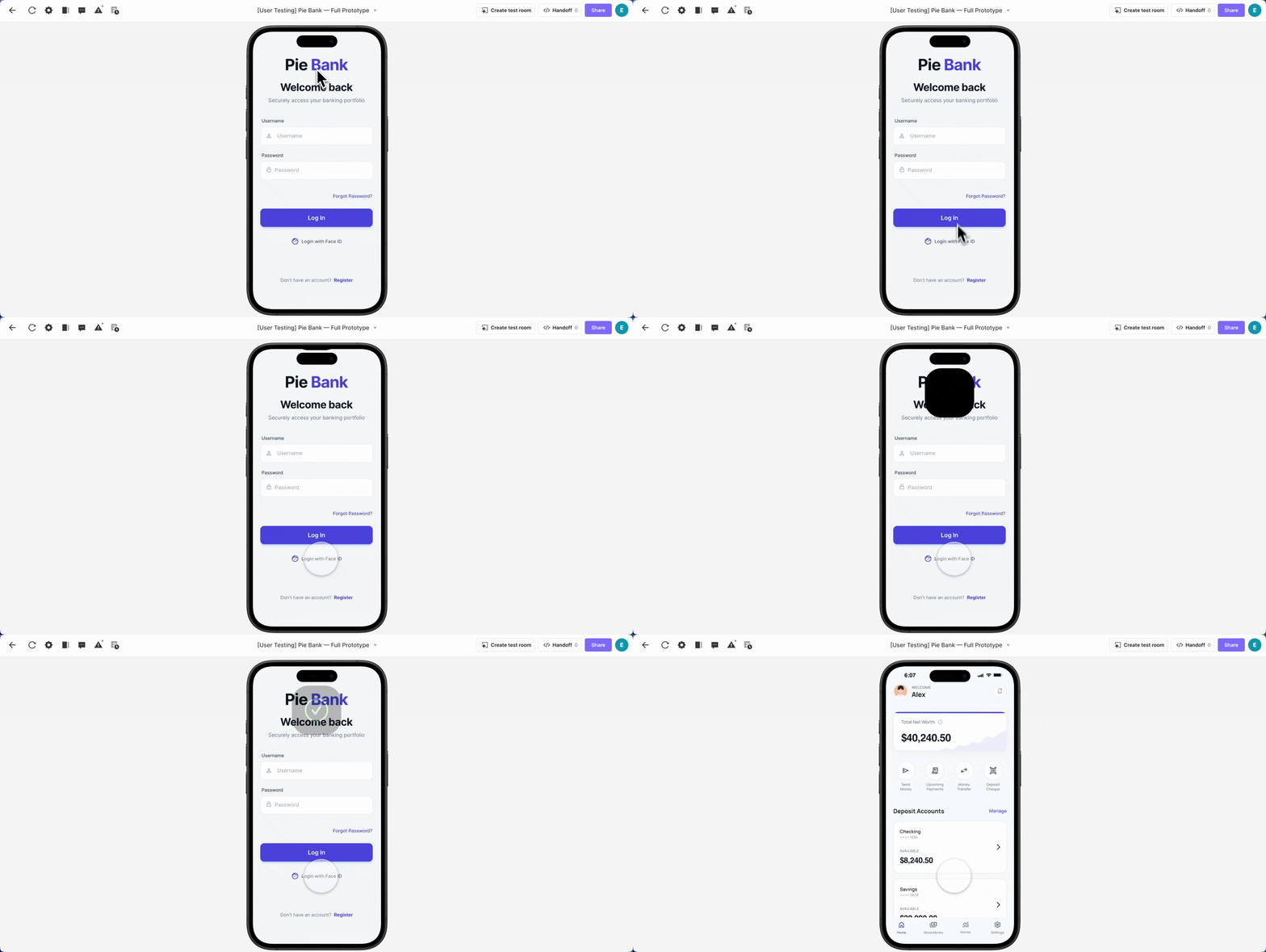
To achieve parity with modern native applications, developers integrate biometric authentication simulations. By importing a Lottie animation file representing Face ID and pairing it with a timed sequence of micro-interactions, the prototype achieves a level of fidelity that frequently prompts testers to ask, "Is this real?"
Using carefully measured offsets—moving the animation container, seeking frames, playing the vector asset at 0.5 seconds, and executing a scene jump at 1.0 second—the prototype mimics the exact latency and fluid motion of an iOS hardware authentication sequence.
Supporting Data: Why Fidelity Transforms Research Outcomes
The implementation of high-fidelity prototyping yields measurable shifts in both quantitative and qualitative research metrics. According to internal case studies from UX research agencies specializing in FinTech:
- Task Completion Accuracy: Prototypes featuring strict validation logic record a 34% drop in erratic user navigation, as participants are forced to adopt realistic mental models from the outset of the session.
- Qualitative Interruption Rates: Sessions utilizing fully responsive login and error states experience an 80% reduction in user-moderator interruptions regarding "broken" UI elements, keeping the focus squarely on core task flows.
- Stakeholder Buy-In: When presented with interactive prototypes that feature native animations, variable memory, and functional error handling, executive stakeholders and engineering leads spend less time debating UI capabilities and more time evaluating core architectural intent.
Official Perspectives and Industry Reception
Industry leaders across product design and engineering have increasingly championed the philosophy of "front-loaded fidelity."

"When authentication actually works, the error state becomes a genuine research touchpoint," notes senior interaction design leads within the FinTech sector. "These are questions a faked login simply cannot answer. It’s where participant trust is established. Get it right, and everything downstream produces better signal."
From an engineering handoff perspective, building robust logic into prototypes drastically reduces misinterpretation. Instead of static design specifications that leave developers guessing about transition timings, easing curves, and conditional triggers, an interactive prototype serves as a living specification document. Engineers can inspect variable bindings and event hierarchies, translating design intent directly into production code with minimal friction.
Broader Implications for Product Development
The paradigm shift toward high-fidelity prototyping extends far beyond the immediate confines of the usability lab. By investing design resources into foundational moments like authentication screens, organizations establish a culture of precision that permeates the entire product lifecycle.
Enhanced Engineering Handoff
Traditional design-to-development handoffs are fraught with ambiguity. Developers are frequently forced to reverse-engineer micro-interactions, animations, and edge-case behaviors from static artboards. When prototypes embody shipped-product behavior—complete with conditional logic, state variables, and precise timing matrices—they eliminate interpretive guesswork. The prototype becomes the specification.
Accelerated Stakeholder Alignment
Executive buy-in is notoriously difficult to secure when reviewing abstract, disconnected wireframes. Decision-makers often get bogged down by incomplete states or missing functionality. A prototype that successfully authenticates users, throws live errors, and renders native biometric animations commands immediate credibility, allowing review sessions to focus on strategic product value rather than surface-level polish.
The Downstream Ripple Effect
Ultimately, perfecting the initial login flow creates a psychological halo effect. When users encounter a frictionless, secure, and entirely believable authentication process at the very beginning of a test, their baseline trust in the application solidifies. They approach subsequent features—such as complex money transfers, camera integrations, and account management tools—with the serious, attentive mindset of real consumers interacting with production software.
By eliminating the cognitive dissonance caused by faked interactions, product teams unlock a cleaner, more honest stream of user insights, proving that in the world of FinTech UX, the first impression isn’t just important—it is the foundation upon which all valid research is built.
 Ammar Sabilarrohman
  Ali Ikhwan
  Jia Lissa