
 By Ali Ikhwan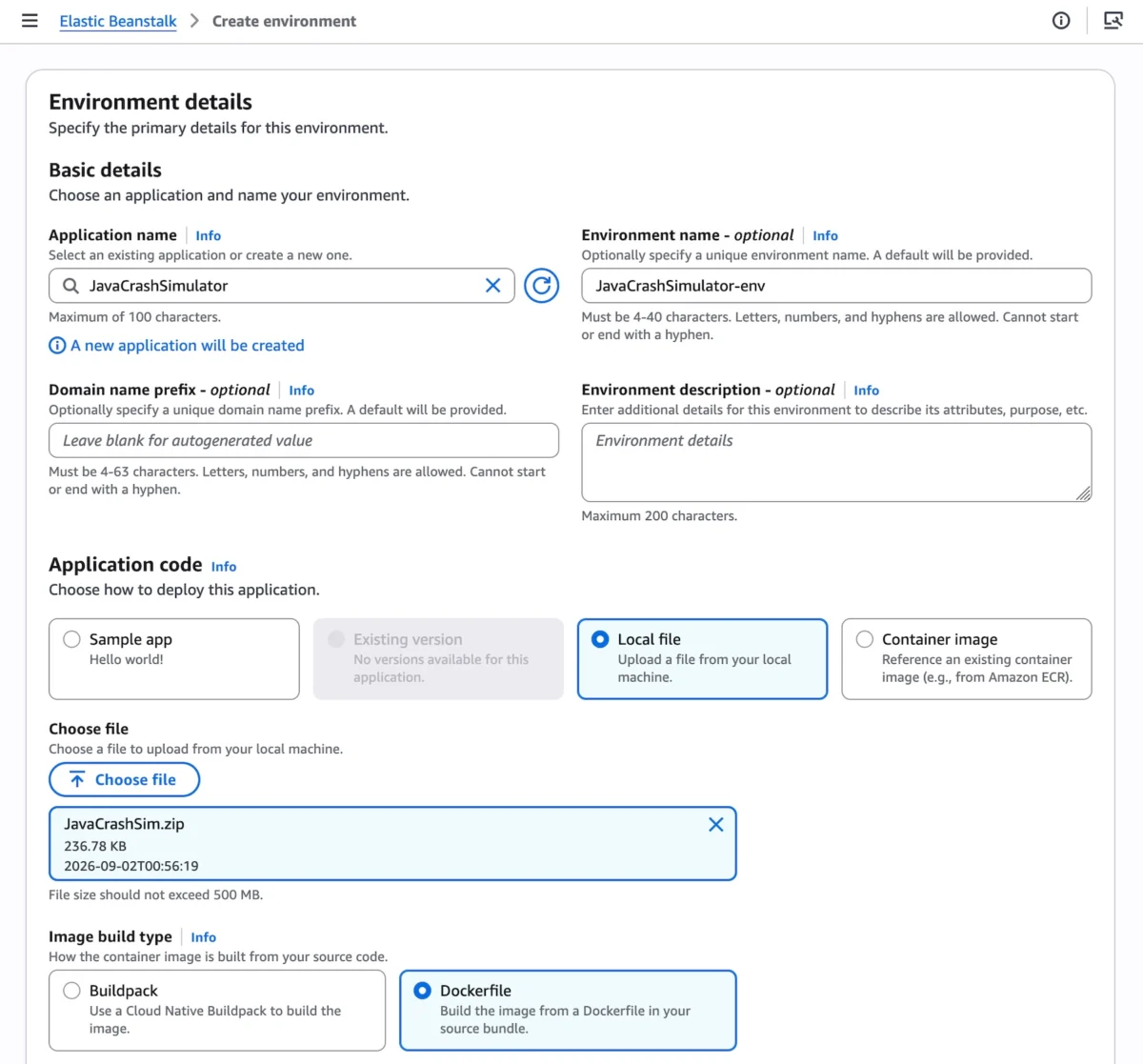
SEATTLE — Fifteen years after its initial debut in 2011, Amazon Web Services (AWS) has fundamentally transformed one of its most enduring developer tools. AWS Elastic Beanstalk, long celebrated for abstracting away the complex provisioning of servers, databases, and network topologies, has entered a new era. In a major announcement, AWS has unveiled Cluster Mode—a fully managed Kubernetes-backed deployment engine designed to help modern engineering teams scale portfolios of microservices without wrestling with underlying infrastructure configurations.
This release caps off a multi-year modernization effort that has rebuilt Elastic Beanstalk from the ground up. By blending its signature developer-first simplicity with the robust, portable foundation of Amazon Elastic Kubernetes Service (Amazon EKS), AWS aims to bridge the gap between rapid application deployment and enterprise-grade container orchestration.
Main Facts: What is Elastic Beanstalk Cluster Mode?
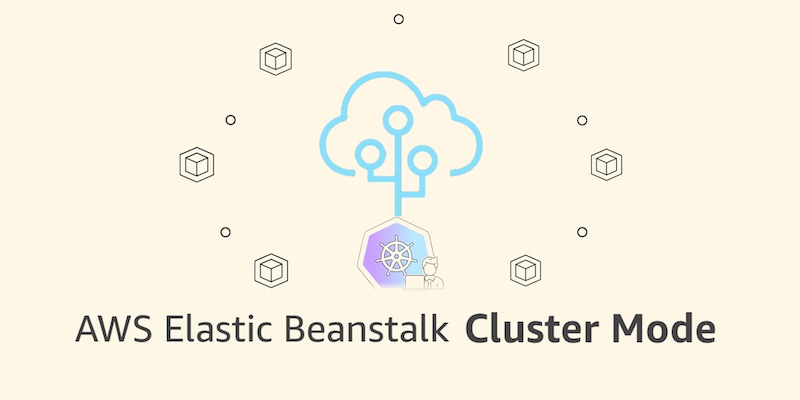
At its core, Elastic Beanstalk Cluster Mode is a deployment and application management model that allows developers to run multiple applications—or a sprawling portfolio of microservices—on a shared infrastructure baseline powered by Amazon EKS.
Instead of isolating workloads on individual virtual machines, Cluster Mode lets teams bring their application source code, Dockerfiles, or raw container images and deploy them seamlessly. AWS assumes full operational responsibility for the life of the workload. This includes:
- Continuous patching, monitoring, and upgrading.
- Event-driven autoscaling.
- Traffic-splitting deployments with automatic rollbacks.
- Native secrets management via AWS Secrets Manager.
- HTTPS by default through AWS Certificate Manager (ACM).
- OpenTelemetry-based native observability.
Crucially, Cluster Mode eliminates the traditional cost penalty of microservice architectures. Because multiple applications share underlying computing resources, per-application infrastructure costs decrease as a portfolio expands, all without adding operational overhead or forcing developers to become Kubernetes experts.
Chronology: 15 Years of Evolution to Cluster Mode
To understand the weight of the Cluster Mode announcement, it is helpful to trace the trajectory of AWS Elastic Beanstalk and the broader shifts in cloud computing infrastructure.
2011: The Birth of Platform-as-a-Service on AWS
When AWS first launched Elastic Beanstalk in 2011, developers were grappling with the complexities of setting up Apache, IIS, Tomcat, and manual load balancers. Elastic Beanstalk offered a PaaS (Platform-as-a-Service) layer where users could simply upload code written in Java, .NET, Python, Node.js, PHP, Ruby, or Go. AWS handled the underlying Amazon Elastic Compute Cloud (Amazon EC2) instances, storage, and scaling. For thousands of startups and enterprise teams, it became the fastest way to get to production.
2015–2020: The Rise of Containers and Kubernetes
As the software industry shifted toward Docker and Kubernetes, containerization promised unprecedented portability and scaling capabilities, but it introduced a steep learning curve. Managing Kubernetes control planes, worker nodes, ingress controllers, and service meshes often required dedicated platform engineering teams. While Amazon EKS solved managed Kubernetes infrastructure, smaller teams frequently missed the sheer simplicity of "just uploading code" that Beanstalk provided.

2024–2026: The Modernization Sprint
AWS quietly began rebuilding the operational engine beneath Elastic Beanstalk to ready it for the modern cloud-native ecosystem. This multi-year transformation introduced several foundational capabilities:
- April 2026: Integration of AI-powered environment analysis, enabling the service to autonomously diagnose health issues and recommend fixes.
- February 2026: Release of an official GitHub Action, allowing development teams to trigger Beanstalk deployments directly from their existing CI/CD pipelines via simple YAML configurations.
- Mid-2026: Overhauls of the infrastructure foundation to support OpenTelemetry, traffic-splitting, secrets management, and default HTTPS.
Today: The Unveiling of Cluster Mode
Marking its 15th anniversary, Elastic Beanstalk bridges its legacy EC2 Standard Mode with the Kubernetes ecosystem through the official launch of Cluster Mode, generally available immediately across all regions where Elastic Beanstalk operates.
Supporting Data & Technical Implementation
For engineering organizations looking to adopt Cluster Mode, AWS has ensured seamless integration via the AWS Management Console, the AWS Command Line Interface (AWS CLI), the specialized EB CLI, and standard AWS SDKs.
Deploying Microservices via CLI
Deploying a multi-service application—such as an e-commerce platform featuring a frontend, cart service, payment service, and shipping service—demonstrates the power of the new architecture.

First, an application is initialized:
aws elasticbeanstalk create-application
    --application-name "my-microservice"
    --description "Multi-services demo"
Next, pre-built container images stored in Amazon Elastic Container Registry (Amazon ECR) are registered as application versions:
IMAGES=(
    "frontend-v1|public.ecr.aws/my-microservices/frontend:v1"
    "cartservice-v1|public.ecr.aws/my-microservices/cart:v1"
    "paymentservice-v1|public.ecr.aws/my-microservices/payment:v1"
    "shippingservice-v1|public.ecr.aws/my-microservices/shipping:v1"
)

for entry in "$IMAGES[@]"; do
    IFS='|' read -r label uri <<< "$entry"
    aws elasticbeanstalk create-application-version
        --application-name "my-microservice"
        --version-label "$label"
        --image-configuration Source="Uri=$uri"
        --region "us-west-2"
    echo "Registered: $label"
done
Configurations such as resource limits, scaling parameters, and load balancers are passed via JSON option files. For example, the frontend-options.json file configures an internet-facing Application Load Balancer and health check paths:
[
    "Namespace": "aws:elasticbeanstalk:eks", "OptionName": "cluster-role", "Value": "arn:aws:iam::0123456789012:role/EKSClusterRole",
    "Namespace": "aws:elasticbeanstalk:eks", "OptionName": "node-role", "Value": "arn:aws:iam::0123456789012:role/EKSNodeRole",
    "Namespace": "aws:elasticbeanstalk:eks:environment", "OptionName": "observability-role", "Value": "arn:aws:iam::0123456789012:role/ObservabilityRole",
    "Namespace": "aws:elasticbeanstalk:eks:environment", "OptionName": "subnets", "Value": "subnet-1,subnet-2,subnet-3",
    "Namespace": "aws:elasticbeanstalk:eks:environment:autoscaling", "OptionName": "min-replica", "Value": "1",
    "Namespace": "aws:elasticbeanstalk:eks:environment:autoscaling", "OptionName": "max-replica", "Value": "2",
    "Namespace": "aws:elasticbeanstalk:eks:environment", "OptionName": "cpu", "Value": "0.5",
    "Namespace": "aws:elasticbeanstalk:eks:environment", "OptionName": "memory", "Value": "256Mi",
    "Namespace": "aws:elasticbeanstalk:eks:environment", "OptionName": "memory-limit", "Value": "512Mi",
    "Namespace": "aws:elasticbeanstalk:eks:environment", "OptionName": "service-port", "Value": "8080",
    "Namespace": "aws:elasticbeanstalk:eks:alb", "OptionName": "scheme", "Value": "internet-facing",
    "Namespace": "aws:elasticbeanstalk:eks:alb", "OptionName": "healthcheck-path", "Value": "/_healthz"
]
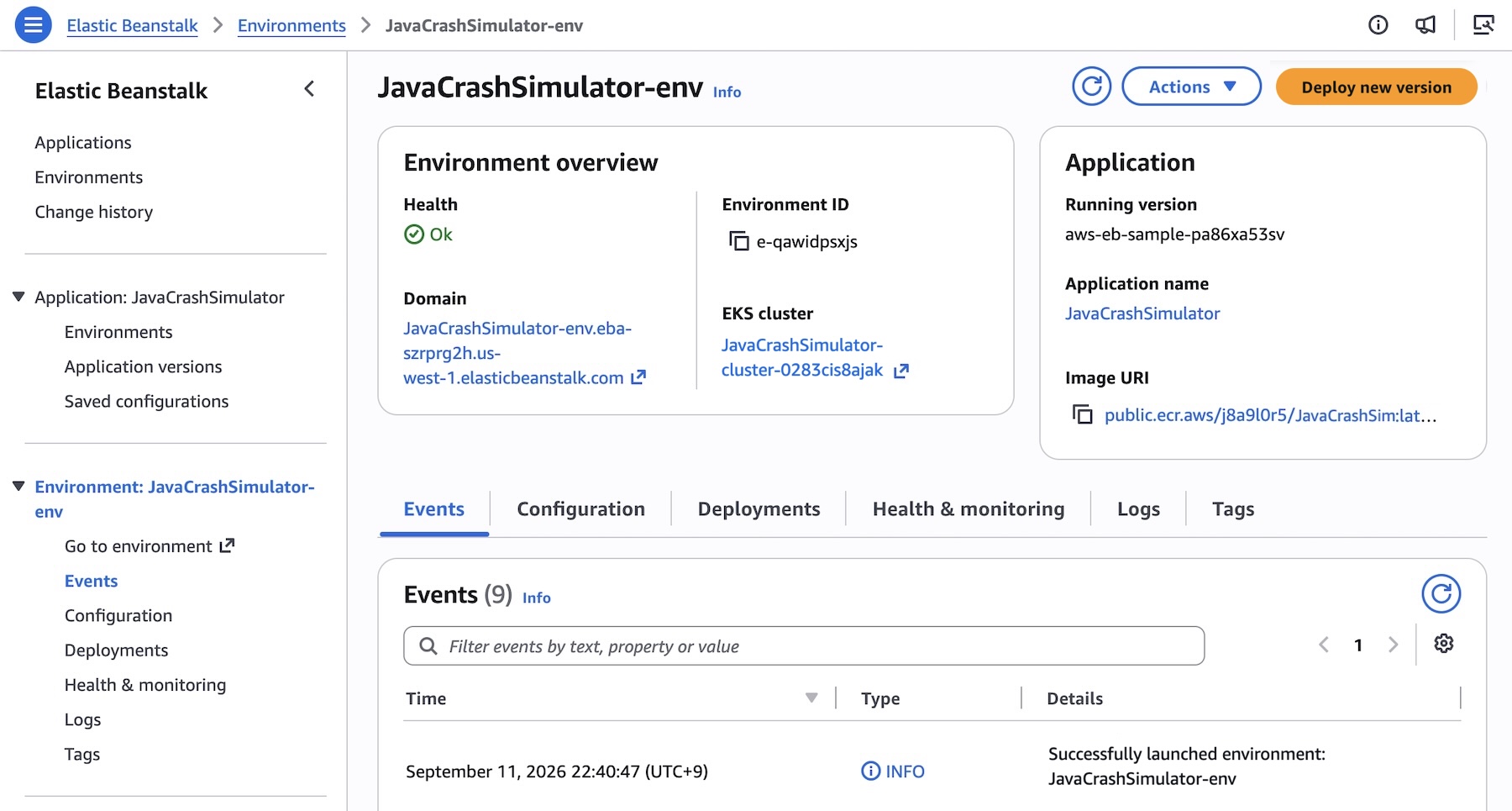
Finally, the environment is spun up using the Cluster tier:

aws elasticbeanstalk create-environment
    --application-name my-microservice
    --environment-name frontend
    --version-label frontend-v1
    --tier Name=Cluster,Type=EKS
    --option-settings file:///tmp/frontend-options.json
While the initial creation of an underlying EKS cluster takes approximately ten minutes for a given set of subnets, subsequent deployments are significantly faster as they leverage the pre-existing cluster framework.
Official Responses and Strategic Positioning
AWS leadership has emphasized that this release does not spell the end for traditional deployment methods. Standard Elastic Beanstalk environments powered by Amazon EC2 remain fully supported and will run side-by-side with Cluster Mode environments within the same application framework.
This hybrid approach allows engineering teams to migrate workloads at their own pace. Compatibility checks run automatically prior to any modifications, ensuring that no team is forced into an abrupt architectural migration.
Standard Mode remains ideal for monolithic architectures, direct OS-level customizations, or applications deeply tied to specific EC2 lifecycles. Meanwhile, Cluster Mode targets modern microservice portfolios that benefit from density, container portability, and automated Kubernetes scaling.
Pricing Structure
AWS has confirmed that there is no additional management charge for Elastic Beanstalk Cluster Mode. Customers pay strictly for the underlying AWS resources consumed by their workloads, which include:
- The Amazon EKS control plane fee.
- EKS Auto Mode compute resources.
- Amazon ECR storage and data transfer.
- Amazon CloudWatch metrics and logs.
Note: Elastic Beanstalk Cluster Mode is not eligible for the AWS Free Tier.
Industry Implications: What This Means for Developers and Enterprises
The introduction of Cluster Mode addresses a long-standing friction point in cloud engineering: the dichotomy between developer productivity and infrastructure control.
- Democratizing Kubernetes: Smaller software development teams that lacked the specialized engineering talent required to manage production-grade Kubernetes clusters can now leverage the resilience, self-healing, and density of EKS through a familiar, simplified interface.
- Cost Optimization at Scale: By sharing a single EKS infrastructure baseline across dozens or hundreds of internal microservices, companies can drastically reduce idle compute waste compared to provisioning dedicated EC2 instances for every standalone app.
- AI-Driven Operations: Combined with the recent rollout of AI-powered environment analysis, AWS is steering Elastic Beanstalk toward self-driving operations. Routine health diagnostics, automated fixes, and streamlined CI/CD integrations via GitHub Actions reduce toil and free developers to focus entirely on application logic.
As enterprises continue evaluating how to optimize cloud spend and modernize legacy pipelines, AWS Elastic Beanstalk’s reinvention proves that foundational services can successfully adapt to modern paradigms without losing the core simplicity that made them popular in the first place.
 Dwi Wanna
  Lina Irawan
  Ammar Sabilarrohman