
 By Lina Hope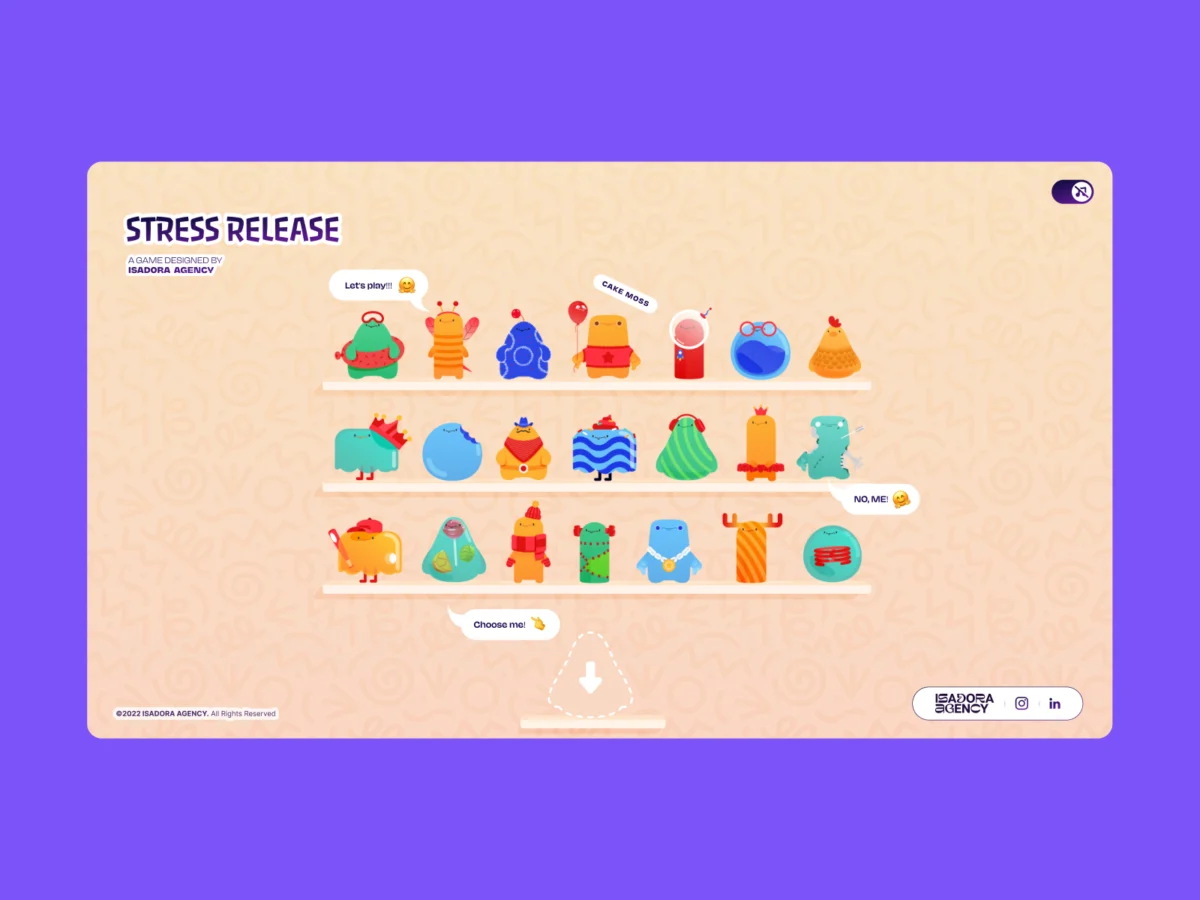
By Alexey Kopytin
In the modern landscape of front-end web development and user experience (UX) engineering, the instinct when tasked with building a tactile, bouncy, or reactive interface is almost uniform: reach for a physics engine. Frameworks like Matter.js, Cannon.js, or custom WebGL pipelines have long been established as the gold standard for creating immersive, gamified web experiences. They offer ready-made simulations of gravity, friction, momentum, and elastic collision.
However, when the development team at Isadora Agency set out to engineer Stress Release—a digital stress-relief squeeze toy application designed to let burnt-out creatives smash, stretch, and distort animated UI characters—they quickly realized that physics-based simulations were solving the wrong problem.
The primary objective was simple yet demanding: build a deeply satisfying, squishy reaction for every single user click. But as prototyping began, a fundamental tension emerged between algorithmic simulation and artistic vision. Physics engines produce plausible motion; what the agency’s animators had created was intentional motion.
Rather than relying on WebGL or heavy physics libraries, the team engineered a real-time, highly responsive tactile web experience relying entirely on programmatic Lottie state controls, standard DOM manipulation, and precise distance-based math. This architectural choice ensured absolute control over art direction while delivering top-tier performance across devices.
Main Facts: The Blueprint of Intentional Motion
The core innovation behind Stress Release lies in its rejection of emergent behavior in favor of deterministic control.
When digital animators hand over custom .json Lottie files, they expect frame-by-frame fidelity. A physics engine calculating real-time vectors and mass distribution will inevitably approximate, stretch, or warp keyframes in ways that break an animator’s carefully crafted staging. For instance, the project’s signature "mega squeeze" reaction required a precise, highly choreographed 181-frame build-up followed by a specific release sequence. Overwriting those handcrafted frames with algorithmic approximations would have ruined the deliberate comedic and emotional timing of the characters.
By utilizing Lottie’s native API alongside standard DOM manipulation, Isadora Agency bypassed the need for rendering canvases or complex raycasting. The tech stack relies on:

- Lottie-Web Runtime: To render vector animations smoothly as SVGs directly inside the DOM.
- Pythagorean Distance Math: To calculate click-to-center coordinates for hit detection and scoring.
- CSS Custom Properties (Variables): To handle fluid, responsive layouts across desktop and mobile viewports seamlessly.
- Aggressive Asset Optimization: Adjusting rendering quality and playback speeds to manage the heavy memory footprint of running multiple simultaneous vector animations.
Chronology: From Physics Simulation to DOM-Based Architecture
The development lifecycle of Stress Release provides a clear roadmap of how technical constraints shape creative architecture.
Phase 1: The Initial Exploration of Physics Frameworks
At the onset of the project, the Isadora Agency team followed industry convention. They spun up physics-based prototypes using libraries designed to handle rigid-body dynamics. The hypothesis was straightforward: map digital characters to elastic bodies, allow users to click them, and let the physics engine calculate the deformation based on the impact force.
Phase 2: The Creative Breakdown
During early testing, the limitations of physics-based rendering quickly became apparent. While the characters moved organically, they lost their distinct personalities. A character designed to express mild annoyance via a rigid, stylized eye-twitch would instead wobble unpredictably like a water balloon. The animators’ intentional staging—the exact timing of a comedic double-take or a delayed deflation—was completely overridden by mathematical gravity and friction constants.
Phase 3: Scraping the Engine and Pivoting to Lottie
Recognizing that the art direction must dictate the architecture, the team scrapped Matter.js entirely. They decided to treat the animations not as physical simulations, but as a sequence of predetermined states triggered by precise user interaction. This required mapping DOM elements directly to Lottie timeline segments, transforming click events into exact coordinate-based triggers.

Phase 4: Optimization and Deployment
With the core interaction loop established, the final hurdle was performance. Running vector animations on the web—especially when dealing with multiple characters on a single screen shelf—demands rigorous CPU and memory management. The team implemented dynamic quality scaling and frame-rate adjustments, ensuring the web app remained buttery smooth on mobile devices without sacrificing visual fidelity.
Supporting Data: The Math Behind the Squeeze
Achieving a tactile "hit" feeling without a physics engine requires bridging the gap between user input and visual feedback. Isadora Agency accomplished this through radial input mapping using standard document coordinates and basic trigonometry.
When a user clicks or taps a character, the application instantly translates page coordinates into the character’s local coordinate space:
// Character's center point in its own coordinate space
var x_center = parseFloat($("#playChar").width()  / 2);
var y_center = parseFloat($("#playChar").height() / 2);

// Click position relative to the character's top-left corner
var offset = $("#playChar").offset(); // document-relative position
var X = parseFloat(e.pageX - offset.left);
var Y = parseFloat(e.pageY - offset.top);

// Vector from center to click point
var a = parseFloat(X - x_center);
var b = parseFloat(Y - y_center);
Next, the straight-line distance from the center is calculated using the Pythagorean theorem (Math.hypot):

var distance = Math.hypot(a, b);This single numerical value dictates multiple game mechanics simultaneously: scoring zones (similar to a dartboard bullseye), feedback intensity, and the exact placement of an explosion particle effect:
// Distance zones map to point rewards
if      (distance < 10)  givePts = 100; // bullseye
else if (distance < 40)  givePts = getRndInteger(70, 90);
else if (distance < 70)  givePts = getRndInteger(40, 70);
else if (distance < 100) givePts = getRndInteger(20, 40);
else if (distance < 120) givePts = getRndInteger(10, 20);
else if (distance < 145) givePts = getRndInteger(1,  10);
else givePts = 0; // miss

// Explosion Lottie repositioned to the exact click point
var shiftPosition = window.innerWidth < 1023 ? -20 : 200;
$("#explosionChar").css(
  "margin-left": a + shiftPosition + "px",
  "margin-top":  b + shiftPosition + "px",
);

// Fire the squish animation instantly
explosion.goToAndPlay(0);
By decoupling hit detection from the visual complexity of the SVG, the development team ensured a reliable, predictable hitbox shaped like a clean circle. The explosion animation dynamically repositions itself to the exact vector $(a, b)$ where the user clicked, creating an immediate psychological impression of physical contact.
Official Insights: Controlling the Narrative Through State Machines
Handling interaction logic via DOM elements eliminates the need for complex raycasting or coordinate remapping layers. Lottie manages the internal squish and bounce physics through pre-rendered vector curves.
Each character features a structured map of animation sections stored as frame ranges:

const play_segments = [
  charId: 0,
  sections:
    idle:     [0,  40],   // looping idle state
    squeeze1: [41, 80],   // light reaction
    squeeze2: [81, 120],  // medium reaction
    squeeze3: [121, 160], // heavy reaction
  ,
  playOrder: ["squeeze1", "squeeze2", "squeeze3"],
  endAnimation: [161, 200]
];
When a click is registered, the application advances through the play order and fires the corresponding segment immediately:
function stepAnim()
  let p         = play_segments[0];
  let i         = p["playOrder"][curr_order_play];
  let playNow   = p["sections"][i];

  playChar.stop();                    // halt current segment immediately
  playChar.loop = false;              // play once and stop
  playChar.playSegments(playNow, true); // jump to exact frames, force immediately

  curr_order_play++;
  canPlayAnim = 0;                    // lock out further clicks mid-animation

  if (curr_order_play > p["playOrder"].length - 1)
    curr_order_play = 0;              // cycle back to start
Once the animation segment finishes playing, native event hooks return the character smoothly back to its looping idle state:
playChar.onComplete = function()
  canPlayAnim = 1;          // unlock clicks again
  if (!playEnd) playIdleState();
;

function playIdleState()
  playChar.playSegments([0, 40], true); // return to idle loop
  playChar.loop = true;
Implications: Balancing Art Direction, Responsiveness, and Performance
The architectural choices made during the construction of Stress Release offer valuable lessons for modern web engineers building immersive, highly styled digital products.
1. Responsive Design Without Canvas Overheads
Building within the DOM bypasses the traditional headache of scaling bounding boxes and collision vectors across diverse device viewports. Isadora Agency handled responsiveness entirely through CSS custom properties:

const appHeight = () =>
  const doc = document.documentElement;
  doc.style.setProperty("--doc-height", `$window.innerHeightpx`);
  doc.style.setProperty("--doc-width", `$doc.clientWidthpx`);
;
window.addEventListener("resize", appHeight);
appHeight();
As viewports shift, the layout reacts dynamically to updated CSS variables, allowing Lottie SVGs to scale naturally inside their containers without dropping states or degrading layout integrity.
2. Mitigating Lottie’s Performance Cost on Mobile
Lottie JSON files can quickly become bloated, particularly when managing 21 distinct character animations alongside multiple explosion variants. To maintain 60 frames per second on mobile devices, the team enforced aggressive optimization strategies:
- Global Quality Reduction: Setting
lottie.setQuality(0.5)on shelf overviews reduced interpolation calculations by 50% for background elements. - Targeted Speed Adjustments: Lowering shelf animation speeds (
shelf.setSpeed(0.6)) reduced the number of frame calculations required per second. - Resource Allocation: Full rendering quality (
lottie.setQuality(1)) was reserved exclusively for the single active character on the main play screen.
Conclusion
The development of Stress Release serves as a powerful reminder that technical implementation should always serve art direction, not dictate it.
By mapping Lottie’s native timeline capabilities and vector SVGs directly to the DOM using precise coordinate math, developers can deliver remarkably rich, tactile web experiences without bloating applications with heavy WebGL frameworks or physics engines. When code steps back to focus on listening, calculating, and triggering, animators are given the freedom to bring true character, emotion, and intentional motion to the web browser.
 Basiran
  Raul Delapena Setiawan
  Nana Muazin