
 By Raul Delapena Setiawan
If you are currently in the process of launching an ecommerce company, your initial search for software likely leads you toward traditional storefront builders. You are thinking about product catalogs, inventory management, and payment gateways. You are likely not thinking about a CRM.
For most entrepreneurs, HubSpot is a platform they "discover" only after their business has reached a certain level of complexity. It is the software that appears in boardrooms when the team realizes that their current stack of disconnected apps—one for email, one for support, another for site analytics—is creating data silos that cost them revenue. However, industry trends indicate a significant shift: high-growth ecommerce brands are now integrating HubSpot long before they hit scale. By positioning the CRM as the central brain of the operation, these businesses are finding that they can drive growth, manage relationships, and automate complex customer journeys far more effectively than they could with a standalone storefront.
The Evolution of the Ecommerce Stack: From Storefront to Customer Engine
For a long time, the ecommerce industry viewed the "storefront" as the center of the universe. If you had a beautiful site on Shopify or BigCommerce, the theory went, the sales would follow. But as customer acquisition costs (CAC) rise and competition intensifies, the storefront is no longer enough.
In the modern ecommerce ecosystem, the "operating system" for the business is no longer just the shopping cart—it is the customer journey. HubSpot CRM acts as the connective tissue for every interaction that isn’t the physical act of checking out. It tracks browsing behavior, logs deals, follows order history, connects chat conversations to specific revenue streams, and provides a unified timeline of the buyer’s journey. This level of granular visibility is historically rare in ecommerce software, where data is often fragmented across multiple disparate applications.
The Problem of Disconnected Systems
The "app fatigue" that plagues small to mid-sized retailers is well-documented. A store might use one tool to capture cart abandonment, another to send promotional emails, and a third to attempt to guess which customers are high-value. This leads to disjointed messaging. HubSpot eliminates this "game" of tool-hopping. Because the CRM pulls everything into a single, cohesive view, an abandoned cart isn’t just a lost sale; it becomes a trigger that initiates a personalized sales automation sequence.
When you look at success stories like that of the watchmaker CODE41, the evidence is striking. By leveraging HubSpot’s integrated suite, the brand reported a 257% increase in sales, a 223% boost in revenue, and a 279% growth in leads. These numbers represent the difference between running a passive storefront and operating an active, inbound-driven sales engine.
Core Benefits: Why HubSpot Wins in the Long Term
HubSpot’s platform is designed with a "hidden layer" of power. It appears simple to a startup owner on day one, yet it scales to accommodate the complex requirements of a mid-market enterprise.
1. Unified Customer Context
In most retail environments, customer information is scattered. A click on a product page lives in one app; an email open in another; a customer support query in a third. HubSpot stitches this data into a single, longitudinal timeline. You can see when a customer viewed a specific product, abandoned their cart, opened a campaign email, returned three days later, and initiated a chat with support. This 360-degree view allows teams to move from generic mass-marketing to precision-guided engagement.
2. Automation That Respects Human Nuance
Many automation tools are overly rigid. HubSpot’s approach is different; it allows teams to build "messy," real-world workflows that actually mirror human behavior. An ecommerce store can link a specific action—such as cart abandonment—to a personalized follow-up email, a notification to a sales representative, and an update to the customer’s pipeline stage. This is "pain-free" automation that drives retention.
3. Inbound Marketing as a Revenue Driver
Retailers often struggle to capture the customer who "lures" before buying. HubSpot’s inbound philosophy treats the website not just as a shop, but as a resource. By tracking the path from blog content to product page to purchase, businesses can identify exactly which pieces of content drive the most revenue. This data-driven approach often reveals that a customer’s second or third purchase was seeded by a helpful, educational blog post published months prior.
4. Payments Integrated into the CRM
HubSpot Payments transforms the checkout process from a cold transaction into a CRM-enriched event. Especially for B2B ecommerce, where quotes and custom pricing are common, this integration is revolutionary. When a buyer clicks "buy" on a quote, the system automatically spins up a subscription, logs the order, updates the sales pipeline, triggers onboarding tasks, and initiates a welcome sequence.
5. AI as a Strategic Assistant
Rather than attempting to replace the human element, HubSpot’s AI tools focus on removing friction. From drafting marketing emails and generating SEO meta-descriptions to suggesting workflow logic for automation-averse teams, the AI serves to eliminate the "blank page" problem. This allows marketing and sales teams to focus on strategy rather than repetitive, manual data entry.
Strategic Implementation: A Step-by-Step Guide to Launching
If you are looking to build a modern, HubSpot-integrated store, the transition follows a logical, phased approach.
Step 1: Establish the CRM Foundation
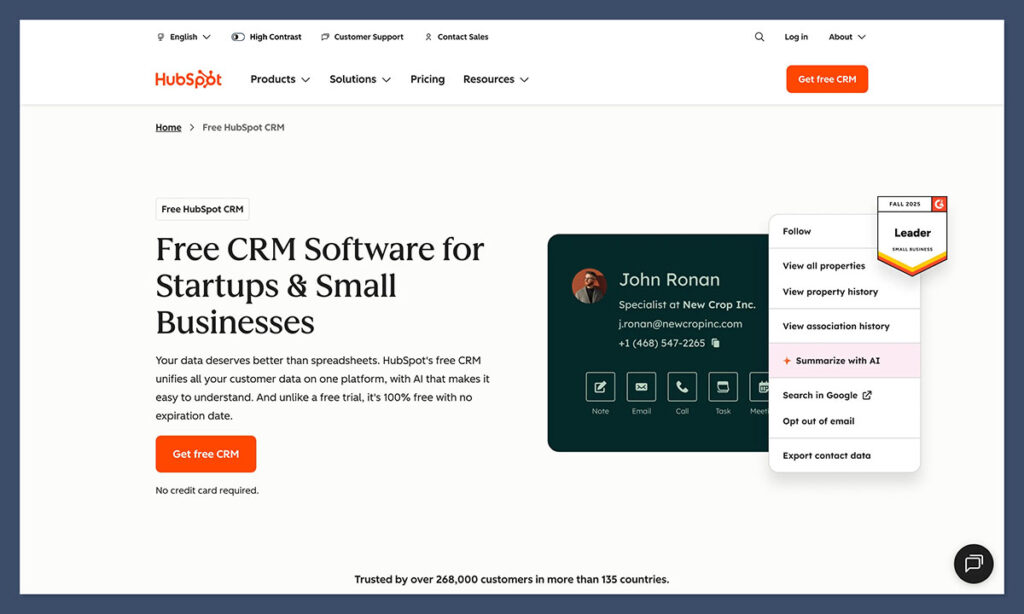
Everything begins with the HubSpot CRM. Start with the free account to get the architecture in place—contacts, lists, and basic pipelines. By building your infrastructure on a robust CRM from day one, you ensure that every subsequent tool you add, whether it’s the CMS or a third-party checkout integration, communicates seamlessly.
Step 2: Choose Your Ecommerce Approach
There are three primary ways to approach the build:
- The "Storefront" Approach: Use a platform like Shopify for the catalog, but use HubSpot for all customer communication, email marketing, and post-purchase follow-up.
- The "HubSpot-First" Approach: For digital products, coaching, or curated physical kits, build the site entirely within the HubSpot CMS and use HubSpot Payments for the checkout.
- The Hybrid Model: For large-scale retailers with massive inventories, use an enterprise-grade platform for the shop, but pipe all user data into HubSpot via custom API integrations to leverage its superior CRM and automation capabilities.
Step 3: Standardize Product Data
One of the most common pitfalls is inconsistent product naming. Before launching, ensure your product catalog is standardized. If you have three versions of a product with slightly different internal names, your reporting will become a nightmare. Clean data is the prerequisite for effective automation.
Step 4: Map the Pipeline
Do not just think in terms of "sales." Think in terms of "retention." Create pipeline stages that track the full lifecycle, including "Thinking About Churning." By monitoring signals—such as repeat visits to a cancellation page—you can trigger proactive customer service interventions that prevent churn before it happens.
The Future of Ecommerce: Data-Driven Empathy
The most compelling argument for using HubSpot in ecommerce is its ability to understand the buyer. Other platforms can host a product catalog; they can process a credit card. But HubSpot understands the intent behind the click. It sees what the customer ignored, what they revisited at 11:32 p.m., and which specific email nudged them past their hesitation.
This context changes how a store operates. It shifts the culture from "blasting promotions at strangers" to "guiding customers through a decision." For the modern merchant, this is not just a competitive advantage—it is the baseline requirement for building a sustainable, long-term brand.
For those ready to move beyond the limitations of standard storefront software, the path is clear: start with the free HubSpot CRM, integrate your checkout, and begin building a system that treats every customer as a long-term relationship rather than a one-time transaction.
Frequently Asked Questions (FAQs)
How does HubSpot compare to Shopify for ecommerce?
Shopify is a dedicated storefront engine designed for catalog management and transaction processing. HubSpot is a customer engine. Many high-growth brands use both: Shopify to host the store, and HubSpot to manage the leads, nurture the relationships, and handle the post-purchase experience.
Can HubSpot run a complete store on its own?
Yes. For businesses selling subscriptions, coaching, or a focused catalog of physical goods, the combination of HubSpot CMS, Commerce Hub, and HubSpot Payments is highly effective. It is only when dealing with tens of thousands of SKUs that a specialized platform like Shopify or BigCommerce becomes necessary.
Is HubSpot too expensive for small shops?
HubSpot offers a robust free tier that covers CRM, email, and basic CMS functionality. As your business scales and you require more advanced automation, the ROI on those features—in terms of recovered carts, higher lifetime value, and saved time—tends to outpace the subscription cost.
Does HubSpot handle subscriptions and renewals?
Yes. Through Commerce Hub, HubSpot supports recurring billing, subscription records, and automated renewal reminders. It takes the "pain" out of subscription management by tying billing events directly to customer workflows.
Do HubSpot’s AI tools actually help with ecommerce?
Yes. The AI tools act as a force multiplier for small teams. By automating the drafting of marketing copy, suggesting segmentation patterns, and streamlining workflow setups, they allow teams to focus on the creative and strategic work that truly drives revenue.
 Laily UPN
  Neng Nana
  Sagoh
Sagoh 