
 By Ammar Sabilarrohman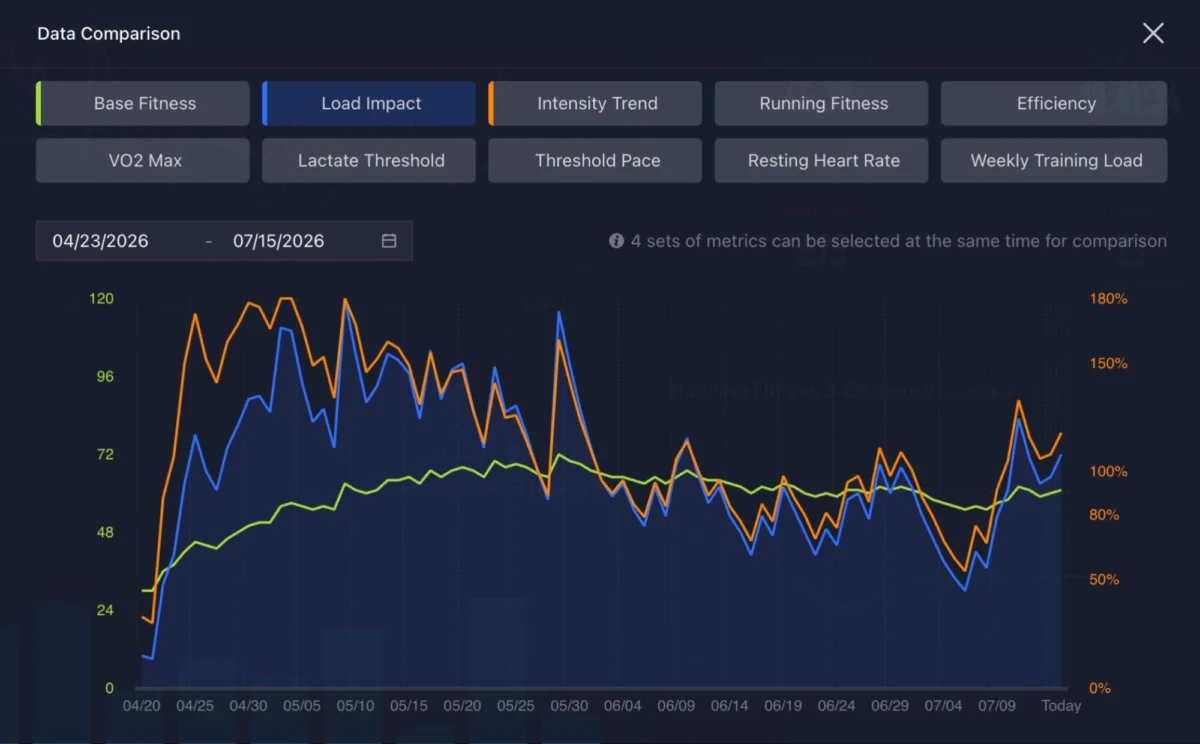
Coros has quietly cemented its reputation as a heavyweight in the endurance sports market. While the brand’s hardware—most notably the budget-friendly Pace 4 and the feature-rich, high-performance Pace Pro—consistently ranks among the best tools for runners, the true magic of the Coros ecosystem lies in its software. For many users, these devices are treated as simple “start/stop” tools for tracking miles. However, beneath the intuitive interface lies a robust suite of sophisticated, often underutilized features designed to elevate training from casual exercise to data-driven performance.
Whether you are a marathoner chasing a personal best or a trail runner exploring the wilderness, mastering these hidden capabilities can fundamentally change how you interact with your training data. Below is a comprehensive guide to maximizing your Coros experience.
The Extender: Your Secret Weapon for Real-Time Navigation
The most common misconception among Coros users is that the watch face is the final word in data visualization. While the Pace Pro offers excellent onboard mapping and the Pace 4 provides reliable breadcrumb navigation, the screen real estate on any wrist-worn device is inherently limited.
Enter the Coros Extender. By keeping your smartphone accessible during a run, you can transform your mobile device into a high-resolution, interactive cockpit. By opening the Coros app while an activity is active, you can tap the live activity card to launch the Extender. This tool provides a satellite-view map that updates in real-time, allowing you to pinch-to-zoom and pan across your route far more effectively than you ever could on a watch bezel. For those using the Pace 4, this effectively grants you full-color, high-fidelity maps that aren’t otherwise present on the hardware, turning your phone into an essential companion for complex trail navigation.

Advanced Lap Management: Precision Without Compromise
Standard GPS watches often force a binary choice: either stick to default auto-lap settings or manage every interval manually. Coros has evolved past this limitation. Recent firmware updates allow users to decouple distance alerts from lap recording.
This is a game-changer for runners who perform structured workouts on specific terrain. For example, if you are performing multiple laps around a two-mile park loop but still want to track your pace every single mile for consistency, you can now program these separately. By configuring distance alerts independently of the lap button, you ensure your post-run data is segmented exactly how you want it—clean, readable, and perfectly organized for analysis in the Coros app.
Tactical Hill Alerts: Pre-empting the Climb
Trail running is a battle of pacing, and there is nothing worse than hitting a brutal incline with "empty legs" because you didn’t see it coming. Coros has introduced Hill Alerts as a sophisticated navigation feature that utilizes topographic data to keep you informed of the elevation profile ahead.
By loading a route—even one you know well—you can sync elevation data to your watch. As you approach a climb, the watch provides an alert, indicating the length and severity of the upcoming hill. This allows for proactive pacing, ensuring you have enough energy in reserve for the peak. To access this, simply navigate to the "Navigation" menu before starting your run, select your pre-loaded route, and let the watch act as your personal pacer.

Mastering the Training Hub: The Pro-Level Interface
While the mobile app is perfect for quick stats, the Coros Training Hub—a web-based dashboard—is where the real data science happens. Many users are unaware that they can build entire training cycles here.
By utilizing the calendar interface on the Training Hub, you can construct a month’s worth of training in minutes. The "Quick Workout" feature allows you to define duration, distance, and intensity targets, which can then be dragged, dropped, and copied across your schedule. Once synced, these workouts appear directly on your watch widget. When you go to run, the watch will prompt you to execute the specific session for that day. It is an unparalleled way to maintain consistency without the headache of manual programming.
Voice Notes and the Adventure Journal
Data is only as good as the context you provide it. After a hard session, our memory of why we felt a certain way fades quickly. The voice-note feature on the Pace 4 and other Coros devices is an invaluable tool for qualitative data collection.
If you forget to record a note or want to refine your thoughts, you have two options. You can re-record the note directly on the watch via the "Previous Activities" widget, which will overwrite the original audio and trigger a re-transcription. Alternatively, you can use the Coros app to edit the text transcript manually.

Furthermore, the Adventure Journal allows you to attach photos and "pins" to specific geographic coordinates on your run. This is excellent for documenting trail conditions, specific landmarks, or even just the beauty of a morning sunrise. It turns a simple workout log into a digital diary of your athletic journey.
Efficiency: Navigating the Interface
For new users, the Coros interface can occasionally feel overwhelming. It is important to remember that the watch operates on a "three-column" logic. The action button on the lower left of the watch serves as your navigation bridge between data screens, music controls, and mapping. If you ever feel "lost" in a menu, a quick press of the action button will cycle you back to your primary data screens. Additionally, if you find that a lap-data screen lingers too long, a simple turn of the digital dial will instantly dismiss the overlay, returning you to your real-time metrics.
Official Response and Design Philosophy
Coros representatives have consistently emphasized that their software roadmap is dictated by user feedback. The shift toward the Training Hub and the integration of advanced metrics like "EvoLab" are direct responses to athletes requesting more granular control over their physiological data. According to the company, the goal is to provide a "professional-grade sports science lab" in the palm of a runner’s hand, bridging the gap between high-level coaching and accessible wearable technology.
Implications for Future Training
The trajectory of these features suggests that the future of wearable fitness is moving away from simple tracking and toward predictive coaching. With features like VO2max tracking, lactate threshold estimation, and training load optimization, Coros is positioning its watches to be proactive rather than reactive.

Users who take the time to learn these hidden features are finding that they no longer need third-party apps to interpret their progress. The integration of training load, fatigue recovery, and long-term fitness trends into one ecosystem creates a cohesive picture of an athlete’s health. By moving beyond the basics, you are not just logging miles; you are building a repository of physiological insights that can guide your training for years to come.
Summary Checklist for Power Users:
- Sync often: Ensure your watch is frequently synced to the Training Hub to keep your fitness models accurate.
- Use the Extender: For long trail runs, keep your phone in your pack to leverage the high-resolution maps.
- Customize Widgets: Don’t settle for the default view; move your most-used metrics (like Training Load or Hill Alerts) to the top of your widget list.
- Pin your runs: Use the Adventure Journal to create a map of your favorite routes and points of interest.
- Review your data: Spend time on the web-based Training Hub to compare your current training block against previous seasons.
By treating your Coros watch as a sophisticated training computer rather than a simple timer, you unlock a level of performance management that was once reserved for elite athletes with dedicated coaching staff. The data is there—you only need to know where to look.
 Layla Zulfa
  Asro
Asro  Reynand Wu