
 By Raul Delapena Setiawan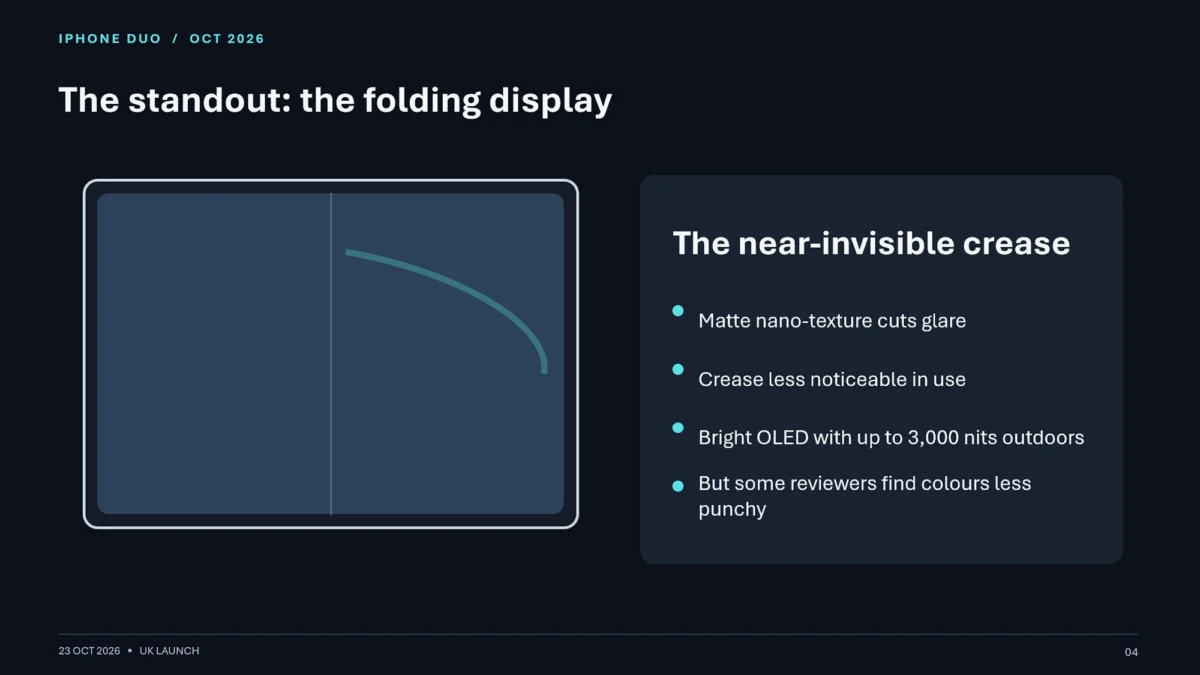
By David Nield
Published October 23, 2026
OpenAI’s rapid expansion of ChatGPT’s core ecosystem has reached a major milestone: the introduction of a fully functional presentation builder. Billed as ChatGPT Slides, this new tool aims to disrupt the status quo of digital slide decks, taking direct aim at established giants like Microsoft PowerPoint and Google Slides.

Initially announced to the public several weeks ago, ChatGPT Slides is rolling out to users on the high-end Pro tier and above. For now, accessing OpenAI’s native presentation environment requires a substantial financial commitment of at least $100 a month. However, the broader rollout strategy hints at a future where automated, conversation-driven slide decks become a standard feature across all subscription levels.
As OpenAI aggressively builds out a comprehensive office suite—having already launched its Pages word processor, with a spreadsheet application reportedly on the horizon—the tech industry is witnessing a fierce battle for desktop dominance. To see how OpenAI’s latest offering holds up against the competition, we put ChatGPT Slides head-to-head against Google Workspace’s deeply integrated Gemini AI within Google Slides.

Main Facts: What Is ChatGPT Slides and Who Can Get It?
ChatGPT Slides represents a philosophical shift in how users construct visual presentations. Rather than manually dropping text boxes, aligning bullet points, and choosing color palettes, users interact with a dedicated sidebar and prompt interface to manifest slide decks directly from conversational contexts.
- Pricing Tiers and Accessibility: Currently, ChatGPT Slides is locked behind OpenAI’s Pro tier ($100/month). Free users and those on the $20-a-month Plus tier can still command ChatGPT to generate downloadable PowerPoint (
.pptx) files based on chat histories, but these files lack native editing, collaboration tools, and the refined layout options found in the dedicated Pro-tier workspace. - The Broader Ecosystem Play: OpenAI is methodically constructing a walled garden of office tools. By pairing ChatGPT Slides with Pages and upcoming spreadsheet tools, the company is attempting to provide a frictionless workspace that reduces user reliance on Google Workspace and Microsoft 365.
- The Competitor: Google’s answer to this push is Gemini within Google Slides, available via Google AI Pro subscriptions (priced at $19.99 a month). Google leverages its decade-plus experience in browser-based document editing to offer a mature layout engine backed by Gemini’s multimodal capabilities.
Chronology: The Evolution of AI Slide Generation
The journey from static template-based software to conversational slide generation has accelerated dramatically over the last few years.

- Early AI Integrations (2023–2024): AI began its tenure in presentations as a superficial assistant—generating bullet points or summarizing text that users would manually copy and paste into PowerPoint or Google Slides.
- The Add-On Era (2025): AI platforms introduced rudimentary file-conversion capabilities, allowing users to ask chatbots to output downloadable presentation files. While functional, these files frequently suffered from erratic formatting and generic stock visuals.
- The Native Workspace Era (Late 2026): OpenAI officially unveils ChatGPT Slides, moving beyond simple file generation to offer an interactive, native workspace environment. Simultaneously, Google deepens Gemini’s integration into Google Slides, introducing conversational context-gathering features that query users about tone and target audiences before drafting decks.
Supporting Data: Testing ChatGPT Slides vs. Google Gemini
To evaluate the real-world utility of these platforms, both tools were subjected to a standardized stress test: compiling a comprehensive, accurate presentation on a newly announced, highly specific piece of consumer technology—the fictional "iPhone Duo" foldable.
1. Free and Plus Tiers: Quick Conversions, Limited Control
Using a $20 ChatGPT Plus account, the system successfully gathered web data regarding the iPhone Duo’s specifications and early online reviews, generating a competent, albeit basic, slideshow.

- Pros: Accurate information, surprisingly capable of dropping in an official photo of the device when explicitly commanded.
- Cons: Edits must be made via general prompt boxes rather than direct manipulation of slide elements. Layouts look rushed, mimicking generic templates.
2. The Pro Tier Experience: ChatGPT Slides
Switching to ChatGPT Pro unlocked the dedicated Slides workspace.
- Pros: Presentations generated via standard chat sessions before being ported to Slides were noticeably longer, better organized, and more informative. The system successfully incorporated charts detailing battery life alongside official Apple imagery.
- Cons: The creation process feels tedious. Relying entirely on text prompts to position elements is less intuitive than manual drag-and-drop mechanics. During testing, the tool also exhibited occasional bugs where specific multi-step requests failed to complete.
3. The Competitor: Google Slides with Gemini Pro
Running the exact same prompt through Google AI Pro ($19.99/month) yielded a distinct set of strengths and weaknesses.

- Pros: Gemini approached the task interactively, proactively asking clarifying questions about the desired visual style, target audience, and key data points before building the deck. The resulting layouts felt significantly more human, harmonious, and visually polished than ChatGPT’s attempts.
- Cons: Factual hallucinations remain a hurdle. Gemini incorrectly cited the iPhone Duo’s maximum screen brightness and generated a bizarre, AI-hallucinated graphic of two older iPhones crudely fused together—whereas ChatGPT successfully sourced real imagery from Apple’s website. Furthermore, Google Slides lacks ChatGPT’s ability to accept hyper-specific, localized edit prompts on individual slide elements.
Official Responses and Industry Reactions
Tech analysts and enterprise users have greeted the arrival of AI-driven presentation builders with a mixture of excitement and caution.
Representatives for OpenAI have emphasized that ChatGPT Slides is designed to eliminate the "blank page syndrome" that plagues professionals rushing to meet deadlines. By automating the heavy lifting of content curation and structural layout, OpenAI positions the tool as a time-saving catalyst for fast-moving teams.

Conversely, productivity advocates and presentation designers have pushed back against the homogenization of slide design. Industry veterans point out that AI-generated decks frequently lack narrative flow and intuitive pacing—faults born of algorithmic decision-making rather than human rhetorical strategy.
Google has similarly marketed Gemini within Workspace as a collaborative partner rather than a total replacement for human design intuition. Google executives stress that embedding AI directly into a mature, ten-year-old application infrastructure offers stability that newer, standalone AI environments struggle to match.

Implications for Professionals and the Future of Work
The emergence of tools like ChatGPT Slides and Gemini for Google Slides forces knowledge workers to reconsider their software toolkits, raising important questions about cost, workflow integration, and design quality.
The Cost Barrier
At $100 per month, ChatGPT Pro is currently priced out of reach for casual users and small businesses. While these features will inevitably trickle down to cheaper tiers over time, the current pricing structure makes ChatGPT Slides an enterprise luxury. By contrast, Google’s $19.99/month AI Pro tier feels significantly more accessible for freelancers and mid-sized organizations.

Workflow Efficiency vs. Creative Control
While AI slide builders excel at rapidly synthesizing large volumes of information into bullet points and charts, they struggle with the nuance of human storytelling. Presentations are fundamentally persuasive tools meant to move an audience; algorithms are prone to organizing data chronologically rather than rhetorically. Consequently, professionals who rely heavily on bespoke visual branding and emotional resonance will likely find themselves spending as much time correcting AI errors as they would building decks from scratch.
The Verdict
For users already deeply invested in OpenAI’s ecosystem who can justify the Pro subscription, ChatGPT Slides is a welcome addition that streamlines the transition from raw text research to visual output. However, for the average professional looking for the best balance of cost, maturity, and aesthetic polish, Google Slides backed by Gemini remains the superior option—at least until OpenAI closes the gap on visual accuracy and pricing accessibility.
 rifanmuazin
  Nila Kartika Wati
  Nana
Nana 