
 By Azzam Bilal Chamdy
You have mastered the art of the open. You have meticulously crafted a subject line that commands attention, written copy that pulses with human empathy, and designed an automation flow that triggers at the precise moment of maximum intent. You hit "Send" with the quiet confidence of a founder who knows their strategy is sound.
But then, silence.
Your analytics dashboard shows a catastrophic dip in engagement. Your revenue targets are missed. Your emails haven’t been rejected—they’ve been intercepted. They have vanished into the "black hole" of the spam folder, invisible to your subscribers and damaging to your bottom line.
This is the brutal reality of email deliverability. In the modern digital economy, the quality of your content is secondary to your ability to reach the inbox. If your message isn’t seen, your marketing strategy effectively ceases to exist.
The Fundamentals: Understanding Deliverability vs. Delivery
To solve the problem, we must first define it. There is a critical, often misunderstood distinction between delivery and deliverability.
- Delivery simply means that your email was accepted by the recipient’s mail server. It did not "bounce" back as undeliverable. It is a technical success, but it does not guarantee the subscriber ever saw the message.
- Deliverability is the measurement of where that email landed once it passed the server. Did it hit the primary inbox? The Promotions tab? Or was it relegated to the spam folder, never to be opened?
For ecommerce founders, this is not a marginal technical concern; it is a fundamental business risk. If 20% of your campaigns are being diverted to spam, you are effectively losing 20% of your potential revenue overnight. Because this damage occurs silently in the background, many founders fail to diagnose the issue until the erosion of their open rates becomes too significant to ignore.
The Chronology of an Email’s Journey
To understand why emails fail, one must understand the gauntlet they run every time they are sent. The process happens in milliseconds, governed by the sophisticated algorithms of providers like Gmail, Outlook, and Yahoo.
- Authentication (The ID Check): Before the content is even analyzed, the receiving server checks your digital "ID." It looks for protocols that prove you are who you claim to be.
- Reputation Scoring (The Credit Check): The server checks the historical behavior of your domain and IP address. Have you sent spam before? Do you have high bounce rates?
- Content Analysis (The Filter): The server scans the body of the email. Is it full of "spammy" triggers? Does the HTML structure look malicious?
- Engagement Assessment (The Peer Review): The server looks at how other users have reacted to your emails in the past. If others have marked your previous emails as spam, the algorithm is statistically more likely to filter your current message.
The Pillars of a Strong Sender Reputation
Your sender reputation acts as a "credit score" for your business. It is a cumulative score based on years of sending behavior.
The Weight of Engagement
Every email you send is a data point. When a subscriber opens your email, clicks a link, or moves it from the spam folder to the primary inbox, they are casting a "vote" of confidence in your domain. Conversely, ignoring your emails or marking them as spam serves as a negative signal that accumulates over time.
The Dangers of High Bounce Rates
Bounces are the primary killers of reputation. A "hard bounce" indicates an invalid email address. If you continue to send emails to addresses that no longer exist, ISPs view this as a sign of a neglected or purchased list. This is why list hygiene—the process of purging inactive subscribers—is not just good practice; it is a critical defensive measure.
Authentication: The Non-Negotiable Technical Foundation
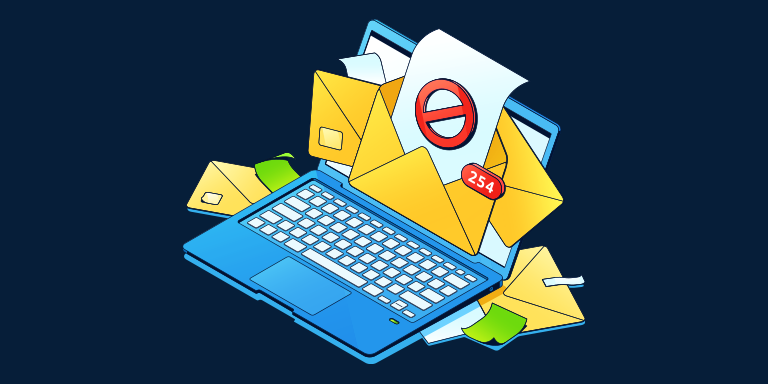
If your sender reputation is your credit score, authentication is your passport. Without proper protocols, even the most legitimate, high-value brand can be flagged as a malicious actor.
The Three Technical Standards
- SPF (Sender Policy Framework): A list of IP addresses that are authorized to send email on behalf of your domain. It prevents bad actors from spoofing your address.
- DKIM (DomainKeys Identified Mail): Adds a digital signature to your emails. It provides a way to validate that an email message was not forged or altered in transit.
- DMARC (Domain-based Message Authentication, Reporting, and Conformance): Uses SPF and DKIM to provide instructions to the receiving mail server on how to handle emails that fail authentication.
If your DNS records are misconfigured, you are essentially asking email providers to treat your messages with suspicion. In 2024 and beyond, these protocols are no longer optional. They are the baseline for digital identity.
List Hygiene: The Unsexy Work of Retention
The most common mistake founders make is equating a larger list with a more successful business. In reality, a bloated, unmanaged list is a liability.
The Case for "Cleaning" Your List
Over time, every list accumulates "dead weight": addresses that were abandoned, typos, or users who simply stopped caring. Sending to these addresses repeatedly tells ISPs that you are not monitoring your audience, which triggers a lower deliverability rate for your active subscribers.
The Strategy:
- The 90-180 Day Rule: Run a re-engagement campaign for anyone who has not clicked or opened in the last 3–6 months. If they don’t respond, remove them.
- Double Opt-In: Implement a confirmation step during signup. While this might slightly reduce your top-line growth rate, it ensures that every person on your list is a high-intent, active subscriber.
Content Habits That Trigger Spam Filters
Modern filters are smarter than the simple "keywords" filters of the early 2000s. Today’s AI-driven filters analyze context, structure, and intent. However, certain habits still trigger immediate suspicion:
- Over-reliance on Images: Emails that are entirely images with no text are often flagged because filters cannot "read" them.
- Misleading Subject Lines: Using "Re:" or "Fwd:" in subject lines to trick users into opening your promotional emails is a direct path to the spam folder.
- Broken or Malicious Links: Redirects to untrustworthy domains or having too many broken links in your footer can signal a phishing attempt.
- Inconsistent Frequency: Sending 50 emails in one day after a month of silence is a classic sign of a compromised account. Consistency is the key to a stable reputation.
Implications: The Financial Impact of Neglect
The implications of poor deliverability are not merely technical; they are deeply financial. When your emails are sidelined, you are not just losing the revenue of that specific campaign—you are losing the lifetime value (LTV) of your subscribers.
When your brand stops appearing in the inbox, it disappears from the consumer’s mental map. The "Out of Sight, Out of Mind" phenomenon applies perfectly here. As your open rates slide, your conversion rates will inevitably follow, creating a downward spiral that is exponentially harder to recover from than it is to prevent.
Building a Sustainable Email Program
Deliverability is not a "set it and forget it" task. It is an ongoing practice of maintenance and optimization. The most successful ecommerce brands treat their email list as a high-value asset, regularly pruning it and ensuring that every communication adds value rather than noise.
Tools like Omnisend provide the infrastructure necessary for this level of maintenance. By automating the technical requirements—like SPF, DKIM, and DMARC—and providing real-time analytics on list health, these platforms allow founders to focus on their creative strategy rather than the complexities of mail server protocols.
Summary Checklist for Founders:
- Check Authentication: Verify your SPF, DKIM, and DMARC records immediately.
- Audit Your List: Purge inactive subscribers who have not engaged in over 180 days.
- Monitor Engagement: Keep a close eye on your spam complaint rate. Anything above 0.1% is a red flag.
- Maintain Consistency: Develop a predictable sending schedule that your audience learns to anticipate.
- Test Before You Send: Use email testing tools to preview how your content looks across different providers before hitting "send" to your entire list.
The inbox is the most valuable real estate on the internet. It is a place where your brand interacts with the customer in a private, intimate setting. Protect that access by prioritizing your sender reputation, and you will ensure that your message is not just sent, but heard.
For those looking to optimize their email infrastructure, utilize code FOUNDR50 when signing up with Omnisend to receive 50% off your first three months and gain the tools necessary to keep your business in the inbox.
 Asep Darmawan
  Reynand Wu
  Nana
Nana 