
 By Layla Zulfa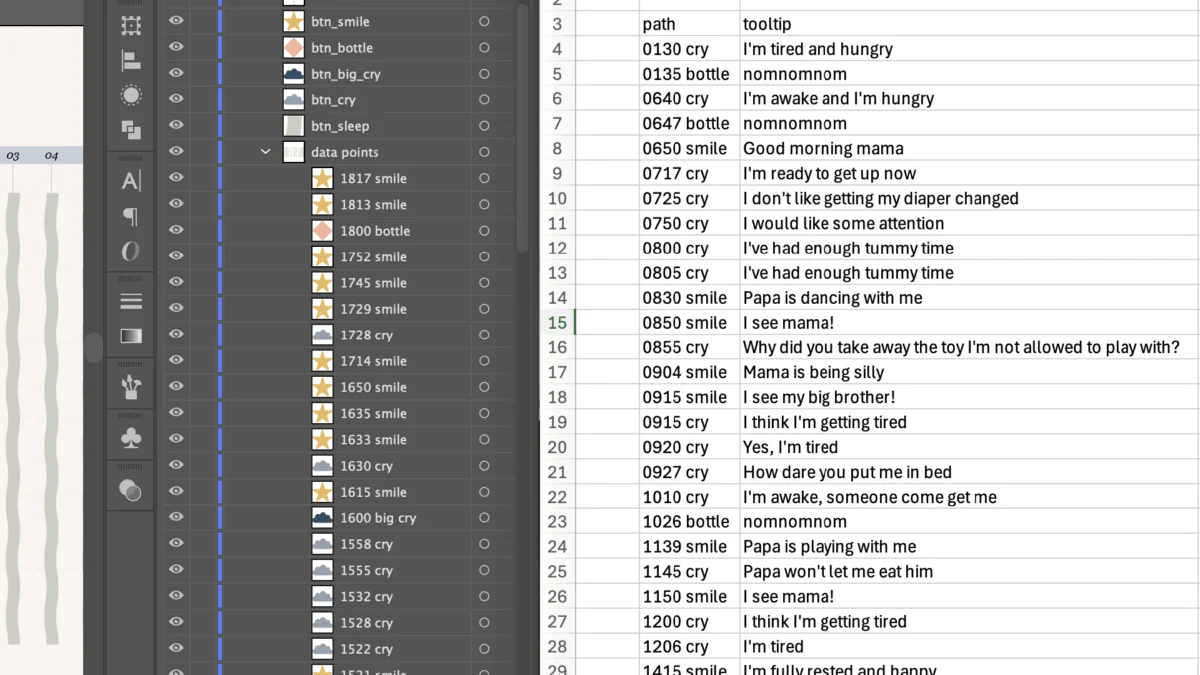
By Nightingale Visual Design Desk
Published: September 2026
Main Facts
Information design is undergoing a quiet revolution, driven by the intersection of traditional graphic design tools and generative artificial intelligence. For designers seeking to break away from static formats, the barrier to entry for building web-ready, interactive data visualisations has traditionally been steep, requiring deep proficiency in languages like JavaScript, D3.js, or complex vector-animation software.
However, a recent workflow pioneered by freelance information designer and mother of two, Cristal Fernandes, demonstrates how creators can bridge the gap between static vector design platforms—such as Adobe Illustrator—and interactive web code. By leveraging large language models (LLMs) like Anthropic’s Claude, Fernandes successfully transformed a complex, hand-drawn vector file into a fully interactive Scalable Vector Graphic (SVG) featuring dynamic tooltips and legend-driven data filtering. Crucially, this workflow was achieved entirely without uploading proprietary design files to external AI training servers, establishing a potential blueprint for privacy-conscious digital creators.
Chronology: From Parent-Led Data Tracking to Web-Ready Code
Phase 1: Data Collection and the Static Design Dilemma
The project originated from a deeply personal intersection of life experiences. Seven months after welcoming her second child, Fernandes decided to pivot professionally into information design. Seeking to build a portfolio piece that showcased both technical rigor and narrative depth, she set out to document a single 24-hour period in the life of her infant.
Tracking variables included:

- Frequency of smiles (and their underlying triggers)
- Cries (categorized by intensity and cause)
- Sleep cycles
- Milk feeds
The initial challenge lay in visual density. Attempting to color-code every distinct reason behind a baby’s cry or smile resulted in an overwhelming visual clutter that Fernandes aptly described as looking "like a unicorn spewed all over my screen." Traditional static layouts forced a compromise: either omit the granular contextual data or risk rendering the graphic completely illegible.
Phase 2: Consulting the AI and Discovering SVGs
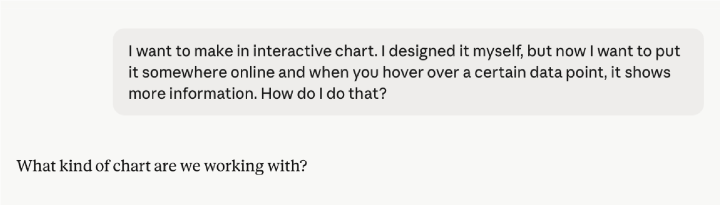
Determined to introduce interactivity—allowing users to view granular details on demand without overwhelming the primary canvas—Fernandes sought technical guidance through Claude. Initial suggestions pointed toward standard business intelligence and charting tools such as Tableau, Datawrapper, or Flourish. Because Fernandes had meticulously constructed her layout as a custom vector graphic in Adobe Illustrator, these off-the-shelf dashboards were structurally incompatible.
The turning point arrived when the LLM identified Scalable Vector Graphics (SVG) as the ideal medium. Because SVGs are inherently written in XML-based code, they retain the hierarchical structure of designer-defined vector layers, making them prime candidates for programmatic manipulation via JavaScript.
Phase 3: Structuring for Code (The Layer-Naming Protocol)
Recognizing that clean code depends entirely on clean source files, Fernandes undertook a rigorous restructuring of her Illustrator workspace.
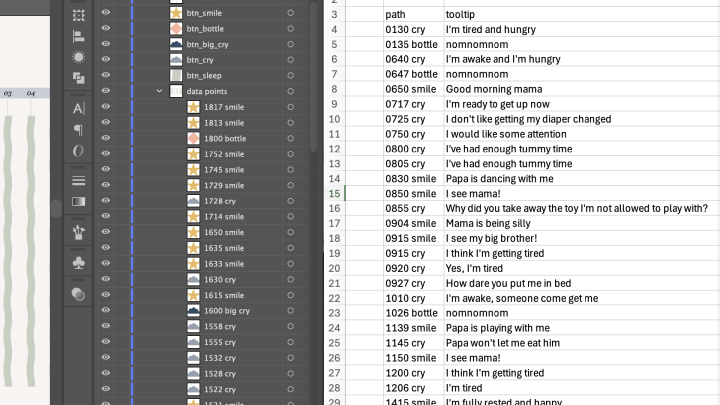
- Layer Naming Conventions: Every data point was converted into an individual layer with a unique identifier incorporating timestamps and categories (e.g.,
1817_smile,1600_big_cry). She later discovered that programmatic parsers automatically prepend underscores to layer names beginning with numbers and convert spaces into underscores—a technical nuance that required careful adjustment. - Legend Grouping: Legend icons were designated as interactive buttons (e.g.,
btn_cry), programmed to query matching string values across the dataset. - The Metadata Bridge: Concurrently, Fernandes maintained an external spreadsheet mapping every individual SVG path ID to its corresponding narrative tooltip text (e.g., pairing a midnight data point with the qualitative note, "I’m tired and hungry").
Phase 4: Code Generation and Privacy-First Implementation
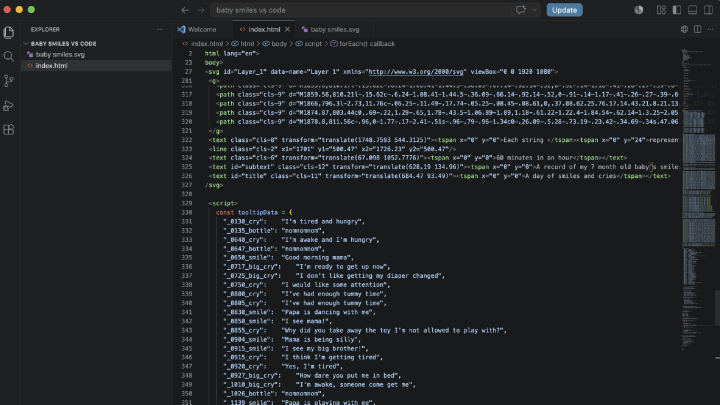
Rather than directly uploading her proprietary design file to an LLM—a practice that risks data absorption into training pipelines—Fernandes opted for a decoupled, privacy-conscious workflow. She utilized a free, local code editor (Visual Science Code / VS Code) to assemble the final product.
By supplying Claude with structured text prompts containing layer naming logic, desired interactions, and accompanying data arrays, she generated a clean HTML and JavaScript block. She then embedded her native SVG markup directly into the script, creating a self-contained, lightweight interactive web component.
Supporting Data: Understanding the Technical Architecture
The methodology relies on leveraging standard web document object model (DOM) manipulation. Below is a breakdown of the core interactions engineered during the project:
| Interaction Type | Target Element | Technical Mechanism | User Experience Outcome |
|---|---|---|---|
| Hover Tooltip | Individual Data Points (path, g) |
JavaScript event listeners (mouseover, mouseout) tracking cursor coordinates. |
Displays localized qualitative context (e.g., specific cause of a cry) near the cursor without cluttering the main canvas. |
| Legend Filtering | Grouped Data Layers (data_points) |
Click handlers querying string matches (e.g., searching layer IDs for cry). |
Highlights target categories while dropping non-selected elements to 50% opacity, allowing users to isolate specific behaviors. |
| State Reset | Toggle Buttons | Secondary click evaluation reverting CSS opacity properties to 100%. |
Restores the full multi-variable dataset view instantly. |
Official Responses and Industry Perspectives
While major software suites continue to roll out native, automated web-publishing tools, independent creators and information designers face a growing tension between workflow efficiency and data sovereignty.
Industry analysts note that tools like Illustrator and Figma have steadily improved their web-export capabilities, yet true programmatic interactivity—such as conditional data filtering and responsive tooltips driven by external text arrays—still demands a basic understanding of front-end web languages.
Data privacy advocates have increasingly warned against the casual upload of proprietary assets, client work, and personal portfolios into commercial AI environments. Fernandes’s approach—utilizing AI strictly as a consultant and code generator while keeping the actual asset compilation local within a dedicated code editor—highlights a sustainable middle ground for independent professionals. By writing explicit, prompt-based instructions rather than relying on automated "magic wand" UI generators, designers retain absolute control over code quality, accessibility standards, and semantic structure.
Implications for the Future of Information Design
The implications of this workflow extend far beyond personal portfolio projects, touching on several key areas of modern digital publishing:
1. Democratizing Custom Interactivity
Historically, custom interactive data visualizations required dedicated front-end developers or fluency in complex visualization libraries like D3.js. By utilizing LLMs to translate graphic design hierarchy into vanilla JavaScript and HTML, visual designers can bypass traditional engineering bottlenecks. This empowers solo creators to deliver rich, editorial-grade infographics that rival the outputs of major newsrooms.
2. Solving Visual Density in Editorial Storytelling
Data fatigue is a common hazard in modern infographics. Designers often struggle to present dense, multi-variable datasets without overwhelming the viewer. By mastering tooltip architectures and state-based layer filtering, creators can adopt a "progressive disclosure" model—presenting clean macro trends at first glance while locking rich, qualitative micro-narratives behind intuitive hover and click states.
3. Ethical AI Integration in Creative Workflows
As creative industries grapple with copyright, asset ownership, and data privacy, the workflow established in this project offers a model for responsible AI adoption. Treating the LLM as a syntax tutor and architectural advisor rather than an automated black box ensures that designers protect their intellectual property while actively expanding their technical skill sets.
As Fernandes noted reflecting on her journey from static layout artist to interactive publisher, the goal of incorporating AI was never to bypass the meditative, pixel-level craftsmanship of design. Rather, it was to cross an intimidating technical chasm—turning a static snapshot of a baby’s daily routine into a living, breathing digital artifact.
Readers interested in examining the live implementation of this workflow can view the fully interactive version of Cristal Fernandes’s data visualization on her professional portfolio at cristalbydesign.be/baby-smiles.
 Azzam Bilal Chamdy
  Asep Darmawan
  Suro Senen