
 By Basiran
For years, the narrative surrounding ecommerce has been one of increasing accessibility. The barrier to entry—once defined by complex coding, server management, and expensive web development—has been systematically dismantled by platforms like Shopify. Yet, despite the "ease of use" touted by marketing departments, a significant number of aspiring entrepreneurs still abandon their digital storefronts mid-setup.
The reality is that while the technical hurdles have lowered, the operational workload remains substantial. From sourcing high-quality products and writing compelling, conversion-focused copy to fine-tuning themes and configuring backend logistics, the "setup phase" is often where momentum dies. Enter BuildYourStore.AI (BYS), a tool designed to bridge the gap between intent and execution.
Main Facts: What is BuildYourStore AI?
BuildYourStore AI is a specialized, AI-driven automation layer designed to sit atop the Shopify ecosystem. It is not an independent ecommerce platform, but rather a sophisticated "store launch assistant" that streamlines the foundational work required to move from an idea to a live, functional business.
At its core, BYS addresses the "blank page syndrome" that plagues many beginners. By leveraging artificial intelligence, the tool automates the heavy lifting of store creation:
- Theme Selection and Design: Automatically applies a professional-grade aesthetic.
- Product Curation: Populates the store with ten initial dropshipping products.
- Content Generation: Writes product descriptions and establishes site copy.
- Logistics Setup: Integrates with AutoDS for seamless dropshipping fulfillment.
- Trust Building: Installs essential apps and trust badges to enhance conversion rates.
The platform is free to use, meaning users can generate their store structure without upfront service fees, provided they have an active Shopify account.
The Chronology of a Build: How It Works
The workflow for launching a store via BYS is designed for speed. The process is broken down into five distinct steps, typically taking less than an hour to complete.
1. Initial Onboarding and Account Creation
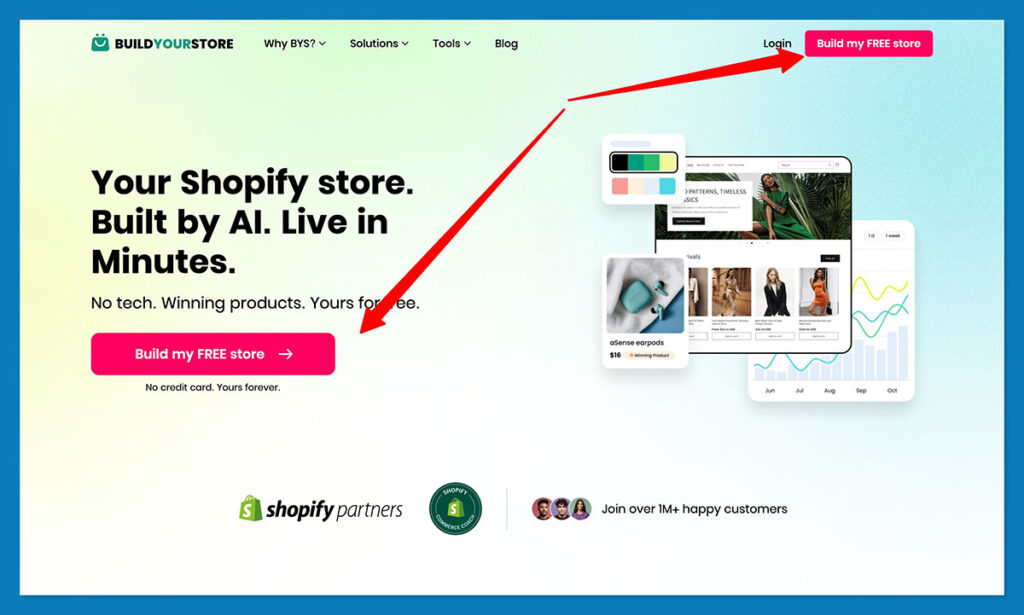
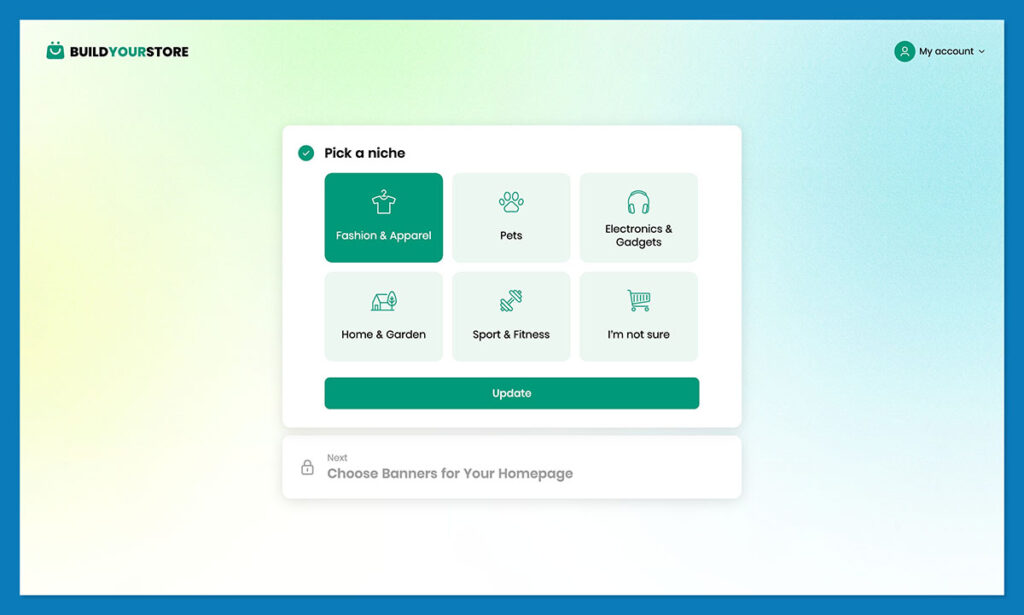
The user begins by navigating to the BuildYourStore website. The interface is intentionally minimalist, focusing on a single, clear call to action: "Build my Free Store." No credit card is required at this stage. Once logged in, the user selects their desired niche—such as Home & Garden, Pets, or Electronics—or opts for an AI-guided suggestion if they are undecided.
2. The Creative Foundation
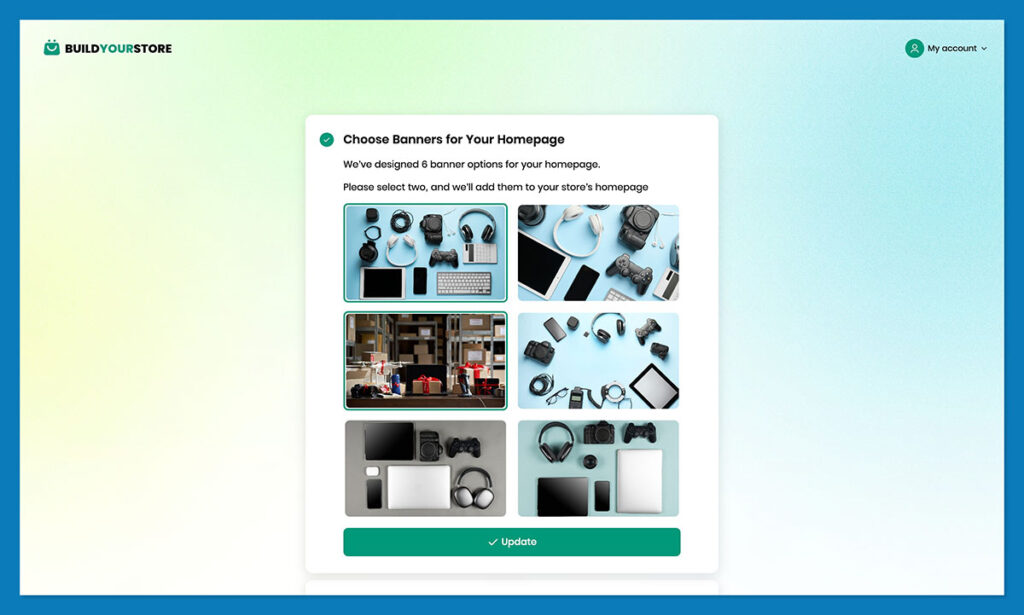
Rather than forcing the user into a complex theme editor, BYS presents a selection of pre-generated homepage banners. By selecting the aesthetic that best aligns with their vision, the user allows the AI to determine the visual tone and color palette for the entire site.
3. Shopify Integration
Once the design parameters are set, the user enters their Shopify admin URL. The platforms communicate via an API handshake, which allows the BYS app to be installed directly into the Shopify store. This is the pivotal moment where the automation takes over.
4. Automated Population
Over the course of five to six minutes, the AI populates the store. It maps out the pages, adds the selected products (complete with imagery and pricing), and configures the store’s backend settings. The result is a "live-ready" environment that only requires final human review.
5. Final Optimization and Launch
The final step is the "sanity check." The user must remove password protection, test the checkout flow, and verify that the product descriptions match their specific brand voice. By the end of this hour-long sequence, the store is technically ready for the public.
Supporting Data: The Economics of the Build
A common misconception is that because the tool is free, the store is free to operate. While BYS removes the cost of initial development, the underlying infrastructure carries necessary expenses that any entrepreneur must factor into their budget.
- Shopify Costs: A Shopify subscription is non-negotiable. While the platform often offers introductory pricing (e.g., $1/month for the first three months), standard rates apply thereafter.
- Fulfillment Fees: To leverage the dropshipping capabilities of AutoDS, users will eventually need to pay the subscription fee, currently priced at $19.90 per month.
- The "Hidden" Costs of Business: Beginners often forget that a live store is only the starting line. Marketing spend (Facebook/Google/TikTok ads), customer support tools, domain registration (though BYS provides a .store domain for the first year), and product sampling are essential variables.
When viewed as an "accelerator," however, the ROI on BuildYourStore becomes clear. The time saved—often 20 to 40 hours of manual labor—is essentially converted into a shorter time-to-revenue.
Official Perspectives and Market Positioning
In discussions with ecommerce experts, the consensus on tools like BYS is nuanced. While skeptics argue that "pre-built" stores lack the unique brand identity of a custom-coded site, proponents point out that for a beginner, conversion is more important than total customization.
The partnership between BYS and AutoDS is a strategic move. By baking in a leading dropshipping fulfillment solution, the developers are signaling that their target audience isn’t just looking for a "pretty site"—they are looking for a functional supply chain. This is a critical distinction from other "drag-and-drop" website builders that offer no path to product fulfillment.
The Implications: Is It Worth the Leap?
The existence of BuildYourStore AI represents a maturation of the dropshipping industry. We are moving away from the era of "hustle-it-yourself" complexity and toward an era of "curated automation."
The Pros:
- Elimination of Technical Debt: Users don’t need to learn liquid code or CSS to get a professional look.
- Speed-to-Market: It prevents the "procrastination loop" that kills 90% of ecommerce startups.
- Low Barrier to Entry: The ability to start with minimal financial risk makes it an ideal testing ground.
The Cons:
- Standardization: Because the AI draws from a template library, stores may look similar to others if users do not invest time in custom branding.
- Over-Reliance on Automation: There is a risk that beginners might assume the AI will handle marketing and customer service, which it cannot do.
- Limited Customization: Advanced Shopify users may find the constraints of the BYS theme frustrating.
Final Verdict: Who Should Use It?
BuildYourStore AI is best suited for three specific types of entrepreneurs:
- The "Analysis Paralysis" Beginner: If you have been researching Shopify for months but haven’t started because the setup feels daunting, this is your solution. It provides the "nudge" needed to get your business into the real world.
- The Product Tester: If you want to launch a store quickly to validate a product idea, BYS allows you to get a landing page live in an afternoon, minimizing the wasted time of a "failed" experiment.
- The Non-Technical Entrepreneur: For those with excellent product-sourcing skills but zero interest in web development, BYS acts as a force multiplier.
It is likely NOT the solution for you if:
- You are building a high-end luxury brand that requires a completely bespoke, custom-coded aesthetic.
- You are an experienced developer who prefers granular control over every element of the theme.
- You have no interest in the dropshipping business model.
In conclusion, BuildYourStore AI is a remarkable bridge to the world of ecommerce. It doesn’t replace the need for business acumen, hard work, or a solid marketing strategy, but it effectively removes the technical friction that stops most people before they ever begin. If you are looking to launch, the only thing left to decide is what you are going to sell.
 Dwi Wanna
  Lina Irawan