
 By Dwi Wanna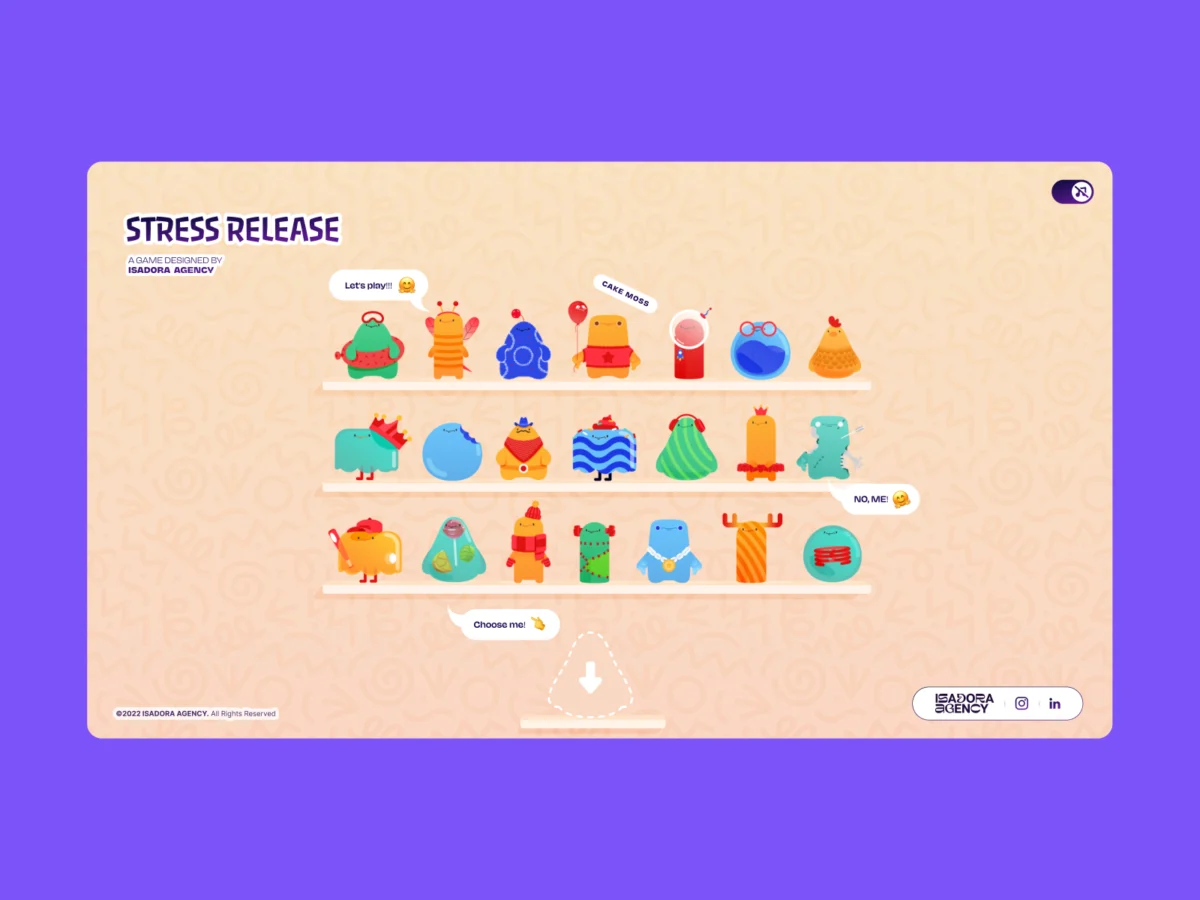
In the modern landscape of front-end web development, building an interface that feels bouncy, responsive, or delightfully destructive almost always triggers a collective industry reflex: reach for a physics engine. Frameworks like Matter.js, Cannon.js, or bespoke WebGL implementations have long stood as the gold standard for crafting immersive, gamified web experiences. They offer procedural realism, calculating momentum, gravity, and elastic collisions on the fly.
However, when the creative development team at the Isadora Agency set out to build Stress Release—a digital stress-relief squeeze toy designed to let burnt-out creatives smash, stretch, and distort animated UI characters—they quickly realized that standard physics engines were the wrong tool for the job.
Instead of turning to heavy WebGL canvas environments, the team engineered a real-time, highly tactile web experience using zero physics libraries. By relying exclusively on programmatic Lottie state controls, native DOM manipulation, and distance-based math, they maintained absolute deterministic control over their designers’ intentional motion.
The Design Requirements: Intentional Motion vs. Algorithmic Approximation
When front-end developers and UX engineers are tasked with building a web interface that feels tactile, the goal is typically to establish a tight feedback loop: a user performs an action, the UI reacts instantaneously, and a reward or visual confirmation is served.
For Stress Release, the core design requirement was absolute deterministic control. The agency’s animators had meticulously crafted bespoke vector animations saved as complex JSON Lottie files. These assets required exact, frame-by-frame sequencing to deliver their punchy, humorous, and satisfying reactions.
For instance, the project’s signature "mega squeeze" reaction required a precise 181-frame build-up phase followed by a highly specific, snappy release sequence. Implementing this through a procedural physics engine would have meant substituting the animators’ hand-tuned keyframes with algorithmic approximations. A physics-based rubber ball might bounce realistically, but it cannot naturally convey a cartoon character’s expressive, hand-animated comedic timing or distinct personality.
To preserve the integrity of the art direction, the Isadora Agency chose programmatic state control using Lottie’s native API. This ensured that the interaction layer acted as a flawless, predictable trigger for the animation layer, completely bypassing the chaotic unpredictability of physics simulations.
Chronology of Development: From Concept to DOM-Managed Reality
The architectural journey of Stress Release unfolded in distinct phases, shifting away from experimental physics prototypes toward a streamlined, DOM-based architecture.

Phase 1: Prototyping with Physics
In the earliest developmental stages, the team experimented with traditional physics-based libraries to handle character interactions. Developers mapped bounding boxes and applied force vectors to simulate the squishing and stretching of characters on a canvas.
- The Bottleneck: The team discovered that physics engines produced plausible motion, but not intentional motion. Characters would deform based on mathematical variables rather than artistic intent. Furthermore, managing interactive UI elements, typography, and responsive scaling inside a WebGL canvas introduced unnecessary overhead and layout complexity.
Phase 2: Pivoting to the DOM and Lottie Runtime
Abandoning WebGL and physics libraries entirely, the team moved the rendering pipeline directly into the standard DOM, leveraging the Lottie runtime to play vector-based JSON animations as internal SVGs.
By selecting elements directly via CSS classes and IDs, developers could drive character behavior using a blend of Lottie animation segments, CSS transforms, and targeted click-event math. This approach bridged the gap between traditional web layouts and rich, gamified animations.
Phase 3: Implementing Radial Input Mapping
To replicate the visceral sensation of striking a physical object, the team devised a radial input mapping system. Instead of complex raycasting, every user interaction—whether a desktop click or a mobile tap—was measured against the character’s center point using basic geometry.

Developers translated page coordinates into the character’s local coordinate space:
// Character's center point in its own coordinate space
var x_center = parseFloat($("#playChar").width()  / 2);
var y_center = parseFloat($("#playChar").height() / 2);

// Click position relative to the character's top-left corner
var offset = $("#playChar").offset(); // document-relative position
var X = parseFloat(e.pageX - offset.left);
var Y = parseFloat(e.pageY - offset.top);

// Vector from center to click point
var a = parseFloat(X - x_center);
var b = parseFloat(Y - y_center);
Using the Pythagorean theorem, the straight-line distance from the center of the click was computed instantly:
var distance = Math.hypot(a, b);This single numerical value governed multiple aspects of the experience: point rewards, feedback intensity, and the exact physical placement of the explosion animation.
Supporting Data and Technical Implementation
The architecture relied on a concentric zone system—resembling a dartboard—mapped cleanly over the character’s layout. The visual complexity of the Lottie SVG had zero impact on hit detection, as the underlying hitbox remained a reliable, calculated circle.

// Distance zones map to point rewards
if      (distance < 10)  givePts = 100; // bullseye
else if (distance < 40)  givePts = getRndInteger(70, 90);
else if (distance < 70)  givePts = getRndInteger(40, 70);
else if (distance < 100) givePts = getRndInteger(20, 40);
else if (distance < 120) givePts = getRndInteger(10, 20);
else if (distance < 145) givePts = getRndInteger(1,  10);
else givePts = 0; // miss

// Explosion Lottie repositioned to the exact click point
var shiftPosition = window.innerWidth < 1023 ? -20 : 200;
$("#explosionChar").css(
  "margin-left": a + shiftPosition + "px",
  "margin-top":  b + shiftPosition + "px",
);

// Fire the squish animation instantly
explosion.goToAndPlay(0);
By dynamically repositioning the explosion Lottie asset to coordinates $(a, b)$, the visual impact always materialized directly where the user clicked. This spatial accuracy successfully manufactured the tactile illusion of physical impact purely through math and DOM positioning.
Managing State via Frame Ranges
Interaction handling was tightly regulated by dividing character animations into discrete frame segments:
const play_segments = [
  charId: 0,
  sections:
    idle:     [0,  40],   // looping idle state
    squeeze1: [41, 80],   // light reaction
    squeeze2: [81, 120],  // medium reaction
    squeeze3: [121, 160], // heavy reaction
  ,
  playOrder: ["squeeze1", "squeeze2", "squeeze3"],
  endAnimation: [161, 200]
];
When a click registered, the script stepped through the playback order, halting the current loop and forcing the exact target frames to render immediately, locking out further clicks until the sequence completed and returned the character to its idle loop.
Official Performance Strategies: Mitigating the Weight of Lottie
While programmatic DOM control preserved art direction, it introduced a significant engineering hurdle: file size and performance overhead.

Loading 21 distinct character animations alongside multiple explosion variants presented a heavy payload for browser memory, particularly on mobile devices. To maintain a fluid, 60fps experience, the Isadora Agency implemented aggressive optimization strategies:
- Quality Throttling: For the multi-character selection shelf—where 21 separate animations played simultaneously—global Lottie quality was scaled down.
lottie.setQuality(0.5); // 50% quality - reduces interpolation calculations shelf.setSpeed(0.6); // 60% speed - fewer frame calculations per second - Dedicated Focus Scaling: When a user transitioned to the active play screen featuring a single character, resource allocation shifted dynamically to full fidelity:
lottie.setQuality(1); // full quality - only one animation at a time - Responsive DOM Handling: By utilizing CSS custom properties (
--doc-heightand--doc-width) updated via standard resize listeners, the Lottie SVGs scaled naturally inside their containers without suffering the rendering degradation or coordinate-mapping headaches typical of canvas-based scaling.
Implications for Future Creative Web Development
The success of Stress Release offers a broader philosophical and technical lesson for UI/UX engineers and front-end developers: technological choices must be dictated by design requirements, not industry trends.
When building gamified or highly tactile web interfaces, defaulting to heavy physics engines or complex WebGL wrappers can inadvertently alienate animators and designers. By mapping Lottie’s native timeline capabilities directly to the DOM and managing interactions through lightweight math, development teams can deliver rich, responsive, and deeply satisfying user experiences without sacrificing artistic intent.
Ultimately, code does not need to simulate reality to feel real. By listening, calculating, and triggering with surgical precision, front-end architecture can elevate digital art direction from a passive viewing experience to an active, tactile masterpiece.
 Nila Kartika Wati
  Evan Lee Salim
  Reynand Wu