
 By Reynand Wu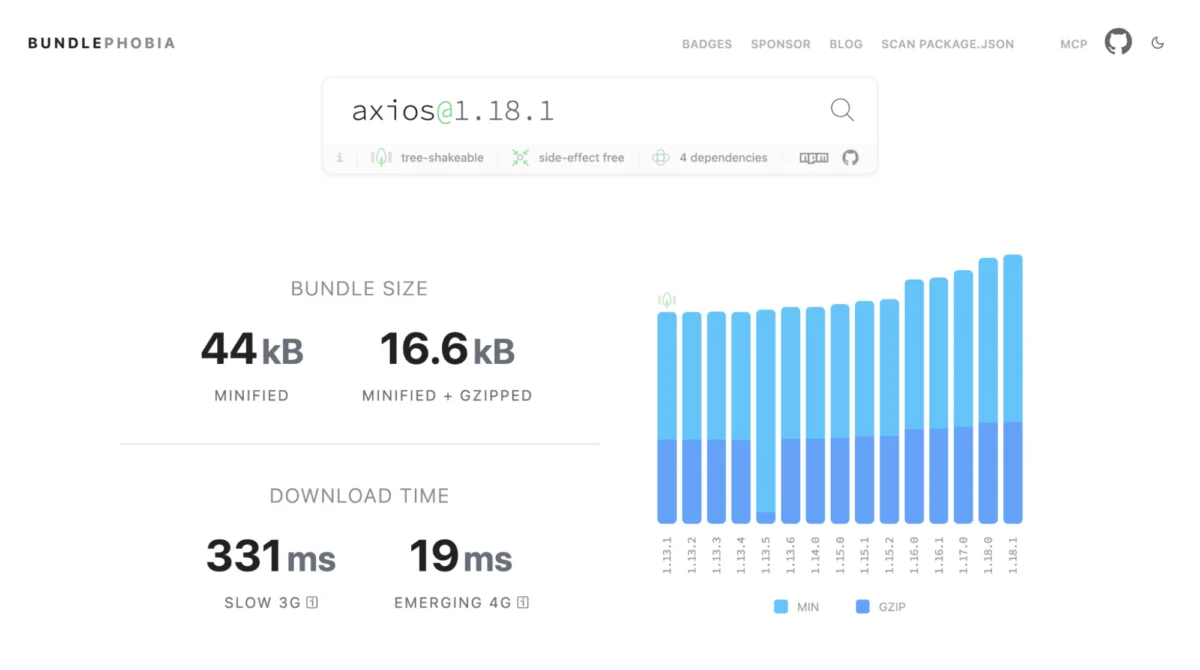
The historical friction between relying on external JavaScript libraries and utilizing native browser features is rapidly dissolving. For years, the default developer workflow for building any modern web application began with an expansive npm install command. Date formatters, HTTP clients, modal dialogs, and deep-cloning utilities were considered indispensable additions to any standard package.json.
However, modern web browsers have evolved at an unprecedented pace. Today, a typical mid-sized JavaScript application often carries between 60KB and 90KB (minified and gzipped) of third-party dependencies that the modern web platform can now handle natively. This comprehensive guide explores how developers can conduct a strategic dependency audit, leveraging the concept of "Baseline" web features to safely reduce bundle sizes, optimize performance, and return control back to the browser.
Main Facts: The Changing Landscape of Web Development
For decades, developers installed dependencies once and rarely audited them again. As long as features worked and test suites passed, packages remained tucked away in the dependency tree. Simultaneously, the web platform—driven by standards bodies and cross-browser collaboration—has systematically built these very capabilities directly into the core architecture of modern browsers.
Key takeaways from the current shift in frontend development include:
- Native Platform Parity: Complex operations such as internationalization, list formatting, deep object cloning, array grouping, and modal accessibility are now natively supported by modern browsers.
- Quantifiable Bundle Bloat: Removing redundant libraries across standard clusters (Internationalization, UI primitives, HTTP handling, and utility functions) typically saves between 60KB and 90KB of gzipped JavaScript payload.
- The "Baseline" Standard: Maintained by the WebDX Community Group, Baseline provides clear, objective metrics regarding feature availability across major browser engines (Chrome, Edge, Firefox, and Safari).
- The Danger of Blind Swaps: Simply deleting libraries without evaluating specific use cases, edge-case feature requirements, or audience analytics can introduce subtle regressions for end-users.
Chronology: The Evolution from Polyfills to Native Support
To understand how we arrived at an era where native platform features can replace entire ecosystems of utility libraries, it helps to review the historical timeline of web standards and tooling.

The Era of Polyfills and Framework Workarounds (2010–2018)
During the height of the single-page application (SPA) boom, browser fragmentation was a daily pain point. Internet Explorer and early versions of mobile browsers lacked robust implementations for modern JavaScript APIs. Developers heavily relied on heavy utility libraries like Lodash, Moment.js, and Axios to ensure consistent behavior across environments. Standard array manipulation, deep copying, and date-time calculations simply could not be trusted to native engines.
The Rise of Standardized Specifications (2019–2023)
As evergreen browsers established regular release cadences, standards bodies such as TC39 (ECMAScript) and the W3C began shipping powerful native APIs. APIs like fetch, structuredClone, and foundational components of the Intl namespace started landing in browsers. However, adoption lagged because developers lacked a reliable, standardized metric to track when a feature was genuinely safe to use without polyfills.
The Introduction of Baseline and Modern Web Platform APIs (2024–Present)
The launch of the Baseline standard transformed how developers evaluate browser capabilities. By categorizing features into "Newly Available" and "Widely Available" states, teams gained the confidence needed to deprecate legacy polyfills and third-party helpers. Recent platform additions—such as CSS anchor positioning, the Popover API, Object.groupBy(), and native Set operations—have fundamentally closed the remaining gaps between external packages and native capabilities.
Supporting Data: Bundle Mathematics and Performance Impact
Performance metrics on the web consistently underscore the cost of excessive JavaScript. Every kilobyte parsed, compiled, and executed on the client side directly impacts Time to Interactive (TTI), particularly on mobile devices and emerging markets operating on constrained networks.
Cluster Breakdown and Potential Savings
An audit of a standard production package.json typically reveals distinct clusters of redundant dependencies:

- Internationalization Cluster (~14 KB gzipped): Replacing dedicated packages like
timeago.js,numeral, andpluralizewith native APIs (Intl.RelativeTimeFormat,Intl.NumberFormat, andIntl.ListFormat) eliminates substantial overhead. - HTTP Clients (~17 KB gzipped): Swapping out heavy wrappers like
axiosorsuperagentin favor of the nativefetchAPI—supplemented byAbortControllerandAbortSignal.timeout()—removes significant payload weight for applications performing standard REST operations. - UI Primitives Cluster (~24 KB gzipped): The introduction of the native
<dialog>element, the Popover API, and CSS anchor positioning allows developers to discard specialized accessibility dialog managers, focus-trap libraries, body-scroll-lock packages, and tooltip positioners like Popper/Tippy.js. - Utility Functions Cluster (~8 KB+ gzipped): Utilizing native primitives like
structuredClone(replacinglodash.clonedeep),Object.groupBy(replacinglodash.groupby), and native Set methods (intersection,union,difference) significantly shrinks utility-belt dependencies.
Combined, these clusters account for the frequently cited 60KB to 90KB gzipped savings (which translates to roughly 180KB to 270KB uncompressed before minification and compression).
Official Responses and Industry Guidance
Industry leaders and browser vendors actively encourage developers to re-evaluate their dependency management practices through the lens of modern platform capabilities.
Web standards advocates emphasize that building on top of the web platform inherently improves long-term maintainability. Native browser APIs do not suffer from abandoned maintenance repositories, supply-chain vulnerabilities, or unexpected breaking changes introduced by third-party maintainers. Furthermore, browser vendors optimize native implementations at the C++ or Rust engine level, meaning native features execute significantly faster than their JavaScript-based library equivalents.
However, framework authors and core maintainers also urge caution. The official guidance from web architecture experts centers on a rigorous decision framework before removing any dependency:
- Audience Alignment: Verify whether a native feature’s Baseline status matches the specific browser distribution of your user base.
- Polyfill Cost Analysis: Ensure that adopting a newly available feature does not require a polyfill that inadvertently outweighs the library being removed (as seen currently with the Temporal date API).
- Feature Parity: Confirm whether third-party helpers provide advanced utility methods (such as request interceptors in HTTP clients) that your application logic actively depends upon.
Implications: Building a Sustainable Audit Routine
Transitioning away from heavy dependency reliance requires shifting organizational habits. Security audits via npm audit check for known vulnerabilities, but engineering teams must now incorporate regular feature-availability audits to question whether established packages remain necessary.

Implementing a Quarterly Dependency Audit
To maintain a lean, high-performing codebase, engineering teams should establish a repeatable quarterly review process:
- Inventory Production Dependencies: Run commands such as
npm ls --omit=dev --depth=0to identify precisely what ships to production. - Analyze Real Bundle Impact: Utilize tools like Bundlephobia for preliminary package estimates, and source map explorers or bundle visualizers (such as Vite bundle visualizer) to measure actual production impact after tree-shaking.
- Cross-Reference with Baseline: Check candidate replacements on
webstatus.devor MDN documentation to confirm their current availability status. - Apply Progressive Enhancement: For Widely available features, refactor code to use native APIs directly. For Newly available features, implement progressive enhancement patterns with clean fallback checks:
if (typeof Intl.DurationFormat === "function")
  // Leverage the high-performance native browser API
  const df = new Intl.DurationFormat("en",  style: "long" );
  return df.format(durationData);
 else
  // Fall back gracefully for legacy browser environments
  return legacyFormatLibrary(durationData);
The Future of Web Engineering
The growing alignment between developer needs and native browser capabilities marks a mature phase in web development. By treating the browser as the primary runtime environment rather than a mere compilation target, developers can deliver faster, more accessible, and resilient web experiences. Opening your project’s configuration file today to identify and remove redundant dependencies is no longer just a micro-optimization—it is a fundamental practice of modern software engineering.
 Evan Lee Salim
  Dwi Wanna
  Azzam Bilal Chamdy