
 By Iffa Jayyana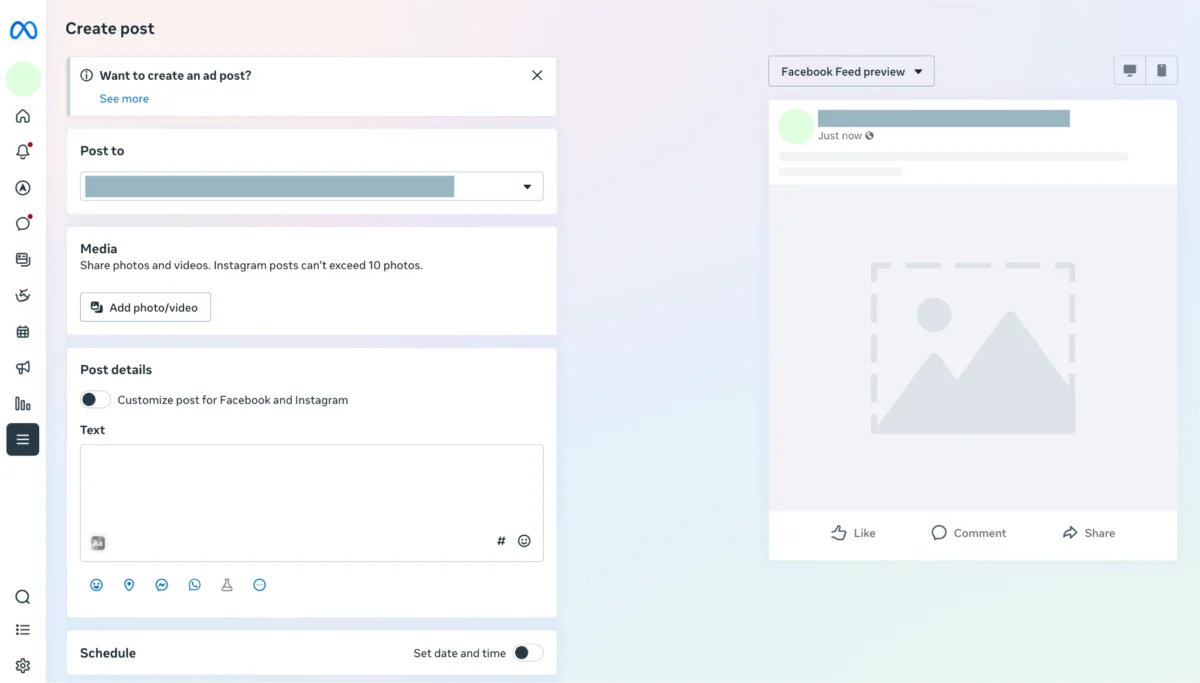
In the fast-paced world of digital marketing, the ability to maintain a consistent social media presence is the difference between building a loyal community and fading into the algorithm’s background. For businesses and creators, learning how to schedule a post on Facebook is more than just a time-saving hack; it is a fundamental pillar of a professional content strategy.

By mastering the art of pre-planned publishing, you regain control over your brand’s narrative, ensuring that your content reaches your audience when they are most likely to engage. Whether you are using Meta’s native tools or professional third-party suites, the benefits of scheduling—ranging from global reach to improved team workflows—are undeniable.

The Strategic Importance of Scheduling
Scheduling Facebook posts is not merely about convenience; it is about precision. When you post at random intervals, you are at the mercy of chance. When you schedule, you are acting with intention.
1. Consistent Brand Presence
Algorithms favor consistency. By maintaining a steady flow of high-quality content, you signal to Facebook that your Page is active and valuable, which can lead to better visibility.
2. Time Zone Optimization
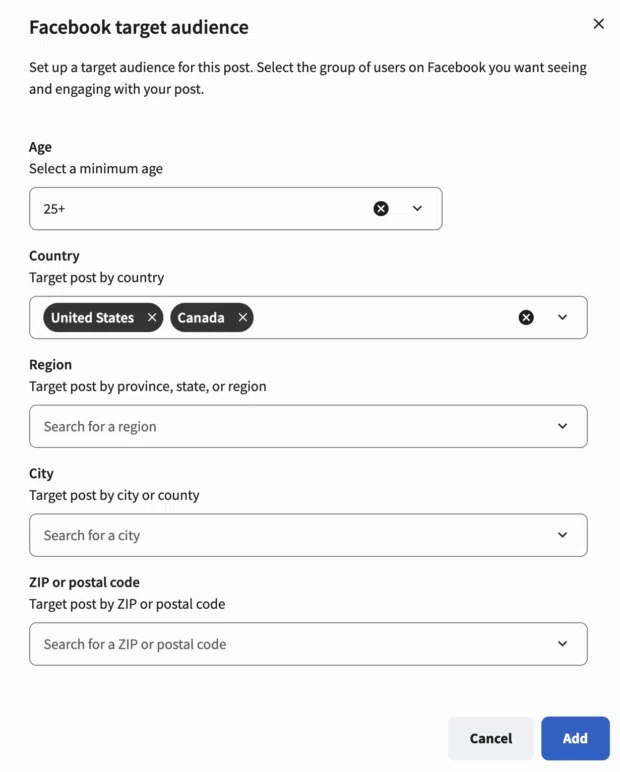
Your audience is likely not confined to your immediate geographic area. Scheduling allows you to publish content during the peak hours of your target demographics, regardless of where your team is located.

3. Strategic Planning
Planning your content calendar a week or a month in advance allows you to view your strategy as a cohesive whole. This prevents disjointed messaging and ensures your content aligns with upcoming sales, product launches, or industry trends.
Chronology: How to Execute Your Scheduling Workflow
Phase 1: Native Scheduling with Meta Business Suite
For small businesses or those primarily focused on the Facebook and Instagram ecosystem, Meta Business Suite is the gold standard for free, native scheduling.
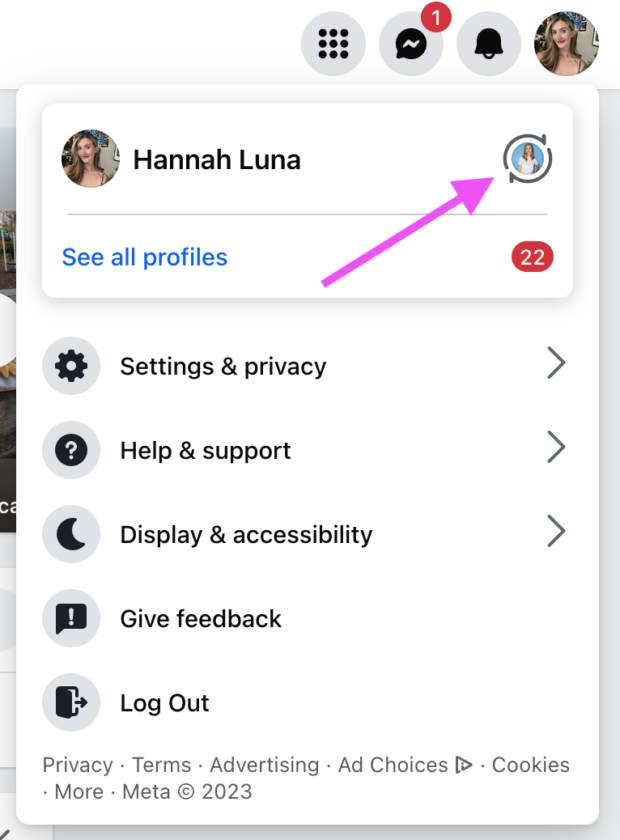
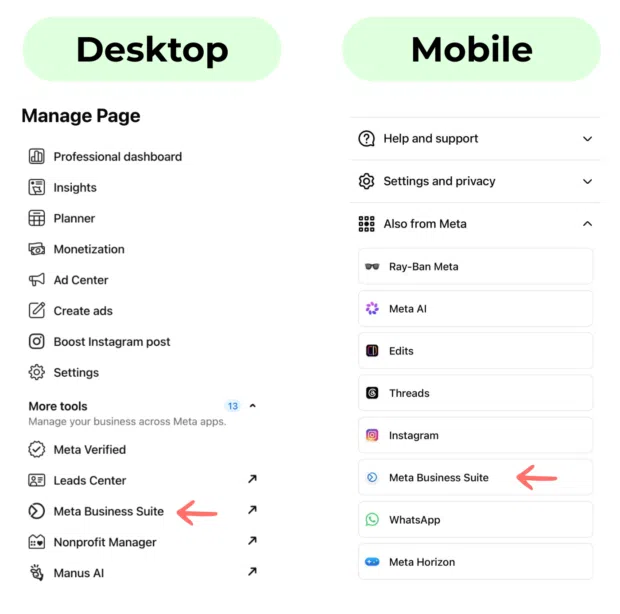
- Access the Suite: Navigate to your Facebook Page and select the "Meta Business Suite" tab in the left-hand navigation menu.
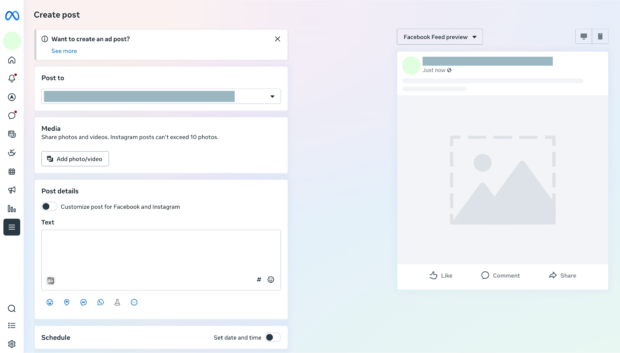
- Drafting: Click the "Create Post" button. You will be prompted to add your creative assets (images or videos) and your copy. A live preview will appear on the right side of the screen, allowing you to ensure the post looks perfect on both desktop and mobile.
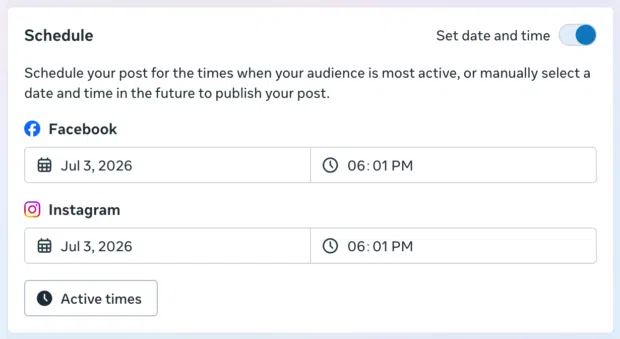
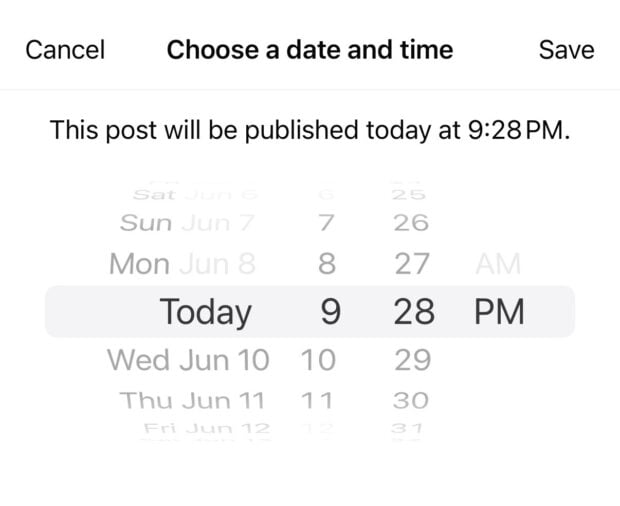
- Timing: Select the "Schedule" option. Meta allows you to set a specific date and time, with a window ranging from 20 minutes to 29 days in the future.
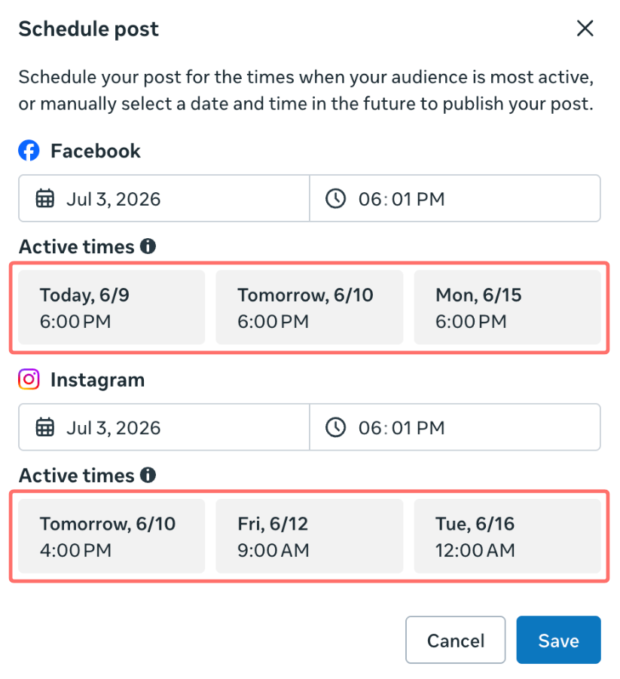
- Active Times: Utilize the "Active Times" button to leverage Facebook’s internal data, which predicts when your specific audience is most likely to be online.
Phase 2: Mobile Flexibility
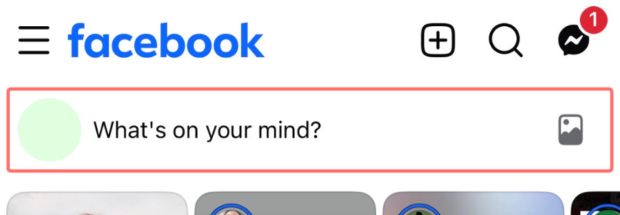
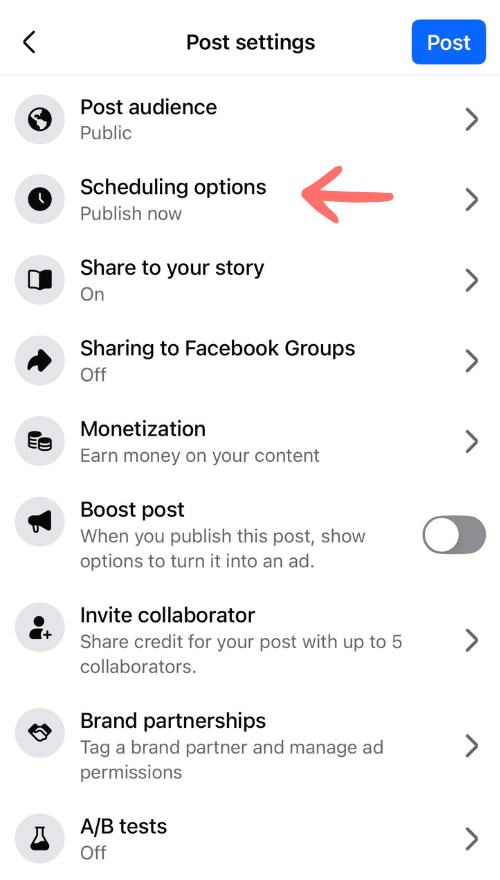
The Facebook mobile app also supports scheduling, provided you are using a Business Page or a personal profile with "Professional Mode" enabled. Simply tap "What’s on your mind?", draft your content, and look for "Scheduling options" under the post settings.
Phase 3: Advanced Management with Third-Party Tools
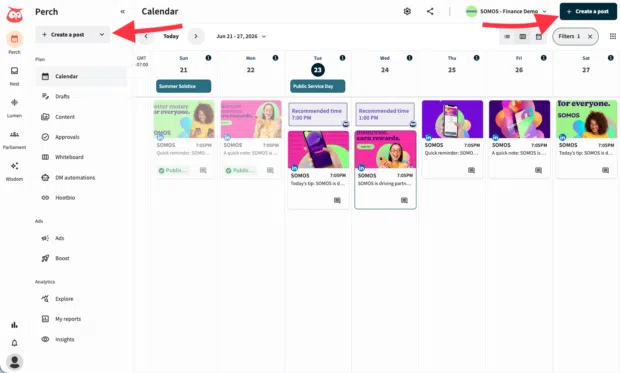
For agencies, enterprises, or brands with a multi-channel presence, Meta Business Suite often falls short. This is where professional-grade tools like Perch by Hootsuite become essential.
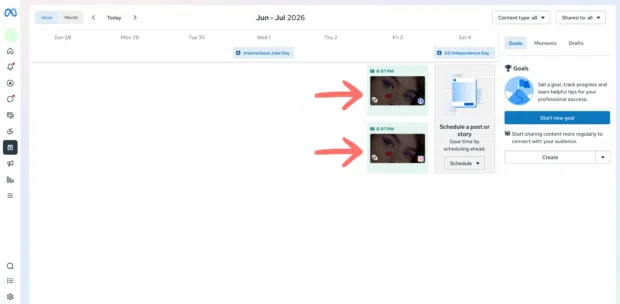
- Bulk Scheduling: While Meta limits you to one-by-one posts, third-party tools allow for bulk uploading via CSV files. You can schedule up to 350 posts at once, saving hours of manual labor.
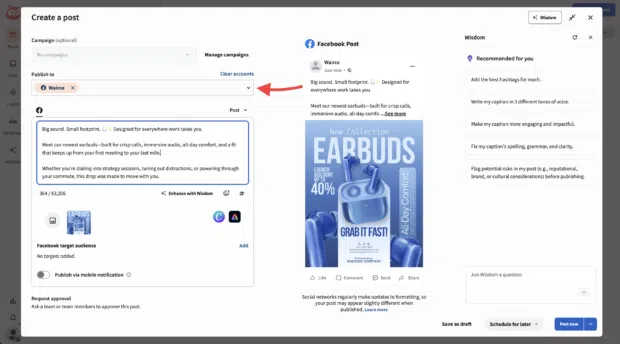
- Approval Workflows: For teams, the "Request Approval" feature ensures that no content goes live without a final sign-off from a manager or stakeholder, effectively preventing potential PR missteps.
- Cross-Platform Integration: These tools unify your efforts, allowing you to push the same or tailored content to LinkedIn, X, TikTok, and YouTube from a single dashboard.
Supporting Data: Why Timing Matters
Data from Hootsuite’s extensive research confirms that timing is not a myth—it is a competitive advantage. The best time to post on Facebook is typically 9 AM on Tuesdays. However, this is a global average.
The "Best Time to Publish" features found in advanced scheduling tools go beyond broad averages. They analyze your specific account’s historical engagement—including link clicks, impressions, and reaction rates—to provide a custom heatmap. By using these insights, businesses can increase their organic reach by ensuring that their content hits the feed exactly when their followers are ready to interact.
Official Guidelines and Platform Implications
It is vital for marketers to understand that not everything can be automated. There are technical limitations to what the API allows, and for good reason.
- Live Events: Facebook Live and certain real-time interaction features cannot be scheduled. These require a human touch to ensure authenticity and connectivity.
- Messenger Bots: For automated customer service, do not rely on post scheduling. Instead, utilize dedicated Messenger automation tools to maintain 24/7 responsiveness.
- The "Crisis" Factor: One of the most important implications of scheduling is the necessity of "pausing." If a global event or a brand crisis occurs, a scheduled post that was created in a more optimistic time can suddenly appear tone-deaf or insensitive. Professional tools allow you to "Suspend All" posts in a single click, a safety feature that can protect your brand’s reputation during sensitive times.
Best Practices for Professional Content Scheduling
1. Maintain Brand Voice
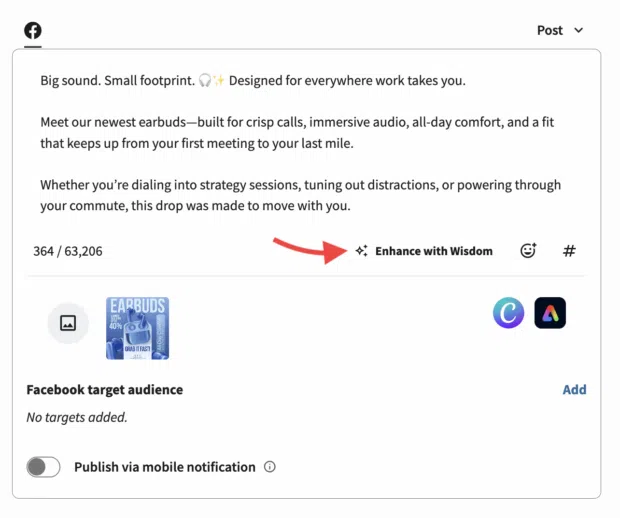
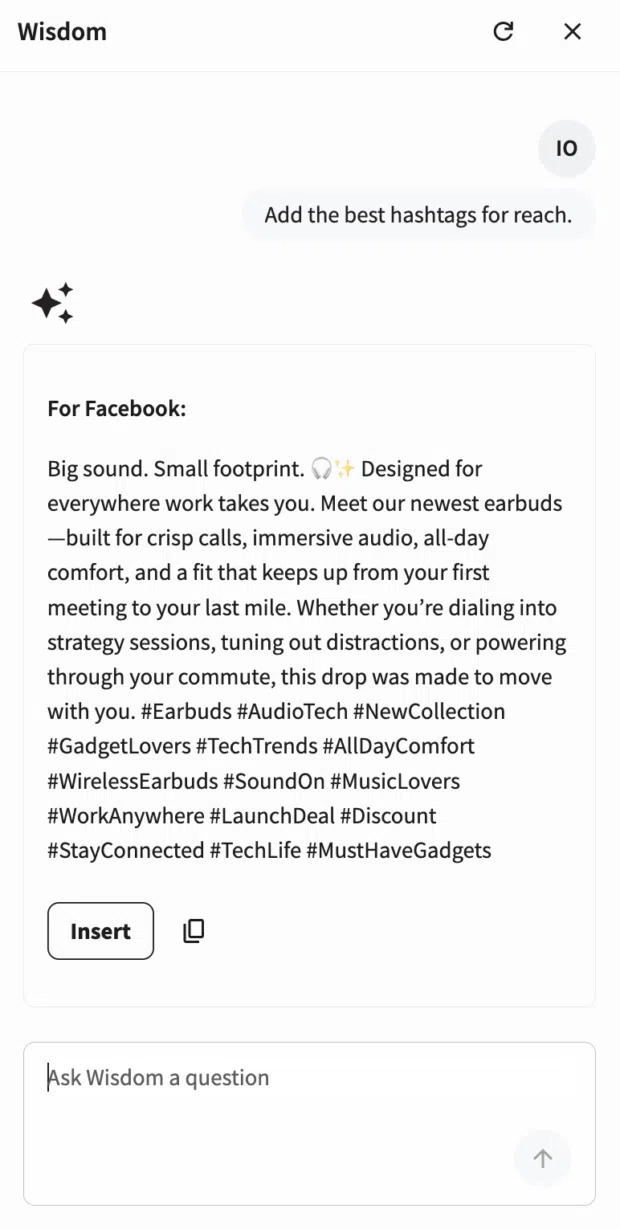
Even when using AI tools to "Enhance with Wisdom" or optimize captions, the final output must feel like your brand. Use a style guide to check for tone, formatting, and emoji usage before you finalize the schedule.
2. The "Rule of Three" for Content Pillars
When planning your month, ensure your scheduled content is balanced. A good rule of thumb is:
- One-third educational content: Industry tips, how-tos, or tutorials.
- One-third community-building: User-generated content, polls, or behind-the-scenes.
- One-third promotional: Product launches, sales, or specific calls-to-action.
3. Review Regularly
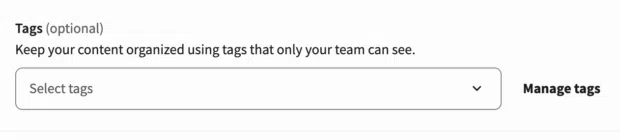
Scheduling is not "set it and forget it." Make it a weekly habit to review your Planner. Check for upcoming holidays, breaking news, or shifts in sentiment that might require you to delete or reschedule a post.
4. Leverage Analytics
A post-mortem analysis of your scheduled content is the best way to improve your future performance. Look for the "why" behind the numbers: Did the post perform well because of the image? The hook in the first sentence? The time of day? Use these answers to refine your next batch of scheduled content.
The Future of Social Media Management
As we move further into 2025, the divide between casual posting and professional management is widening. Meta Business Suite remains an excellent, cost-effective starting point for many, but for those aiming for growth, the efficiency of third-party platforms like Hootsuite is unmatched.
By integrating AI-powered recommendations, team approval workflows, and deep-dive analytics into a single interface, brands can stop "chasing" the algorithm and start mastering it. The goal of every social media manager should be to spend less time on the mechanics of posting and more time on the strategy of connecting.
Ready to elevate your Facebook strategy? Whether you are a small business owner looking to save an hour a day or an enterprise team managing thousands of posts a month, the tools exist to turn your social media presence from a chore into a high-performing engine of growth. Start by auditing your current workflow, identifying the time-sinks, and transitioning to a smarter, scheduled approach today.
 Reynand Wu
  Muslim
  Nila Kartika Wati